HYDRAULIC PULLER TENSIONER PT2450
Manual: MI-PT2450-050-00-GB Date: 28.07.2018 Author: AT Page: 26 of 89
5.5 MULTIFUNCTION DISPLAY AND MACHINE PARAMETERS
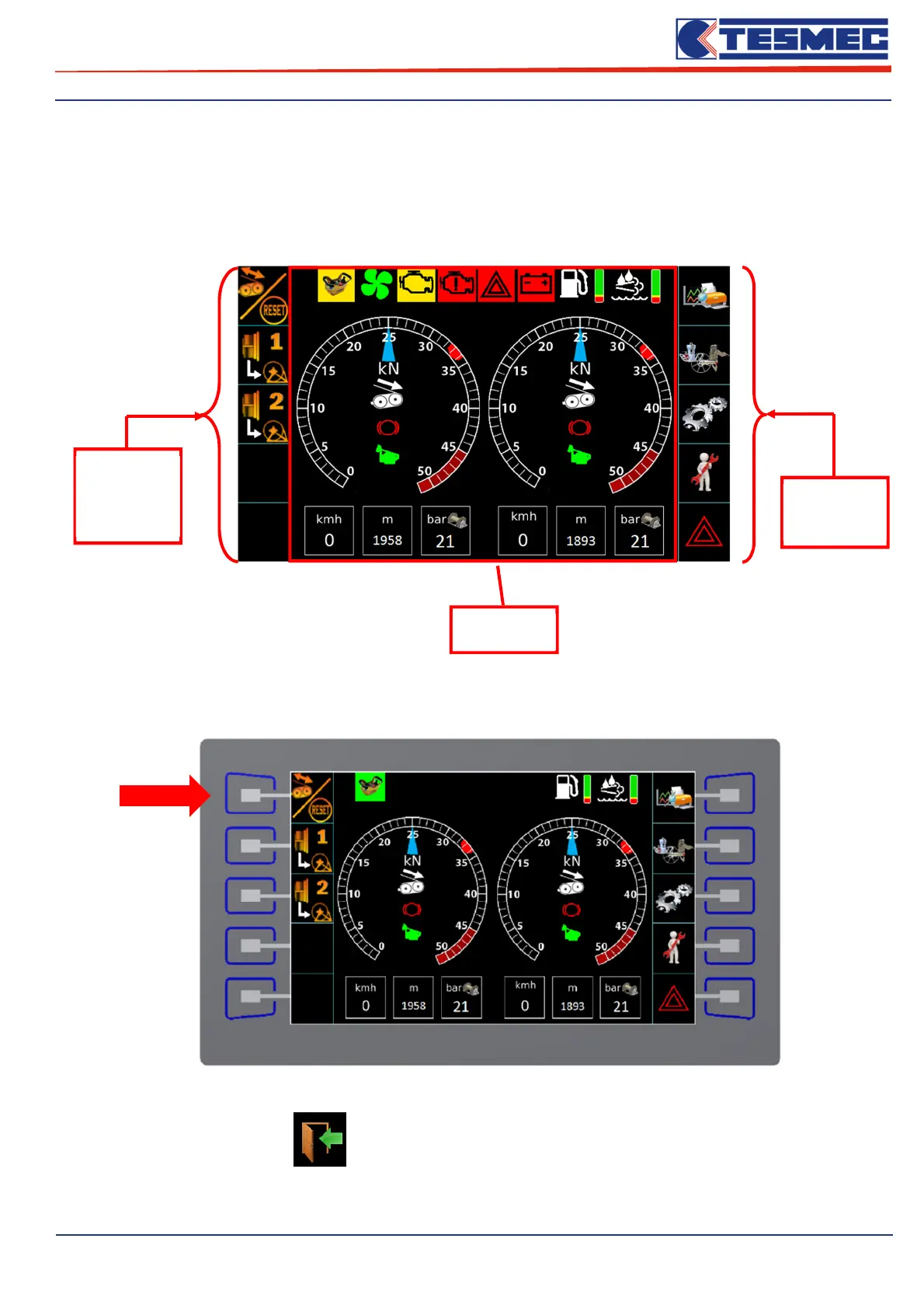
The machine control panel is equipped with a 7 "multifunction touch display. When the power is turned on,
the following main working screen opens, which contains all the elements for controlling the machine and
monitoring it in real time.
To access the machine functions / menus, simply press the button corresponding to the icon.
When the button is activated, the relative screen will open.
Between the follow icon , it’s possible to return in the main working area.
Icons
menù
Machine
functions
Available
machine
menu
Working
Area


 To Next Page