HYDRAULIC PULLER TENSIONER PT2450
Manual: MI-PT2450-050-00-GB Date: 28.07.2018 Author: AT Page: 69 of 89
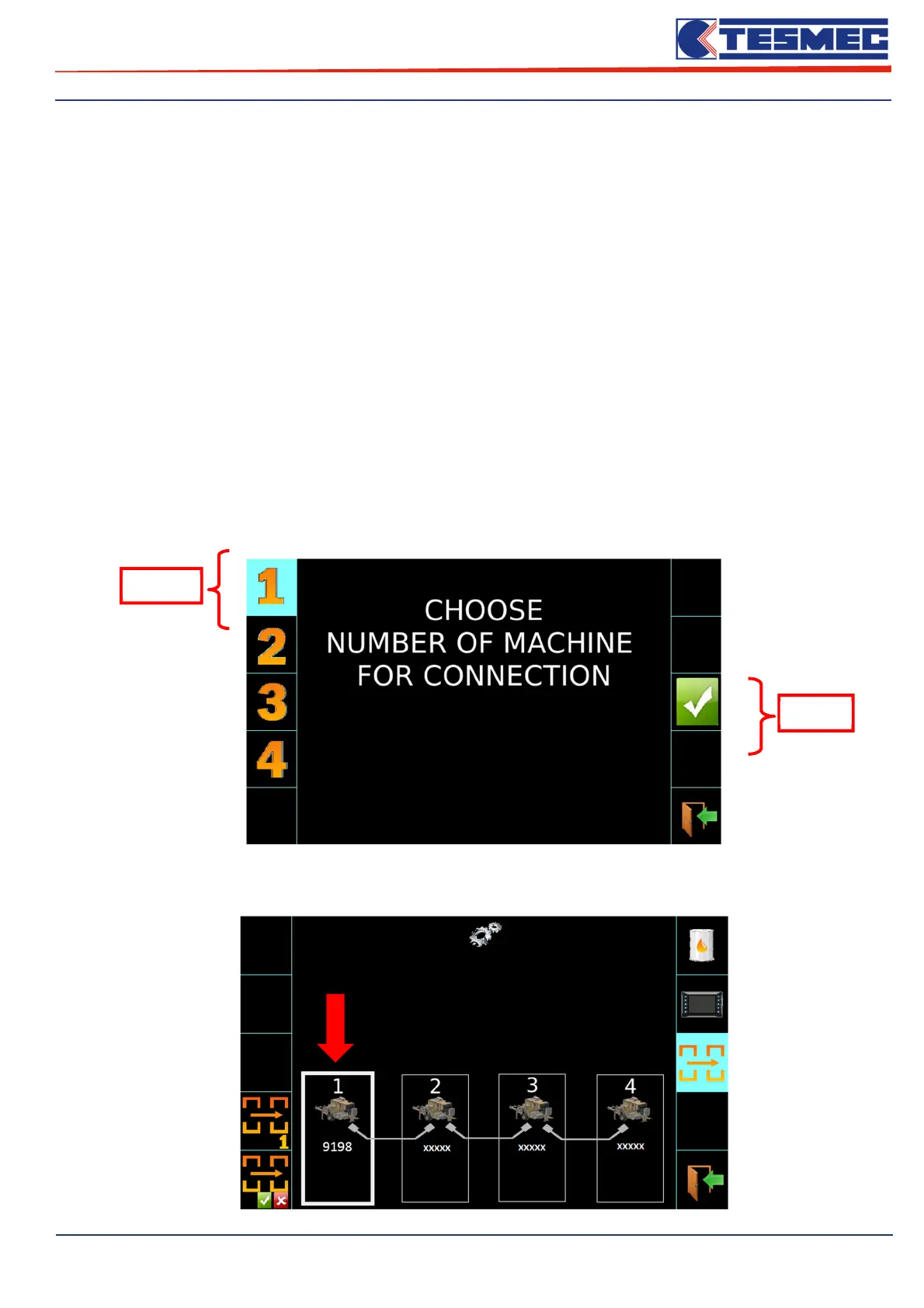
1- Button to choose the number machine;
2- Button to activate the connection (it allowed to pass the commands between machine SLAVE with
lower N° to the machine MASTER with higher number);
3- Display of the status check of the single machine (the box of the machine on which it is working is
highlighted);
4- Allow to check the status of the single machine:
GREY connection cable = machine NOT connected
GREEM connection cable = machine CONNECTED
xxxxx = machine serial number
Carry out the following procedure, on the panel of each machine, in the order indicated starting from the
machine with the lowest number "N ° 1 - SLAVE" up to the machine with the highest number "N ° 4 -
MASTER" (depending on the number of machines to be connected):
a) MACHINE NUBER setting
a.1) Push button “1”, and will open the follow screen;
a.2) set the machine number by the relative button;
a.3) Confirm with the relative button;
a.4) In the following screen, the box of the machine in question is highlighted display of the serial
number;
a.2)
a.3)


 To Next Page