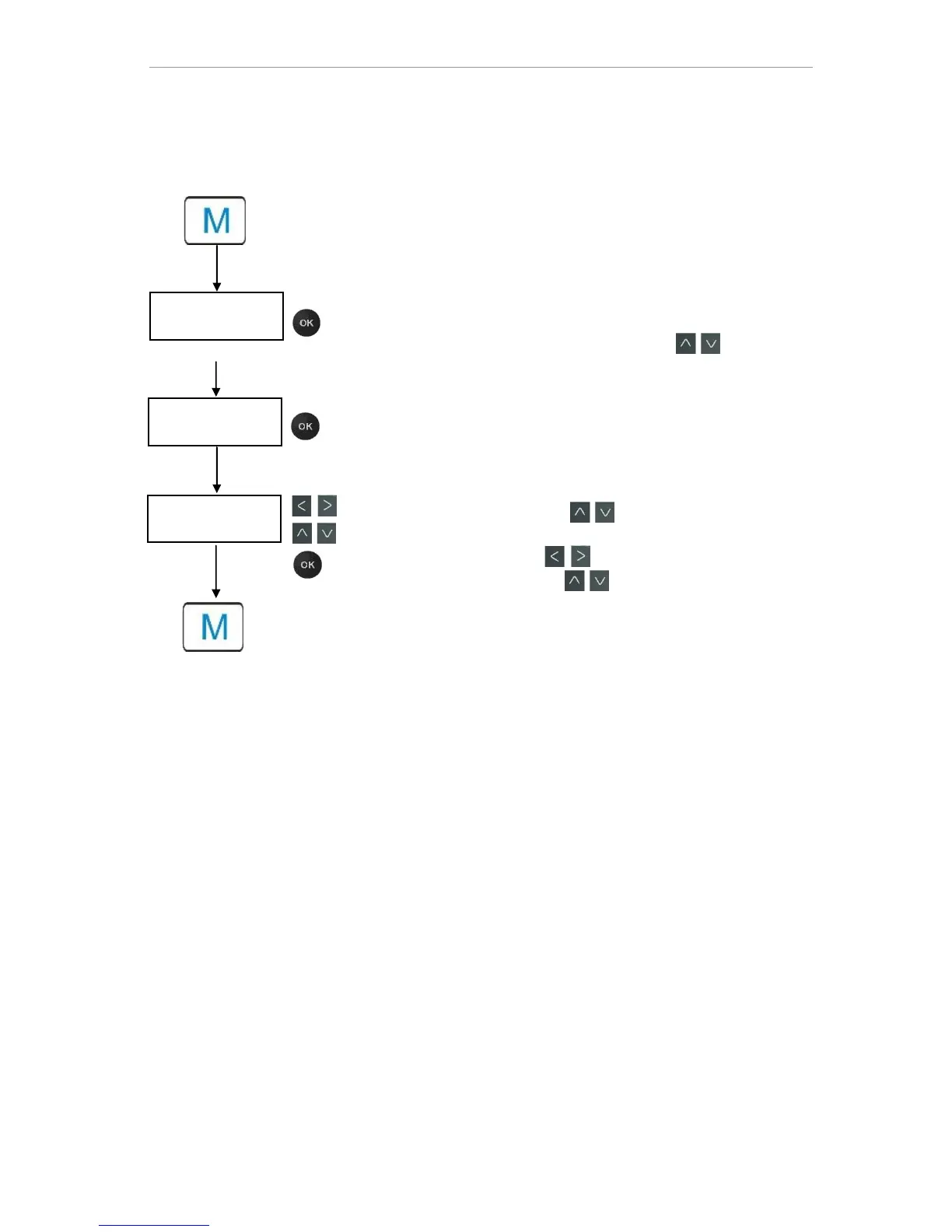
Functions of the control and display elements
29
Inputting of data (Example: interval pause/quantity interval)
Using the menu option "Interval" you can program the interval
pause between two analyses.
To adjust the interval pause, proceed as follows:
Press the "M" button
The following selection appears: "Basic program" or "Ser-
vice"
Confirm "Basic program" with "OK"
Select the menu option using the cursor block
"Interval"
Confirm your selection with "OK"
The following selection appears: "Time" or "Volume"
Now confirm the menu option "Time" with "OK"
The cursor flashes on the first digit of the time setting: "2"
(You can input values from 0 to 99 minutes)
Confirm with the cursor keys to select the desired digit for
the first position
Move the cursor with the buttons to the second input field
Confirm with the cursor keys to select the desired digit for
the second position
Now confirm the input with "OK"
The input of the time interval is now complete.
When inputting the quantity interval, proceed when selecting the
menu option "Volume" similarly as to when setting time.
Select the four digits in sequence.
Confirm with "OK".
You can enter values from 1 - 9999 liters.
Press the "M" button to leave the levels.



 To Next Page