Texi Iris 10 Operation Manual
6
USB port
Embroidery can be connected with computer by a network cable. User may transmit embroidery pattern via USB. Panel is
equipped with USB port and network socket.
To implement patterns to the machine, user can use USB flash drive with previously saved pattern and then deliver them to the
embroidery machine.
Needle bar positioning
When the pattern has been selected, edited or embroidered,
user may thread any needle bar or move the needle bar to
the current embroidery position.
Safety device
The machine is equipped with a locking device to prevent
bodily injury caused by its accidental starting. The machine
cannot be started until it is unlocked. Start/Stop
button colour will change when the machine is locked.
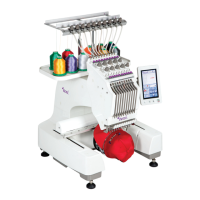
Maximum embroidery dimensions are 310mmX210mm. If
the optional cap frame is selected, user may embroider
pattern on the cap. Multiple accessories are available.
The machine is equipped with 4 embroidery frames
and one cap frame drive rack.


 To Next Page