CUSTOMER/OPERATOR SERVICE 48 Manual 0-2470
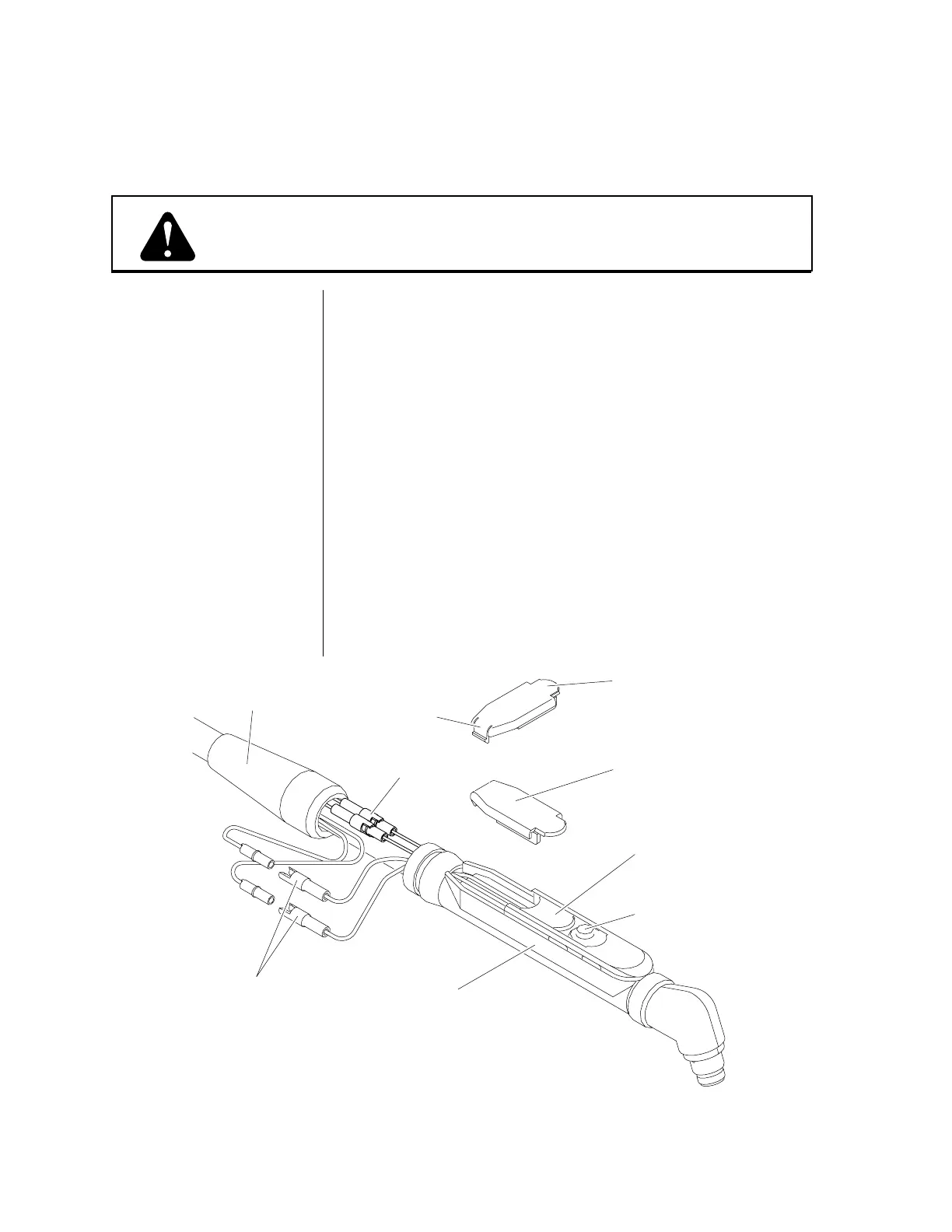
Figure 5-C Removing the Torch Control Switch (PCH-35 Hand Torch)
5.04 SERVICING TORCH HEAD COMPONENTS (continued)
Disconnect primary power to the system before disassembling
the torch, leads, or power supply.
(1) No. 1 Phillips Head Screwdriver
(1) No. 1 Slotted Head Screwdriver
(2) 1/4 inch Open End Wrench
(1) Pin Removal Tool (Catalog No. 9-5847)
Refer to Figure 5-C and:
1. Pull the protective boot from the end of the torch handle and
slide it back over the leads to expose the two torch switch
connectors. Disconnect both torch switch connectors. It is not
necessary to disconnect the PIP connectors.
2. Remove the switch closure from the torch handle by carefully
pressing in on the switch closure tab and gently prying the
closure upward. Remove the switch insert. Slide the switch
out of the track on the torch handle.
3. Push the torch switch connectors through the end of the torch
handle to allow removal of the torch switch.
It may be necessary to remove the connectors from the switch
leads before removing or reinstalling the switch assembly.
WARNING
Tools Required
Removing a Hand Torch
Control Switch
NOTE
Slide protective
boot back
Disconnect
torch switch
connectors
Remove switch
closure from
torch handle
Torch Handle
Switch
Insert
Reverse view
of closure
Press tab
to remove
closure
Torch
Switch
PIP
Connectors



 To Next Page