INSTALLATION 20 Manual 0-2470
3.06 ELECTRICAL CONNECTIONS
Primary Input Voltages
CAUTION
WARNING
Input Voltage
Changeover
The unit can accept any input voltage from 200V to 460V (± 10%),
single or three phase, 50 or 60 Hz. 575V input requires an addi-
tional step-down transformer (Catalog No. 9-6211).
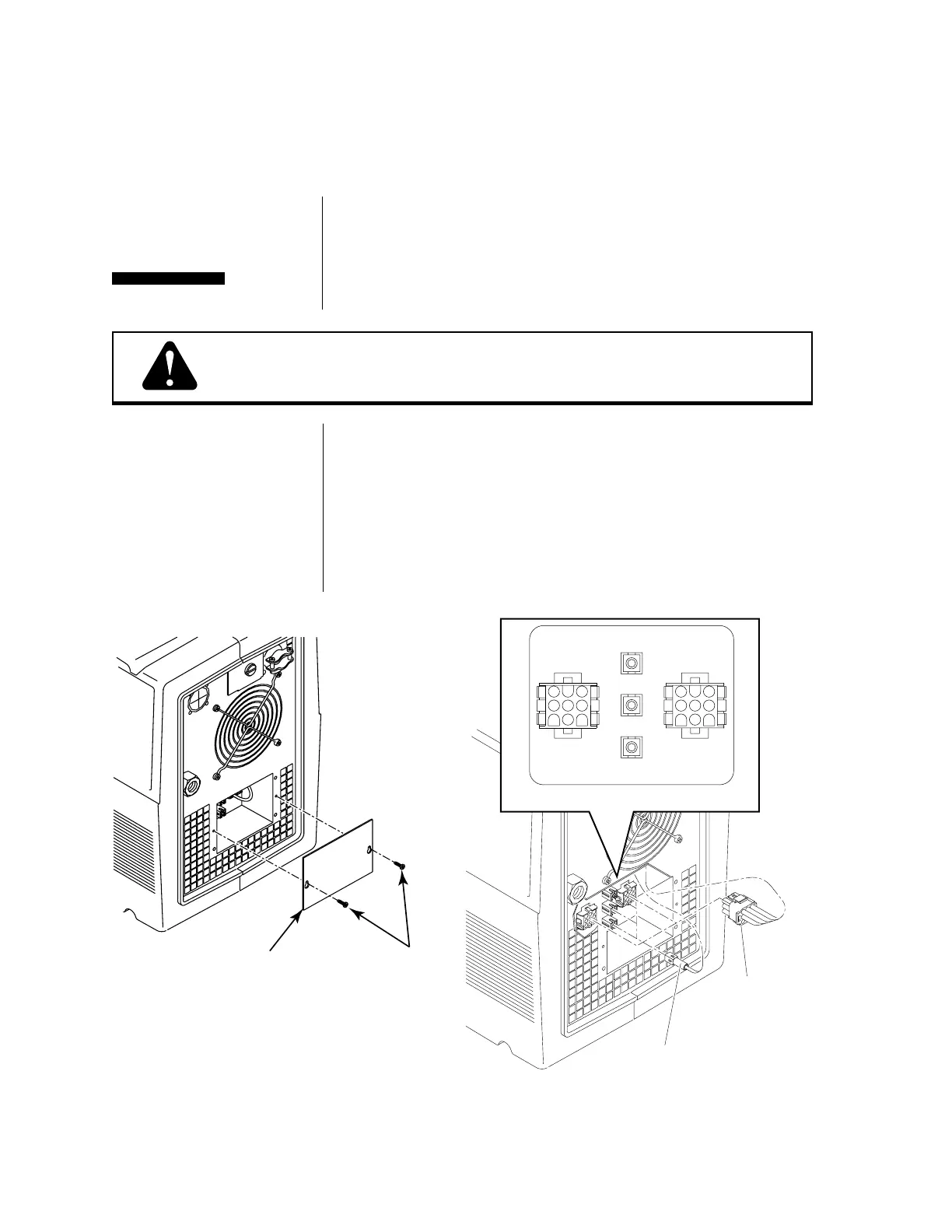
Input voltage settings must be verified before applying power to
the unit. Refer to Figure 3-E, below.
Disconnect primary power at the source before disassembling
the power supply, torch, or torch leads.
1. Remove the voltage selection access panel.
2. Connect the 9-circuit plug on the rear panel to the receptacle
which corresponds with the actual primary input voltage
(HIGH for 380/415/460V or LOW for 200/220V).
3. Connect the single-circuit plug on the rear panel to the
receptacle which corresponds to the actual primary input
voltage (460V, 380/415V, or 200/220V).
4. Replace the voltage selection access panel.
Figure 3-E Input Voltage Selection
200-240
VAC
REMOTE
CONTROL
Access Panel
Access Panel
Screws
A-00753
Nine-Circuit Plug
380-460
VAC
200-240
VAC
HIGH
LOW
REMOTE
CONTROL
200-
380-
Single-Circuit Plug
460V
380/415V
200/220V
200/220
VAC
LOW
380/415/460
VAC
HIGH
Detail of Voltage Connection Panel
A-00754



 To Next Page