Software Architecture
Thermo Fisher Scientific Smart-Vue Administrator Manual 17
1.3.5 Alarm Management
System
Running as a service, the Smart-Vue Alarm Management System (AMS)
is an application that generates alerts based on the information
transmitted by Smart-Vue Server to the database. AMS transforms alarms
detected by the appropriate SmartService, transmitted to Smart-Vue
Server, and stored in the database, into a multimedia signal that is sent to
fixed or mobile phones, text message (SMS), fax, e-mail, or printer
according to your configuration.
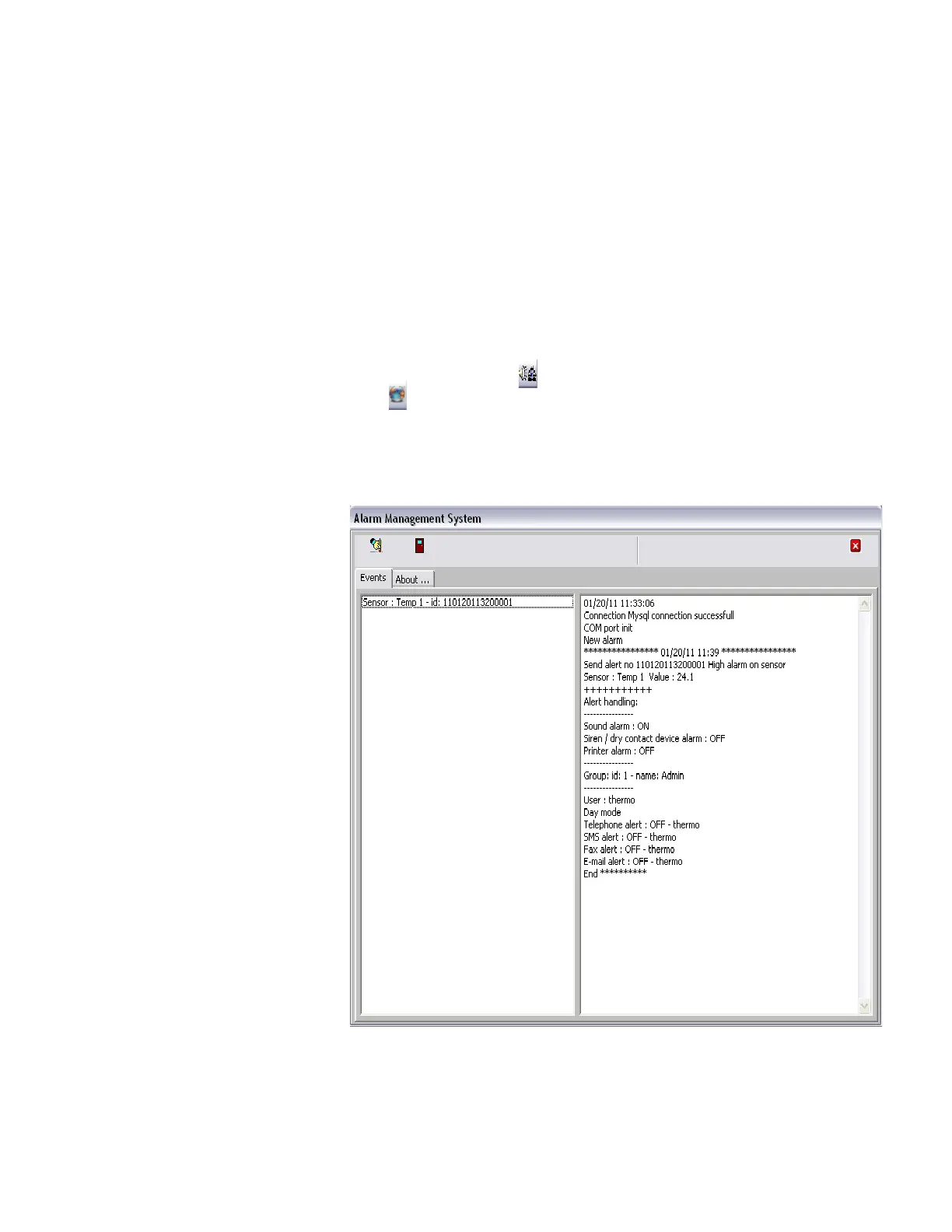
You may access the Alarm Management System interface as follows
(you must login as a user with Super Admin or Admin rights):
1. Right-click on the Smart-Vue AMS icon in the Windows
application tray ( ), and select Open, or use the Control Center
( ) in the Windows application tray.
2. Enter your login name and password to continue.
Figure 8. Alarm Management System informational interface



 To Next Page
 Loading...