Manual NOVOS und thanos EVO
Thermokon Sensortechnik GmbH Seite 11
4.2.4 Room temperature and set point
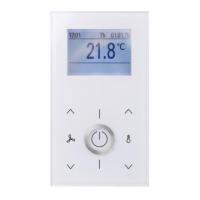
NOVOS 7
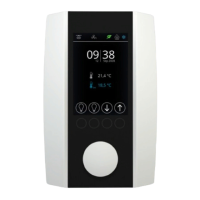
NOVOS Touch / thanos EVO
Room temperature and set point can be shown or
hidden independently. In addition, the set point can
displayed as an absolute or relative value. The room
temperature and set point can be overwritten by the
BMS at any time during operation.
As a default configuration, the display shows room
temperature and set point and the set point is
displayed as an absolute value. The adjustment
range of the set point is ± 3K on delivery and the
step width of the adjustment is ±0.5K. All the above
settings can certainly be configured as required.
In conjunction with the heating and cooling icons in
the header, the set point can also be displayed in
color (heating set point = red / cooling set point =
blue).
▪ Set point
▫ Data address 103
▪ Room temperature
▫ Data address 106
Configuration data block „Climate“
▪
Selection – which values are displayed on
the home screen
▫ Data address 1313
1 = Display room temperature
2 = Display set point
3 = Display both values
▪
Set point definition
▫ Data address 1301
0 = absolute | 1 = relative
▪
Base set point
▫ Data address 1302
210 = 21,0 °C
▪
Set point adjustment range
▫ Data address 1303
30 = ±3,0K
▪
Set point adjustment step width
▫ Data address 1304
1-50 = ±0,1K - ±5,0K


 To Next Page
 Loading...