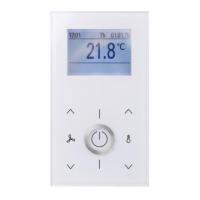
Manual NOVOS und thanos EVO
Thermokon Sensortechnik GmbH Seite 25
5.5 Data block “Status display and special functions”
Parameter Description N3 N5 N7
Touch/
EVO
Min Max Default Access
Message is displayed in the Home
screen.
Max. 24 characters. Not defined by
default. One character in Unicode
format per register.
Register 400..423
● ●
r / w 400..423
Display is switched off automatically.
The display wakes up again at the next
user interaction. Alternatively, the
display can be re-activated through
BMS.
0 = not active
● ● 0 1 0 r / w 424
Force a restart
(Software reset)
Device is reset to configured settings
(volatile data is reset = software reset)
0 = not active
1 = active
● ● 0 1 0 r / w 425
The LED can be switched OFF / ON
directly using the values 0 or 1.
Alternatively, it can be switched OFF/ON
on when the button gets pressed (value
= 2).
0 = not active
1 = active
2 = Room occupancy /
Button status
● ●
0 2 0 r / w 426
The colour of the LED can be changed by
the BMS in this register.
0 = transparent
1 = white
2 = black
3 = red
4 = green
5 = blue
6 = yellow
7 = magenta
8 = turquoise
● ●
0 8 4 r / w 427
Tonfrequenz 0-15.000 Hz ● ● 0 15.000 r / w 428
Tondauer 0-65.535 Sekunden ● ● 0 65.535 r / w 429


 To Next Page
 Loading...