7NFClogo(onsomemodels)
Ifyourcomputercomeswiththenear-field-communication(NFC)card,theNFClogoisontheThinkPad
trackpad.FormoreinformationabouttheNFCfeature,see“UsingtheNFCconnection”onpage34
.
9M.2solid-statedrive
AnM.2solid-statedriveisavailableinsomemodels.
10Fanlouvers
Thefanlouversandtheinternalfanenableairtocirculateinthecomputertoensurepropercooling,
especiallythecoolingofthemicroprocessor.
Notes:
•Thefanlouversarelocatedbehindthehinge.
•Toensureproperairflow,donotplaceanyobstaclesinfrontofthefanlouvers.
11Screen(multi-touchscreenonsomemodels)
Dependingonthemodel,youcomputercomeswithamulti-touchscreen.Formoreinformation,see“Using
themulti-touchscreen”onpage21
.
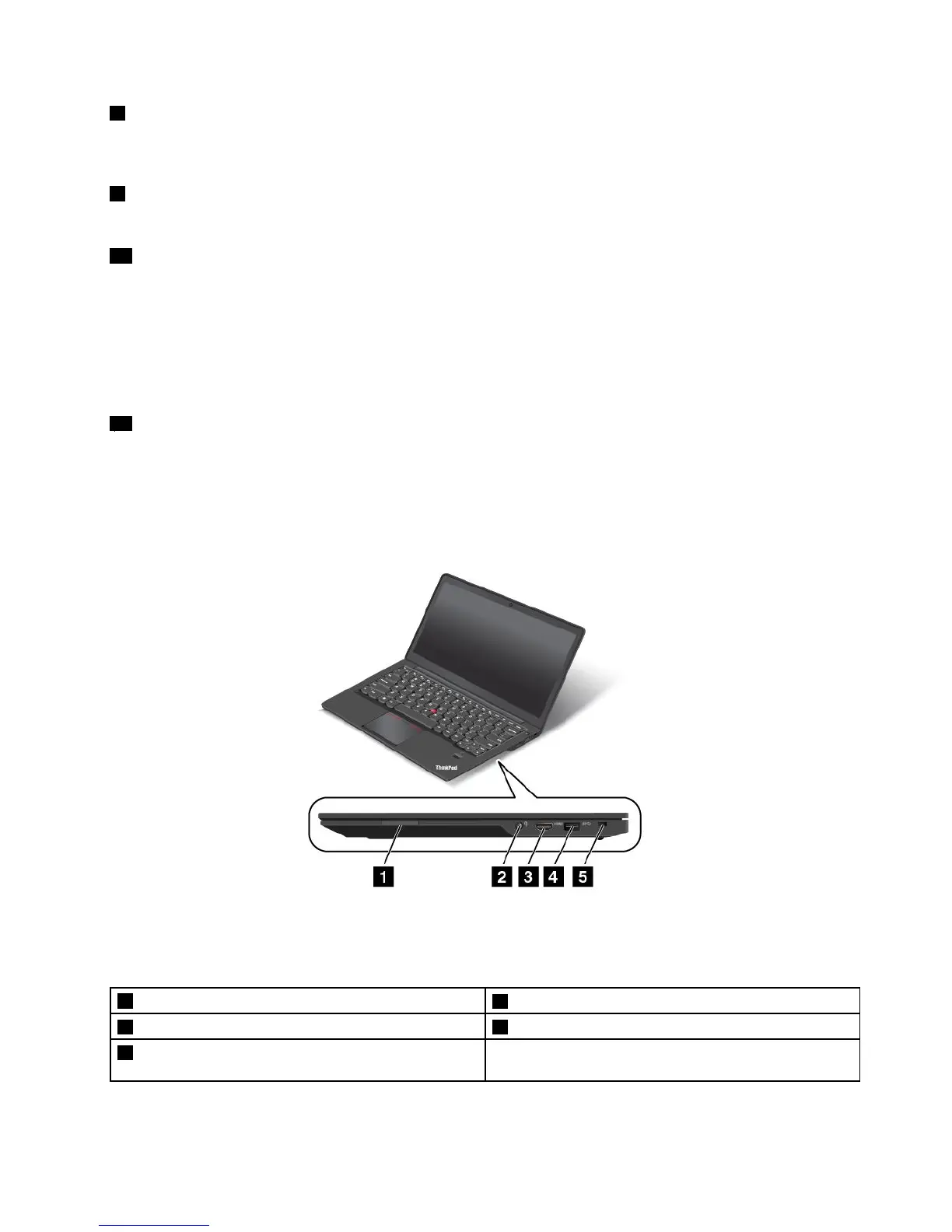
Right-sideview
Figure2.Right-sideview
Note:Yourcomputermightlookslightlydifferentfromtheillustrationabove.
1Media-card-readerslot
4USB3.0connector
2Comboaudioconnector5Security-lockslot
3HighDefinitionMultimediaInterface(HDMI™)
connector
Chapter1.Productoverview3



 To Next Page