TheEthernetconnectorhastwoindicatorsthatshowthestatusofthenetworkconnection.Whenthe
upper-leftindicatorissolidgreen,itindicatesthatthecomputerconnectstoaLANandasessionwiththe
networkisavailable.Whentheupper-rightindicatorblinksyellow,itindicatesthatdataisbeingtransmitted.
4Always-onUSBconnector(USB3.0)
Bydefault,theAlways-OnUSBconnectorenablesyoutochargesomemobiledigitaldevicesand
smartphonesinthefollowingsituations:
•Whenyourcomputerisonorinsleepmode
•Whenyourcomputerisinhibernationmodeoristurnedoff,butconnectedtoacpower
Ifyouwanttochargethesedeviceswhenyourcomputerisinhibernationmodeoristurnedoffwithoutac
poweradapterattached,dothefollowing:
•ForWindows7:StartthePowerManagerprogramandclicktheGlobalPowerSettingstab.Then
selecttheEnableUSBchargefromthecomputerbatteryevenwhenthecomputerisoffcheck
box,andclickOKorApply.
•ForWindows8andWindows8.1:PresstheWindowskeytogototheStartscreen.ClickLenovo
Settings➙Power.ThenselecttheEnableUSBchargefromthecomputerbatteryevenwhenthe
computerisoffcheckboxunderAlwaysOnUSB.
Attention:WhenyouattachaUSBcabletotheconnector,ensurethattheUSBmarkisfacingupward.
Otherwisetheconnectormightbedamaged.
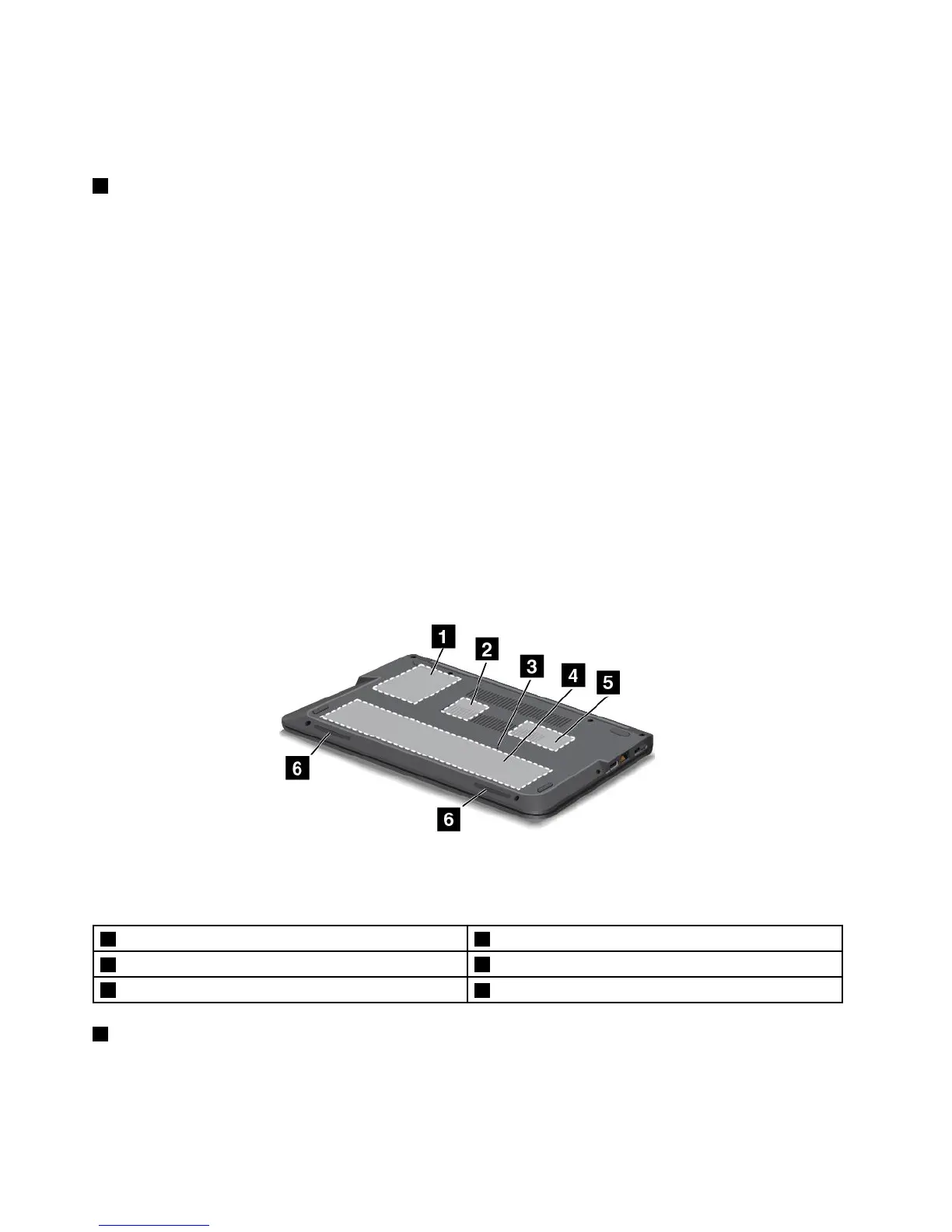
Bottomview
Figure4.Bottomview
Note:Yourcomputermightlookslightlydifferentfromtheillustrationabove.
1Harddiskdriveorsolid-statedrive4Integratedbattery
2MiniPCIExpressCardslotforwirelessLANcard
5Memory-upgradeslot
3Emergency-resethole
6Stereospeakers
1Harddiskdriveorsolid-statedrive
Dependingonthemodel,thecomputermighthavealarge-capacity,customer-upgradableharddiskdrive
thatcanmeetvariousstoragedemands.
6UserGuide



 To Next Page