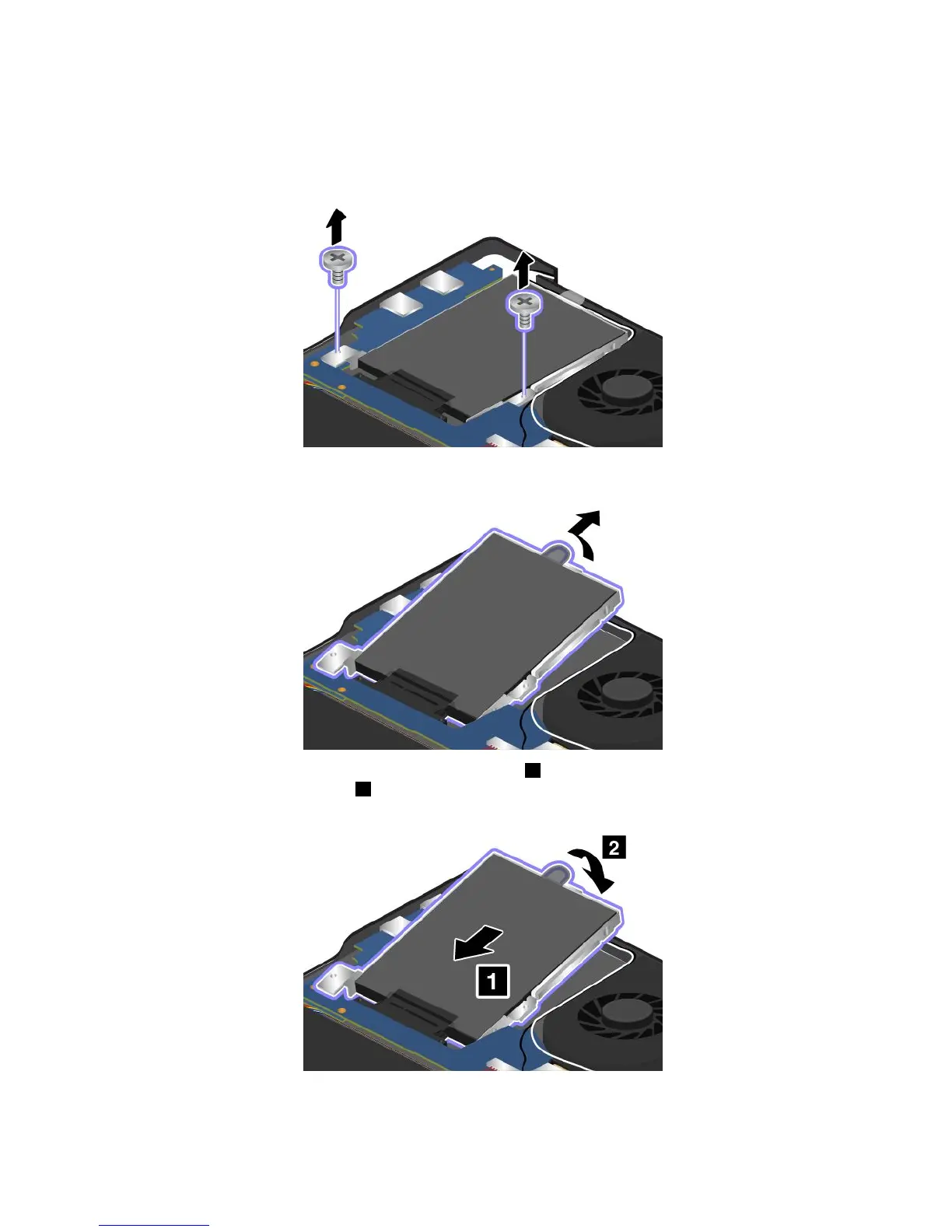
4.Removethescrewsthatsecuretheharddiskdriveorsolid-statedrive.
Note:Dependingonthemodel,yourharddiskdriveorsolid-statedrivemightlookdifferentfrom
theillustrationsinthistopic.
5.Liftthetabtoremovetheharddiskdriveorsolid-statedriveoutofthecomputer.
6.Inserttheharddiskdriveorsolid-statedriveintotheslot1andpositiontheharddiskdriveor
solid-statedrivefirmlyintoplace2.
68UserGuide



 To Next Page