Product overview
10
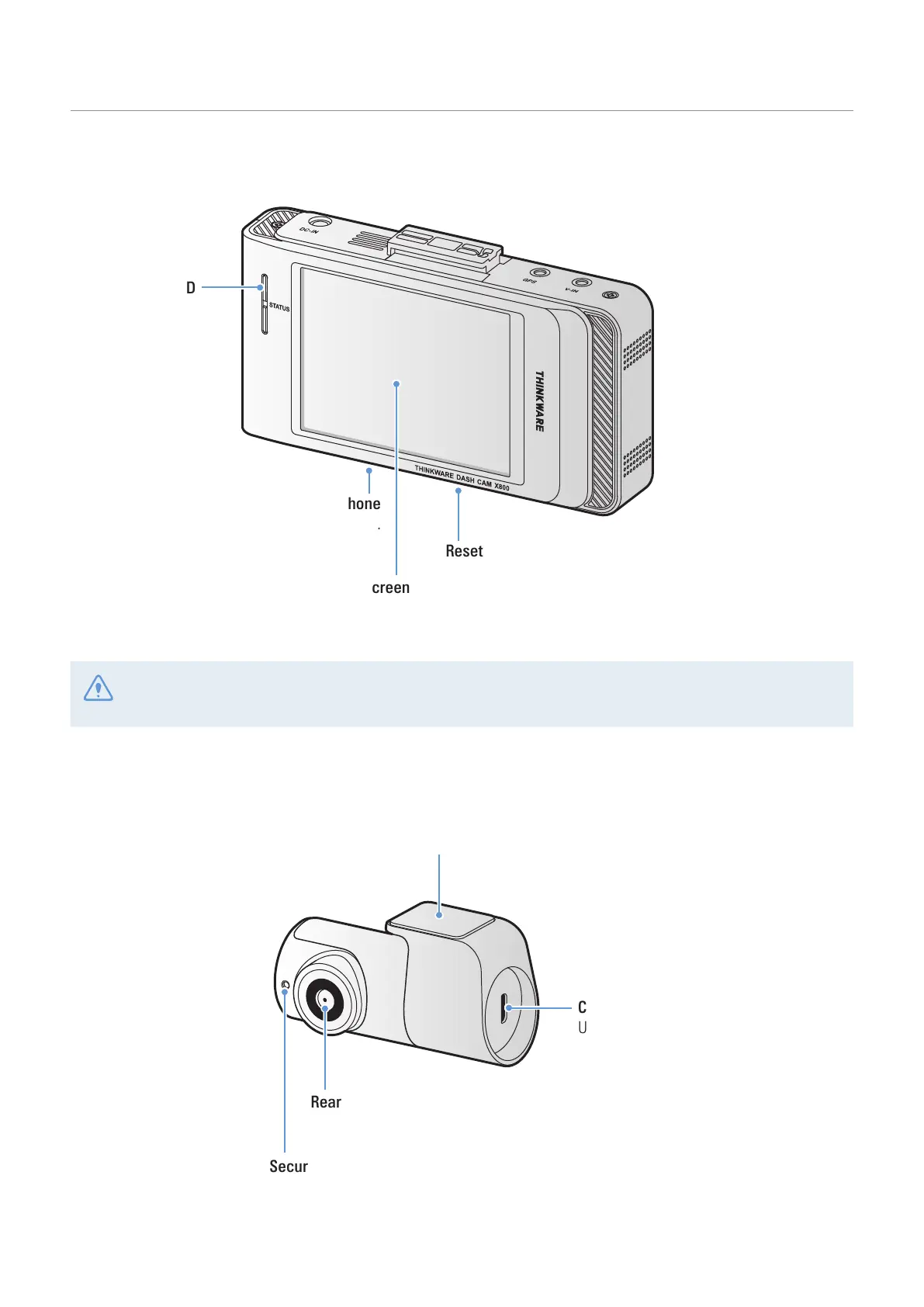
1.2.2 Front camera (main unit) - rear view
Reset button
Insert the tip of a sharp object to reset the product
when an error occurs.
Touchscreen
Used for setting the product or
viewing the recorded videos.
Microphone
Used for voice recording.
Status LED
Indicates the
operating status
of the product.
Gently touch the screen to make inputs on the touchscreen. The screen may be damaged if you apply
excessive force to the screen or if you touch the screen with a sharp object.
1.2.3 Rear camera (optional)
Adhesive fixing bracket
Used to fix the rear camera in the vehicle.
Rear camera lens
Records the rear view.
Security LED
Indicates that the video is being recorded.
Connection port
Used to connect the rear camera cable.



 To Next Page