Installing the product
19
2.2.3 Connecting the rear camera cable
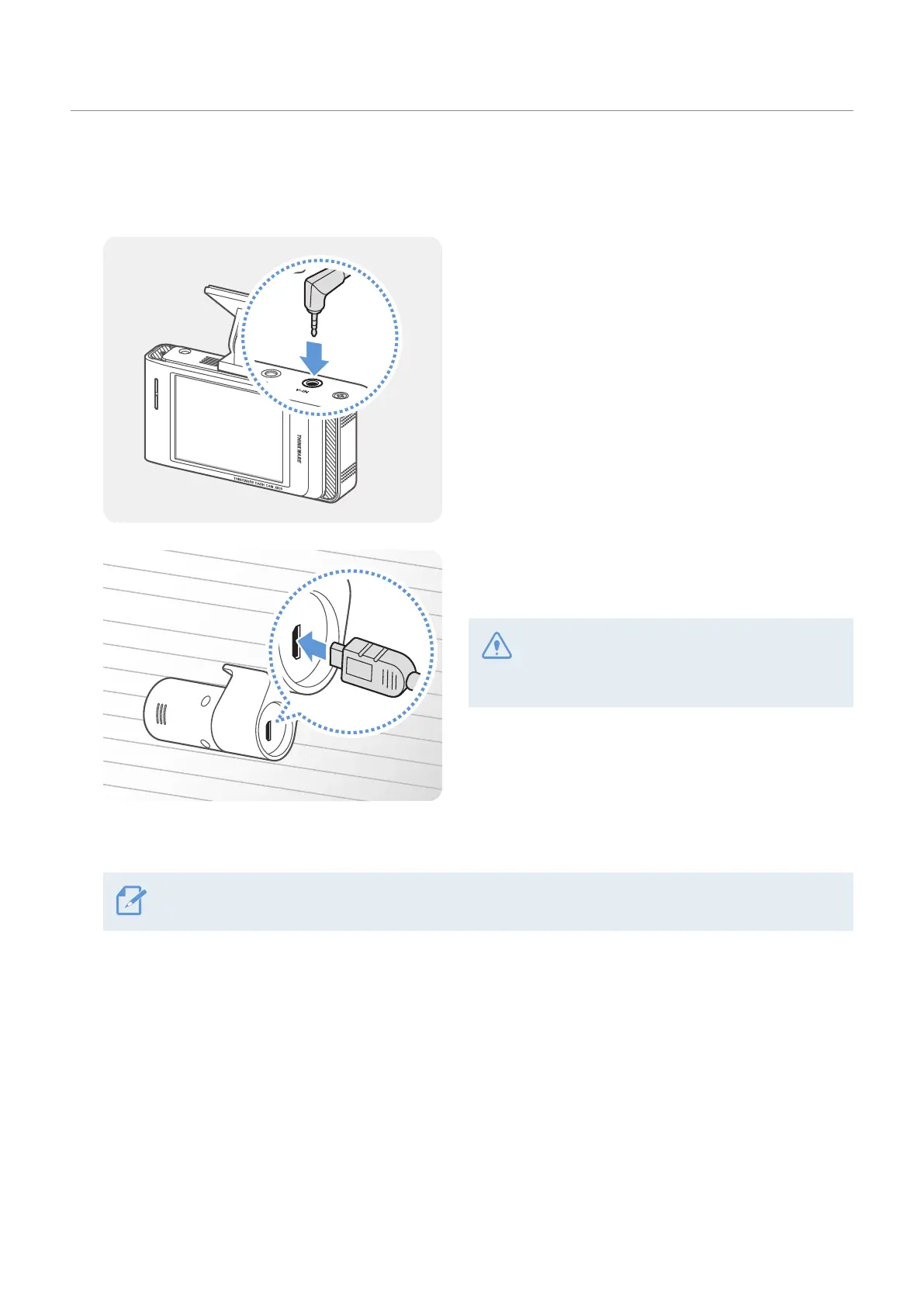
Power off the product and connect the rear camera cable to the front camera (main unit).
1
Connect one end of the rear camera cable to the
front camera’s V-IN port.
2
Connect the other end of the rear camera cable to
the rear camera’s connection port.
For safe driving, arrange the cables to prevent
the driver’s vision from being obstructed or
interfering with driving.
3
Turn on the ACC or start the engine to check if the product is powered on. After the product is powered
on, the voice guidance will be turned on.
The product is powered on when the ACC mode is turned on or when the engine starts.



 To Next Page