Installing the product
17
8
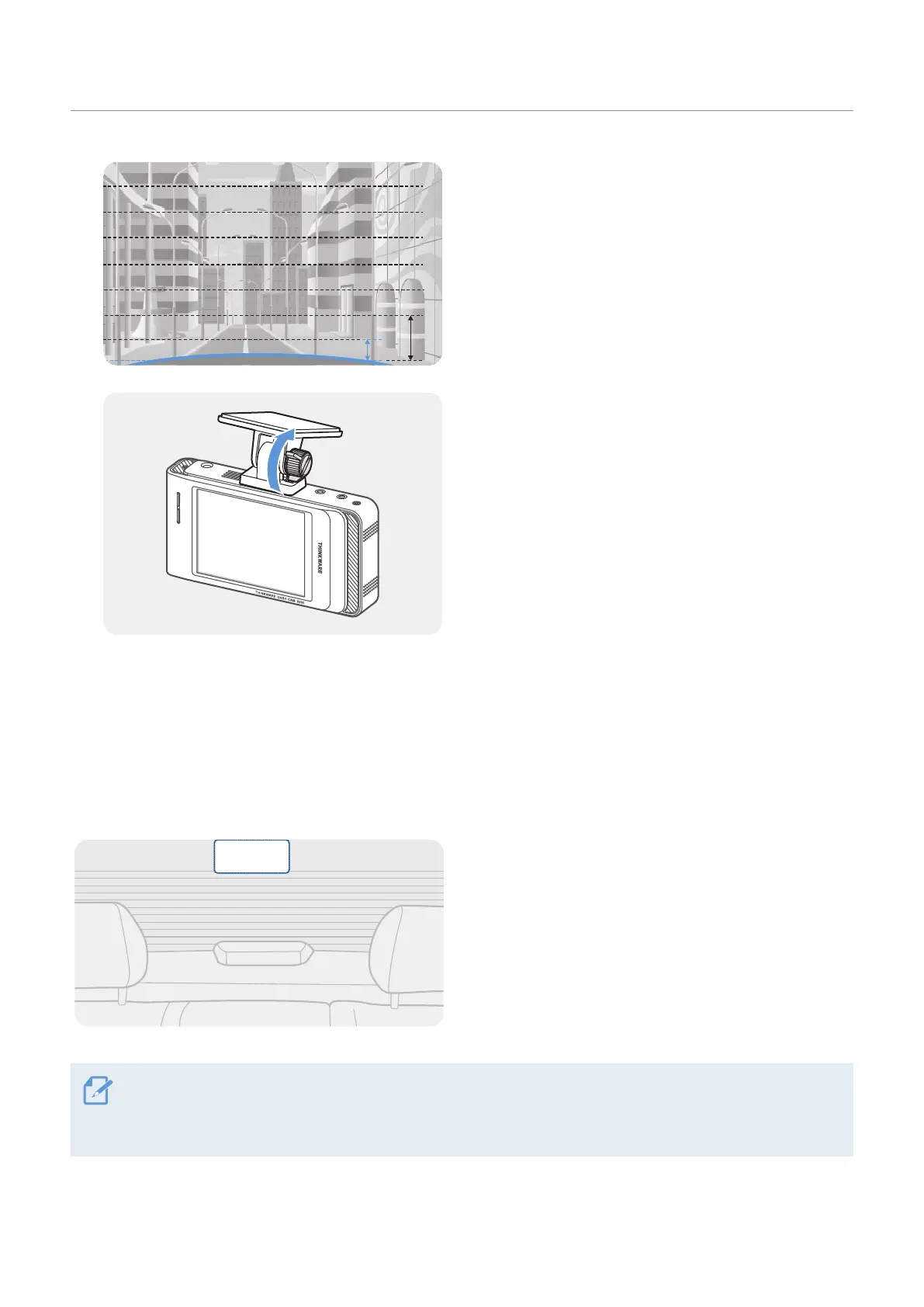
Adjust the camera angle so that the hood of the
vehicle covers 1/4 - 1/8 of the screen while viewing
the live view on the LCD screen, as shown in the
image to the left.
9
Tighten the screw of the mount firmly.
2.2 Installing the rear camera (optional)
Refer to the following instructions to properly install the rear camera.
2.2.1 Selecting an installation location
Select a location on the rear windshield where there
is no defrost grid wire and the camera can record
the entire rear view.
• For vehicles with a sunshade attached to the rear windshield, you must select a location where using the
sunshade will not interfere with camera operation.
• The adhesive part of the rear camera should not touch the defrost grid.



 To Next Page