Installing the product
14
2.1.3 Connecting the power cable
When the engine and electrical accessories are turned off, connect the car charger or the continuous
power cable (optional) to the product.
Connecting the car charger
1
2
1
➊➊
➋➋
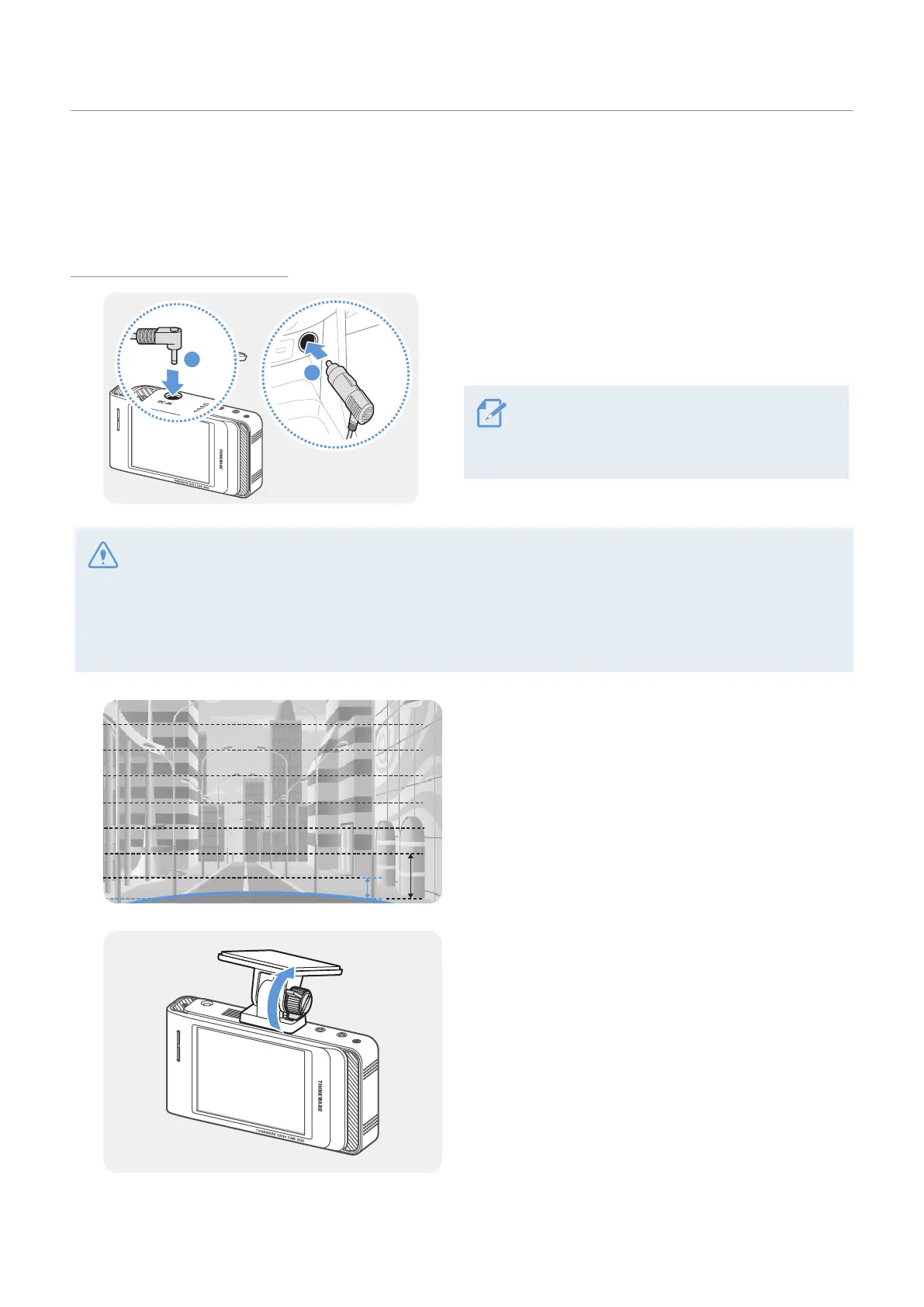
Connect the car charger to the product’s DC-IN
power port and insert the cigar jack into the vehicle’s
power socket.
The location and specifications of the
power socket may differ by vehicle make
and model.
• Use the authentic THINKWARE car charger. Use of third party power cables may damage the product and
result in electrical fire or electrocution due to the voltage difference.
• Do not cut or modify the power cable yourself. Doing so may damage the product or the vehicle.
• For safe driving, arrange the cables to prevent the driver's vision from being obstructed or interfering with
driving. For more information about arranging cables, visit www.thinkware.com.
2
Adjust the camera angle so that the hood of the
vehicle covers 1/4 - 1/8 of the screen while viewing
the live view on the LCD screen, as shown in the
image to the left.
3
Tighten the screw of the mount firmly.



 To Next Page