Installing the product
13
2
After determining the installation location, wipe the installation location on the windshield with a dry
cloth.
3
2
1
➊➊
➋➋
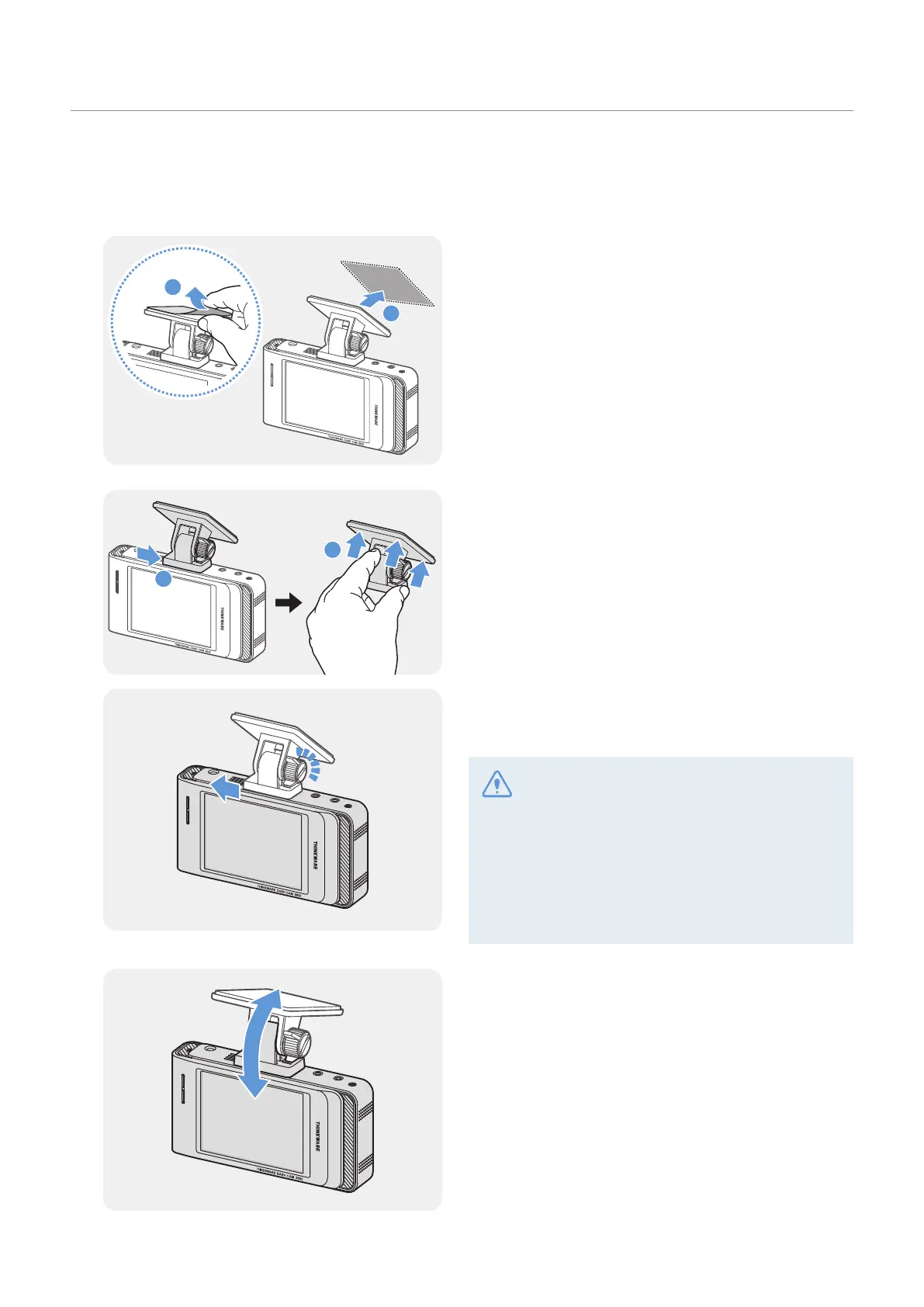
Remove the protective film from the adhesive mount,
and then press the mount to the installation location.
4
➊➊
➋➋
Remove the product from the mount and push the
mount against the windshield to ensure that the
mount is firmly fixed.
5
Align the product to the mount, and then slide it into
the locking position until you hear a click.
• The product may fall and be damaged during
vehicle operation if it is not firmly fixed to the
mount.
• If you need to remove the mount from the
windshield to alter the installation location,
be careful not to damage the windshield’s film
coat.
6
Set the vertical angle of the camera appropriately.
The camera angle must be adjusted again after the
installation is complete. Do not completely tighten
the fixing screw yet.



 To Next Page