Installing the product
20
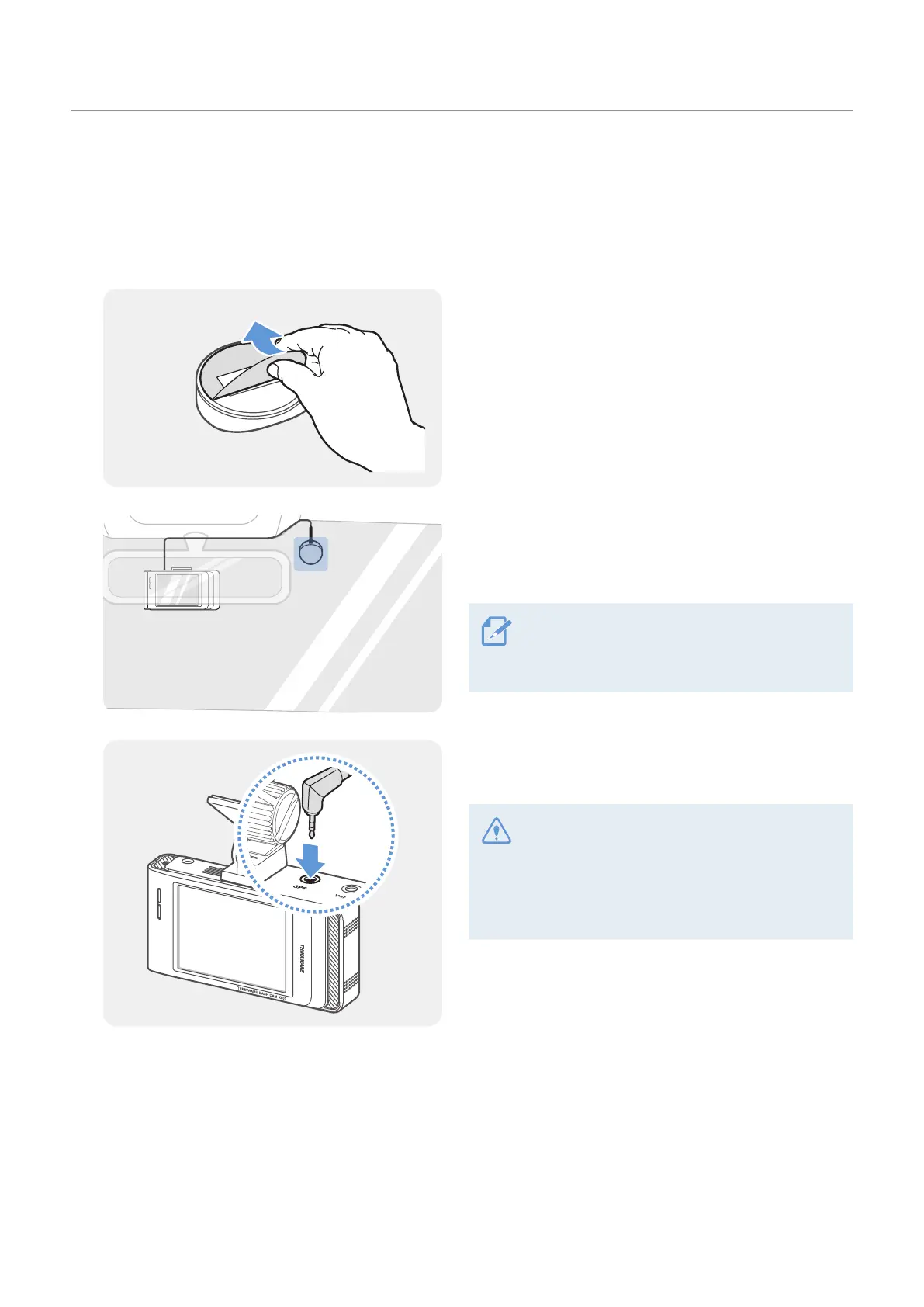
2.3 Installing the external GPS module (optional)
To activate the ADAS feature or record driving information (the speed and location), follow the instructions
and install the external GPS module on the upper part of the front windshield. Install the external GPS
module near the product, taking the module's cable length into account.
1
Remove the film from the back of the external GPS
module.
2
Attach the external GPS module's adhesive surface
to the upper part of the front windshield and press
the adhesive part firmly to secure it.
Before installation, make sure the external GPS
module's cable length is sufficient and check
the cable routing path.
3
Connect the external GPS module to the product’s
GPS connector.
Check the GPS connector location again
before connecting the module. If you connect
the external GPS module to the DC-IN power
connector, the pins inside the port may be
damaged.
4
Turn on the ACC or start the engine to check that the product is powered on. After the product is
powered on, the Status LED and the voice guide are turned on.



 To Next Page