Using recording features
26
3.8.2 Home screen
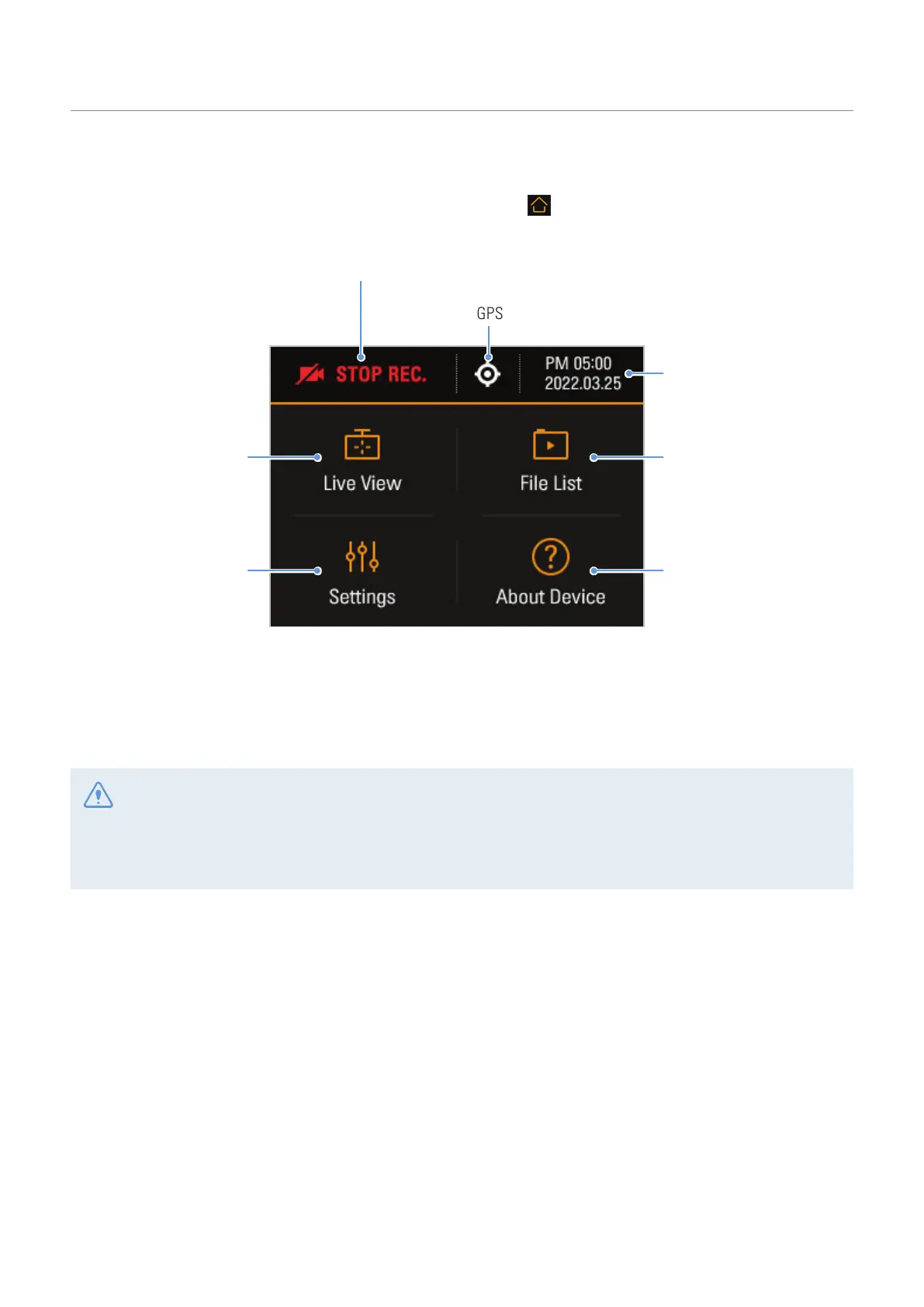
You can move to the Home screen by tapping the Home menu ( ) button on the Live view screen.
Displays the GPS icon when the external
GPS module (optional) is installed.
Displays the current recording status.
Displays the current date
and time.
View and play the
recorded videos.
(Refer to "3.9 Playing the
videos" on page 27.)
Move to the Live view
screen.
Product information and the
introduction to the product
features are provided.
(Refer to "6. Accessing the
product information" on
page 36.)
Configure the system
and features.
(Refer to "5. Settings"
on page 33.)
*optional
• Stop your vehicle in a safe location before operating the product.
• While operating the home screen, the product will stop recording.
• Play videos on the product or a computer only. If you play videos by inserting the memory card in devices
such as a smartphone or a tablet PC, the video files may be lost.



 To Next Page