Using recording features
27
3.9 Playing the videos
You can play and watch recorded videos on your product. Follow the instructions to play the videos.
1
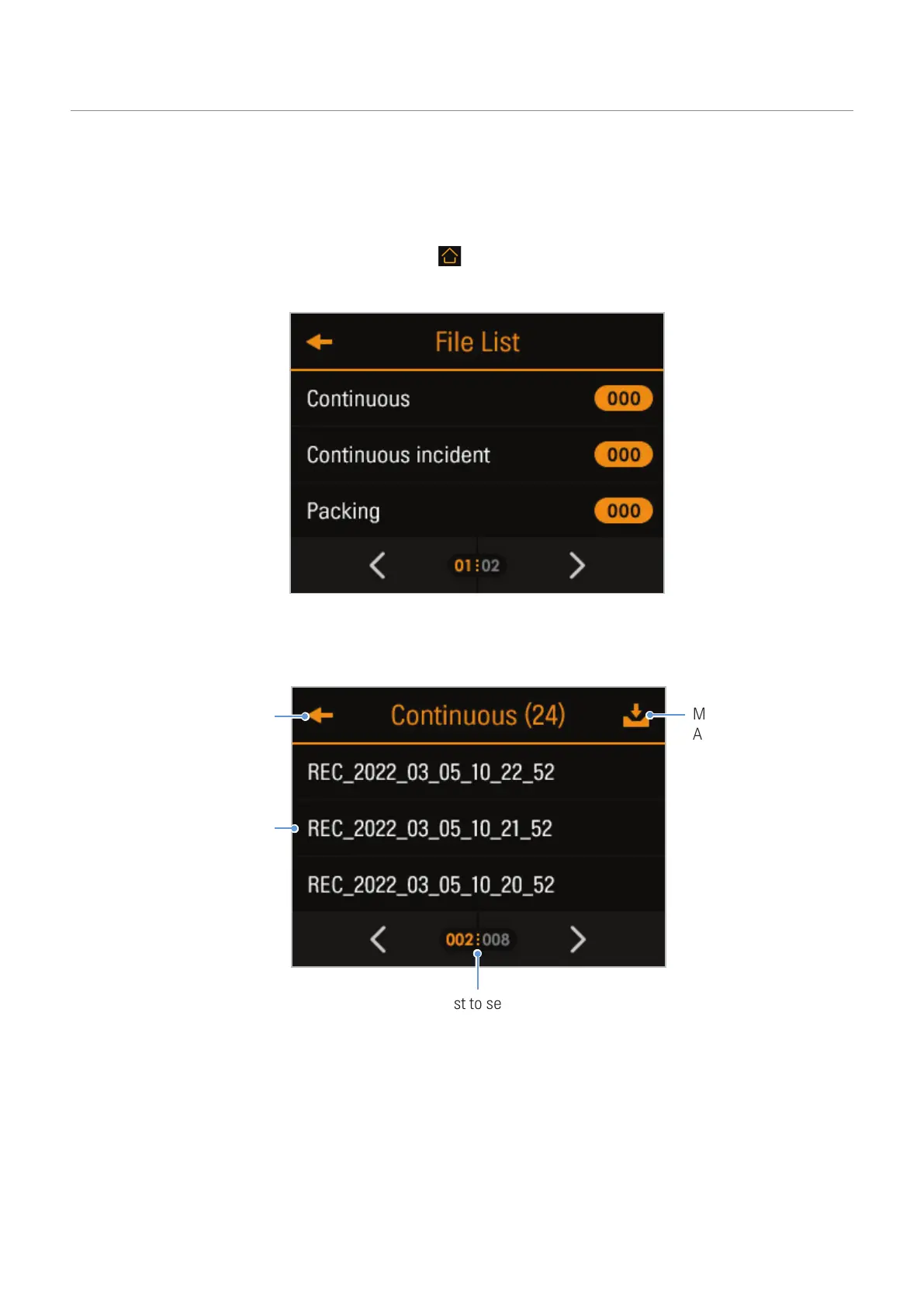
On the Live view screen, tap the Home menu ( ) button
>
File List. The number of videos categorized
by the recording mode will be displayed.
2
When you select a category, the video file list will appear. Select the video you want to play.
Move to the File list
screen.
Displays a list of
recorded videos.
Move the video to the
Archive.
Scroll through the list to search for a video file.



 To Next Page