Using recording features
28
3
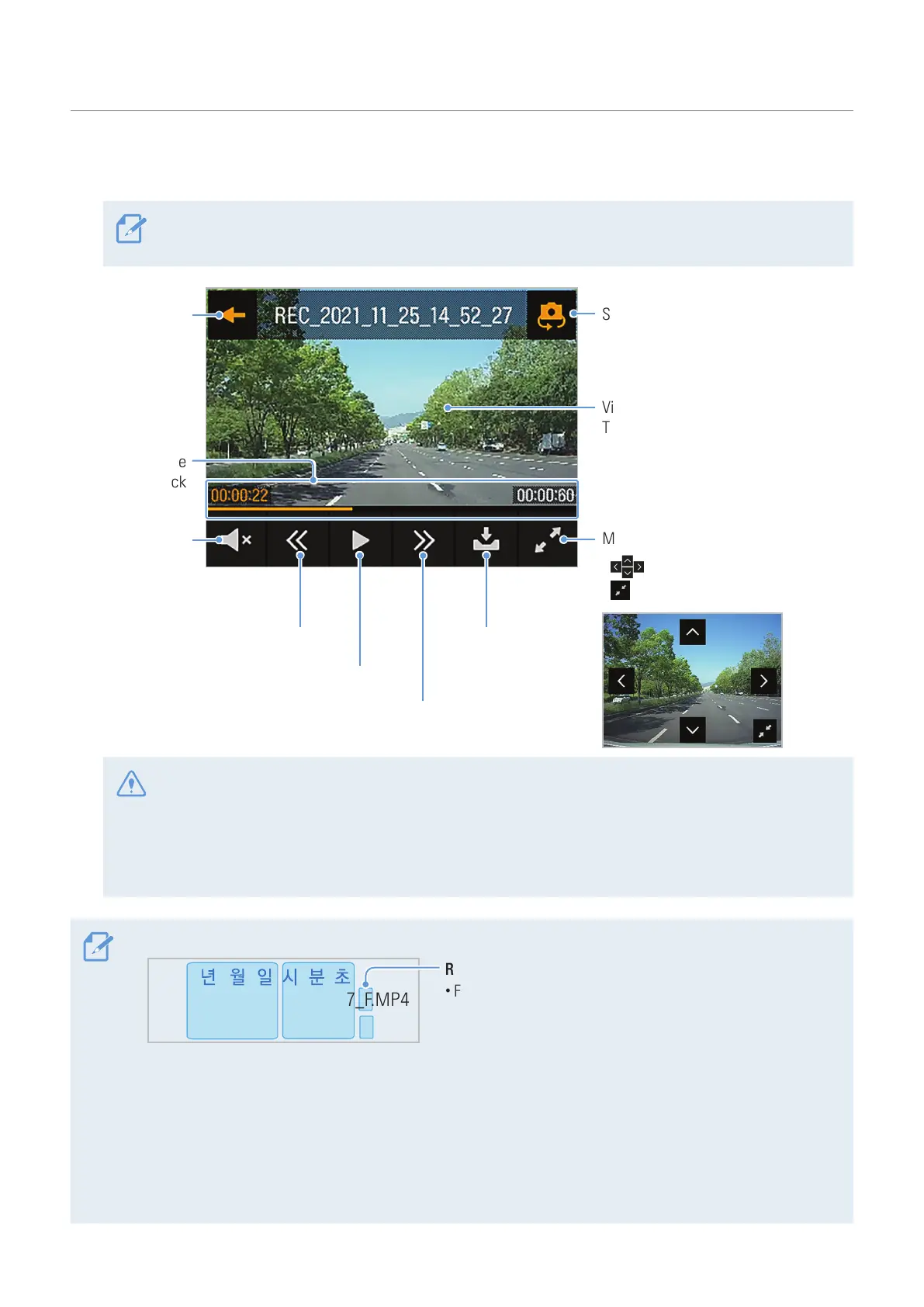
Tap a button on the playback screen to control the video player or other functions.
If you touch the playback area of the LCD display, the screen will be switched to full screen mode. To
exit full screen mode, touch the screen again.
Videos are played here.
Tap the screen to hide or display the
Menu buttons.
Magnify the current video by 3 times.
• : Move in the selected direction
• : Close the magnification screen
Move to
the File list
screen.
Turn the
video sound
on or off.
Displays the
playback
status.
Play the previous file. Move the
current video
to the Archive.
Play or pause a video.
Play the next file.
Switch to the rear camera video view.
• While you are checking the video file list or playing a video, the product will stop recording.
• Play videos on the product or a computer only. If you play videos by inserting the memory card in
devices such as a smartphone or a tablet PC, the video files may be lost.
• During playback, vehicle license numbers may not be identified due to the relative speed of a vehicle
or lighting conditions.
• A file name is composed of the recording start date and time, and the recording option.
F.MP4
REC_2022_05_22_16_37_07_R.MP4
Recording conditions
• F: Front camera
• R: Rear camera
• If the memory card storage gets shortened while recording, the previously recorded videos are deleted for
storage sufficiency. To prevent data loss, back up important videos on additional storage devices.
- When the continuous recording storage is insufficient: The oldest continuous recording file will be
deleted and replaced with a new video file.
Event video files (incident recording and manual recording files) will not be deleted.
- When the storage is insufficient (for event video files only): Event video files will be deleted
chronologically from oldest to most recent.



 To Next Page