DMS-CTC-20101208-0018 v1.0
14
Getting Started
1.3 Mounting The Optional DECT Cradle
Introduction
Your box may contain a DECT cradle. This DECT cradle allows you to seamlessly integrate your DECT phone
into your Thomson Gateway.
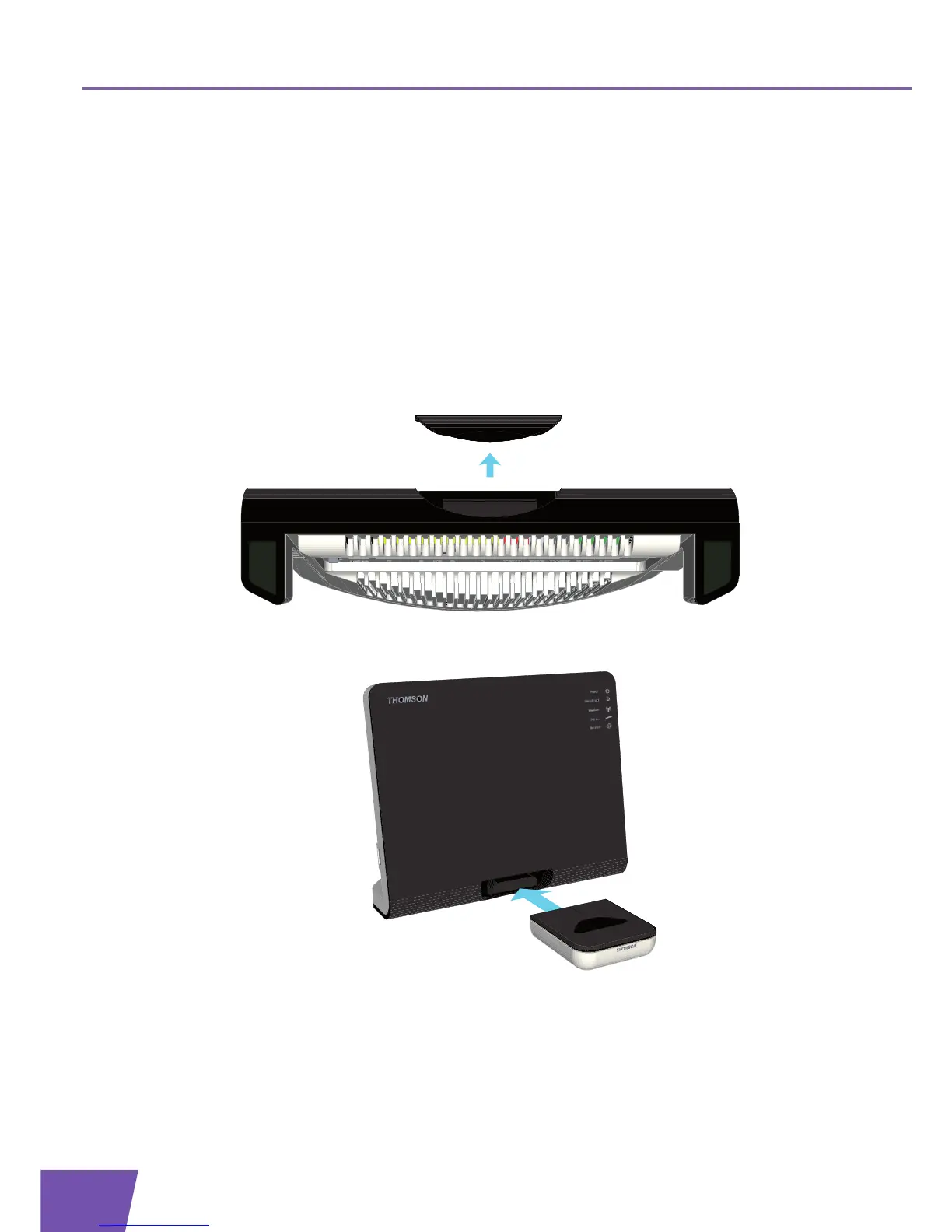
Mounting the docking station on the Thomson Gateway
Proceed as follows:
1 On the bottom of you device, remove the overlay covering the DECT slot.
2 Insert the DECT cradle in the DECT slot.
3 The DECT cradle is now ready for use. You can now recharge the batteries of your DECT phone by placing
it in the cradle.



 To Next Page