DMS-CTC-20101208-0018 v1.0
33
Configuration Tools
4.1.1 Access
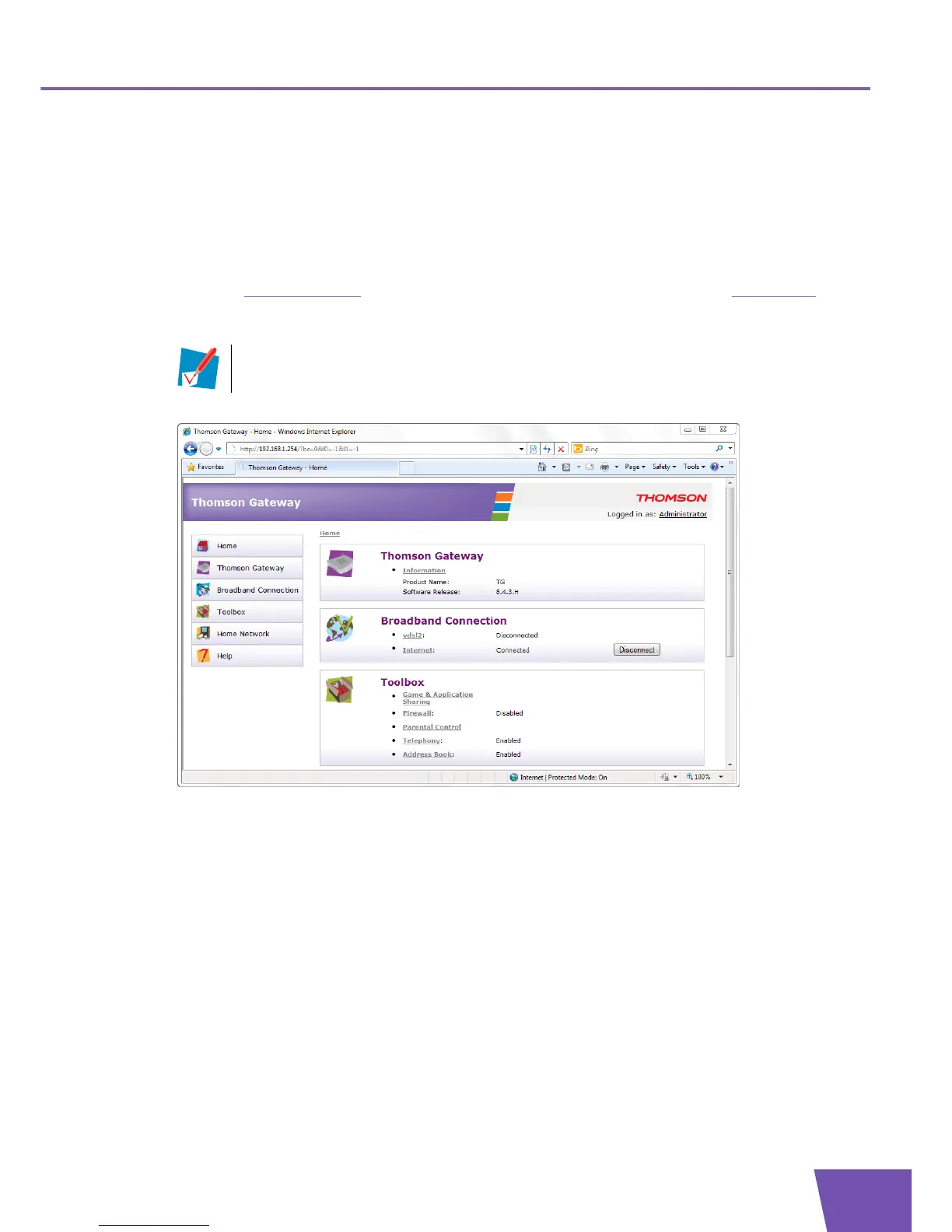
Accessing the Thomson Gateway GUI
Proceed as follows:
1 Open your web browser.
2 Browse to http://dsldevice.lan
or to the IP address of your Thomson Gateway (by default: 192.168.1.254).
3 If you have protected your Thomson Gateway with a user name and password, the Thomson Gateway
will prompt you to enter these. Enter your user name and password and click OK.
4 The Thomson Gateway GUI appears.
Access the Thomson Gateway via UPnP
You can also access the Thomson Gateway GUI using the Internet Gateway Device (IGD) icon if your
computer runs one of the following operating systems:
Microsoft Windows 7
Microsoft Windows Vista
Microsoft Windows XP
For more information, see “9.1 UPnP” on page 80.
Remote access
It is also possible to access the Thomson Gateway GUI from the Internet. For more information, see
“4.3 Access From the Internet” on page 38.
For more information, see “4.1.3 Protecting Access to the Thomson Gateway” on page 36.



 To Next Page