DMS-CTC-20101208-0018 v1.0
51
Telephony
6.2 Address Book
Introduction
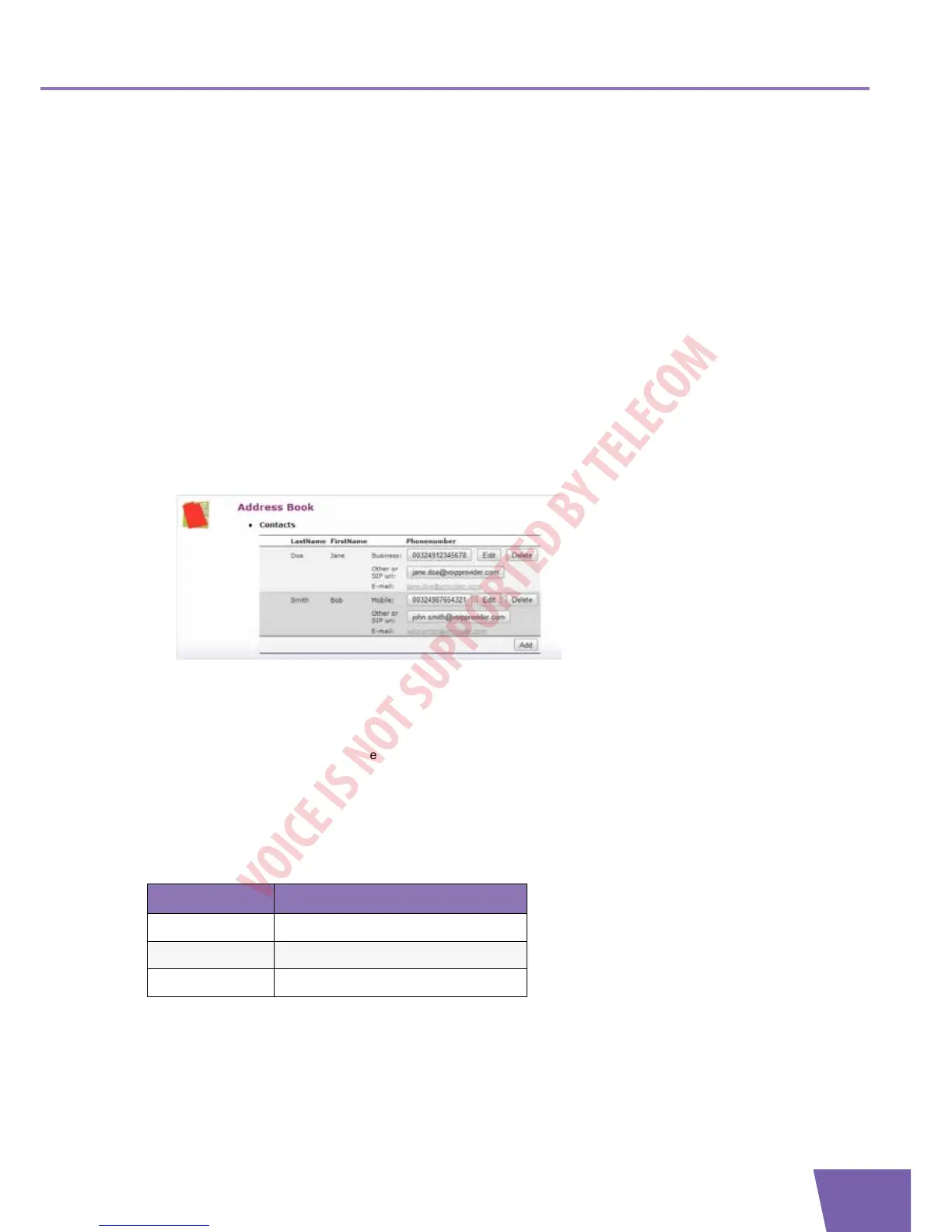
The Address Book page allows you to:
Store your contacts on the Thomson Gateway GUI.
Initiate a call or send a message by clicking the phone number or e-mail address in the contact details.
Everyone with access to the Thomson Gateway GUI can view and use the address book.
Accessing the Address Book page
Proceed as follows:
1 Browse to the Technicolor Gateway GUI.
For more information, see
“4.1 Technicolor Gateway GUI” on page 50
.
2 On the Toolbox menu, click Address Book.
3 The Address Book page appears.
For each contact, you can provide the following information:
Business: to make a call to the contact’s business telephone number
Home: to make a call to the contacts home telephone number
Mobile: to make a call to the contact’s mobile telephone number
Other or SIP uri: to make a call to the contact’s VoIP telephone number
E-mail to send an E-mail message to the contact with your e-mail client.
Managing contacts
All information provided per contact is optional except for the last and first name. The information can be
updated or completed at any time.
Click... To...
Add Add a contact
Edit Edit a contact
Delete Delete a contact



 To Next Page