DMS-CTC-20101208-0018 v1.0
18
Guided Installation
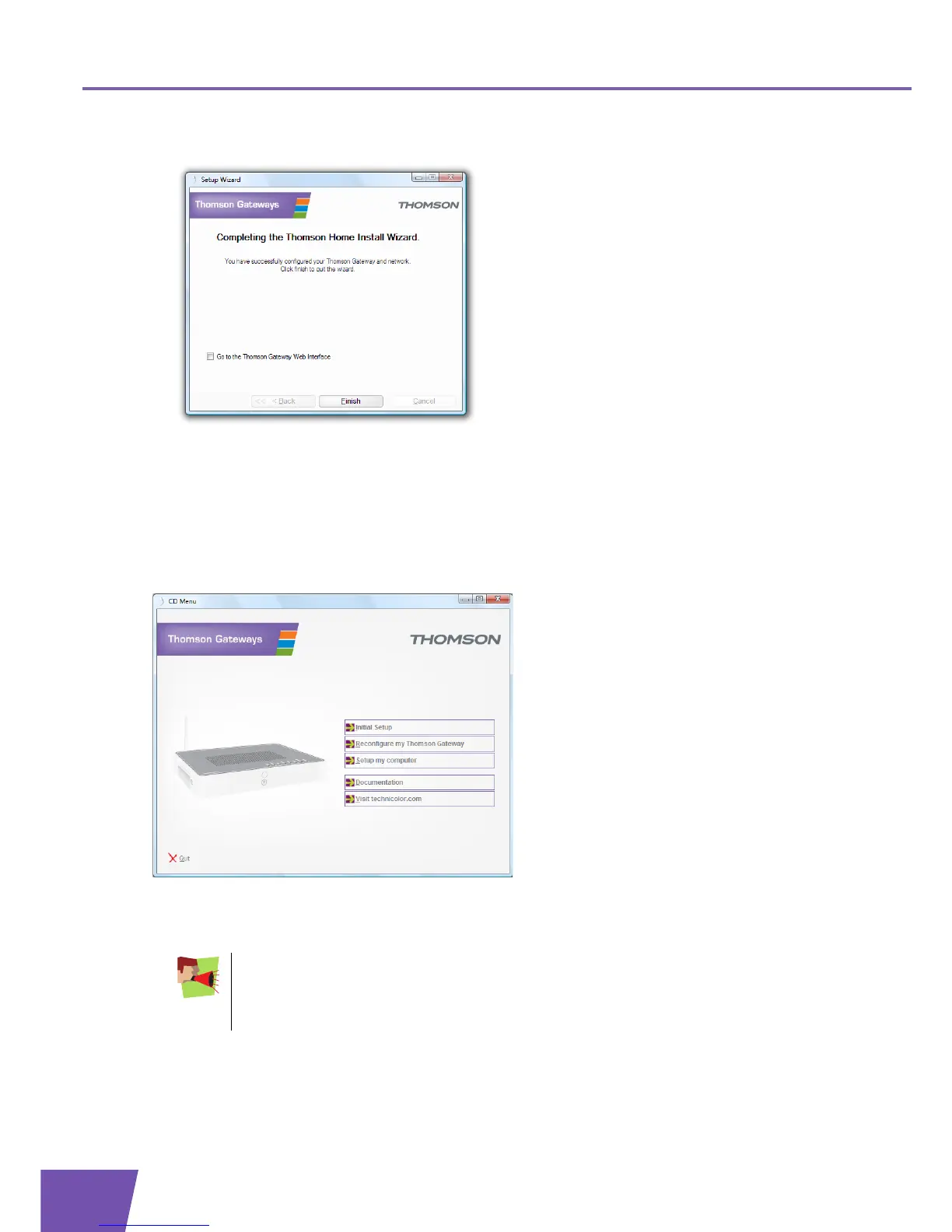
5 At the end of the installation, the following screen appears:
Select Go to the Thomson Gateway web interface if you want to go to the Thomson Gateway GUI after
closing the wizard. On the Thomson Gateway GUI, you can configure all services of your Thomson
Gateway.
6 Click Finish.
7 The CD menu appears.
CD Menu
On the CD Menu, you can click:
Initial Setup to connect your computer to the Thomson Gateway and configure your local network.
Reconfigure my Thomson Gateway to fully reconfigure your Thomson Gateway.
Setup my computer to connect your computer to the Thomson Gateway network.
Documentation to view a list of the documentation that is available for your Thomson Gateway.
If you reconfigure your Thomson Gateway via the CD menu, the Thomson Gateway will be
reconfigured from scratch. All your current settings will be lost. If you only want to make small
changes to your configuration (for example, changing the security), we recommended you to
do this via the Thomson Gateway GUI. For more information, see “4.1 Thomson Gateway GUI”
on page 32.



 To Next Page