DMS-CTC-20101208-0018 v1.0
73
Sharing Content on your Thomson Gateway
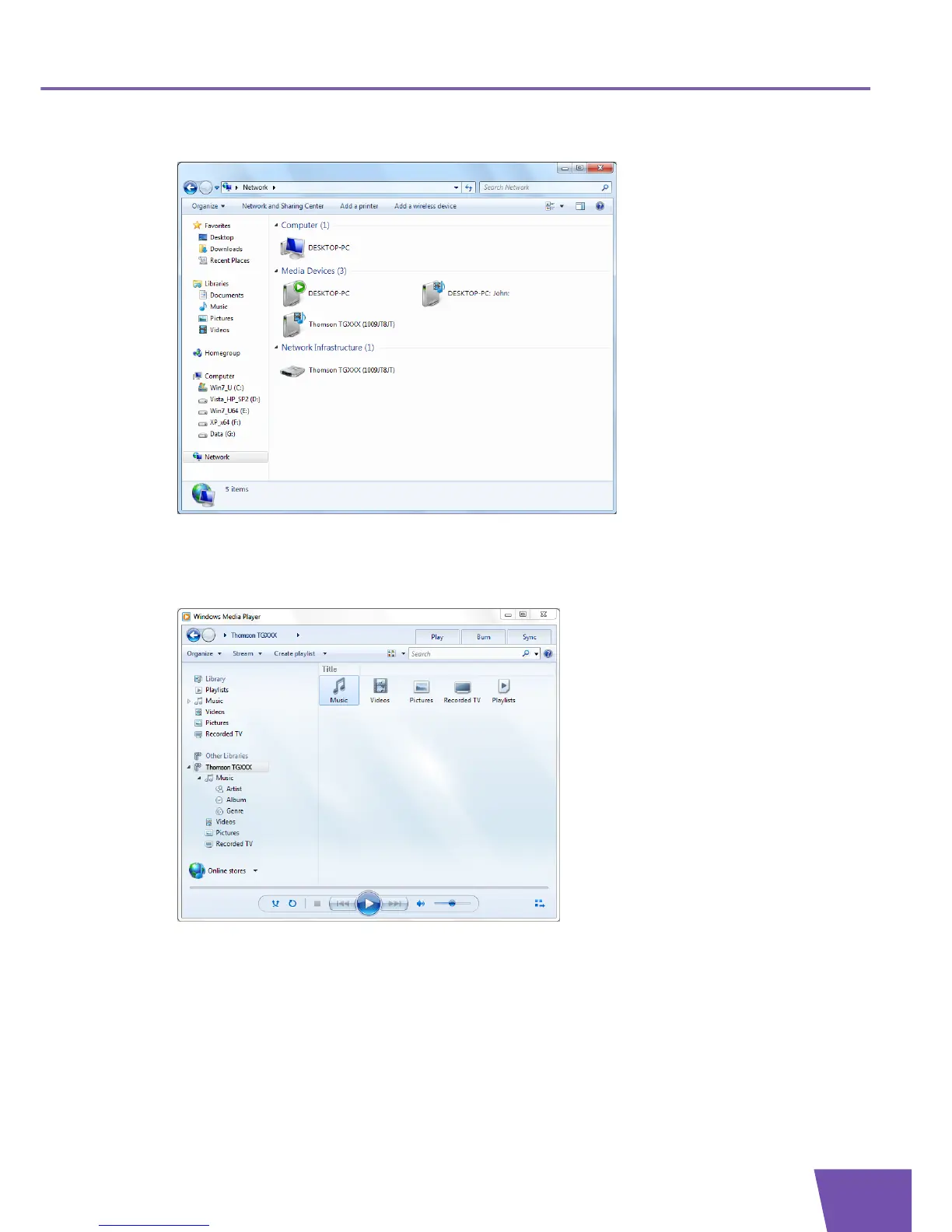
2 The Network window appears:
Under Media Devices you will find the Thomson Gateway’s UPnP AV Media Server (displayed as
THOMSON TGXXX).
3 Double-click the Thomson Gateway’s UPnP AV Media Server to access your media files.
4 Windows Media Player starts up.
Your Thomson Gateway’s UPnP AV Media Server is listed on the left. This entry allows you to browse to
your media files.



 To Next Page