E-DOC-CTC-20071119-0003 v1.0
83
6| Service Provisioning
Message flow
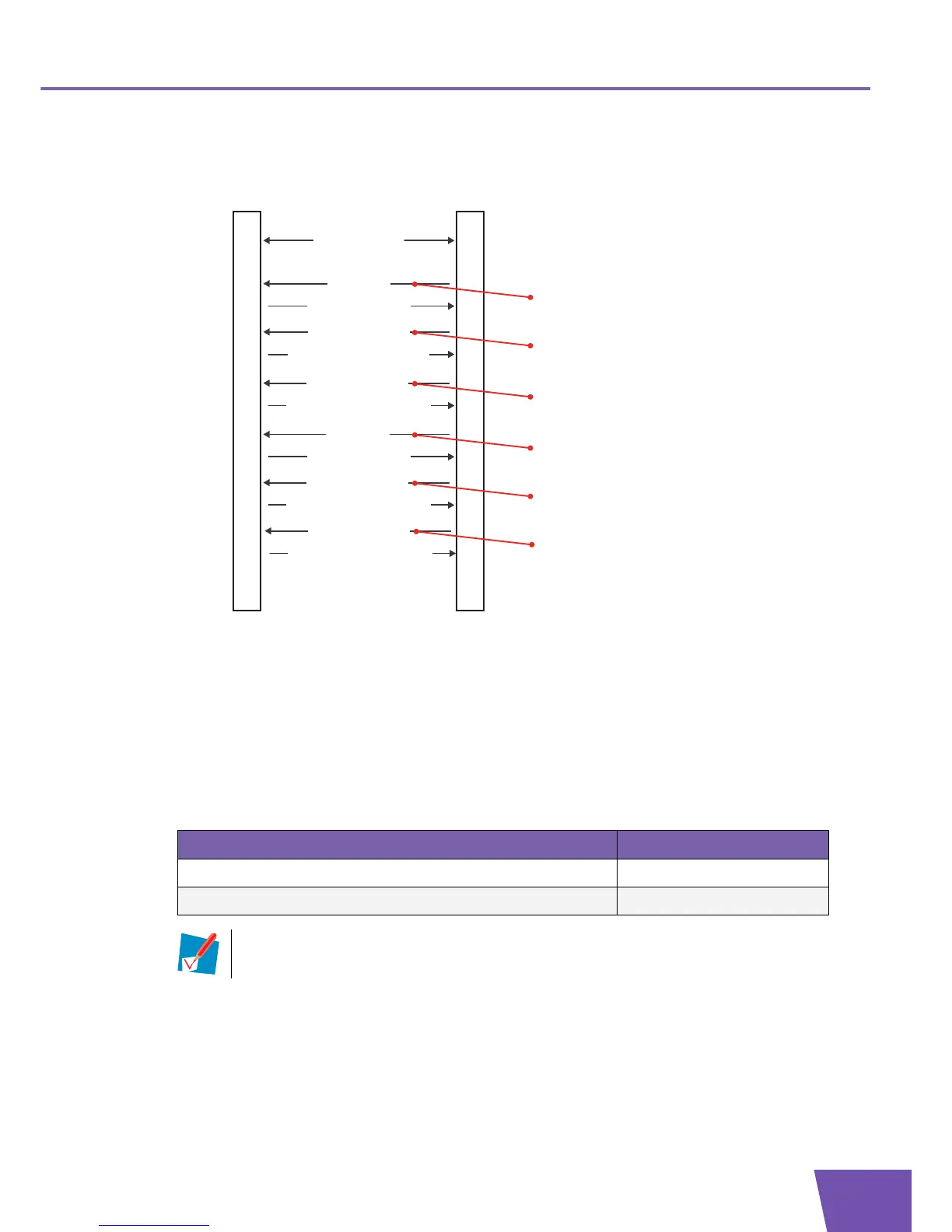
Following illustration shows a possible message flow for the firewall configuration:
Example: parameter values
For example, following parameter values can be used:
Creating a security level: the AddObject RPC (message 1 in preceding illustration) contains for the
ObjectName argument the value “InternetGatewayDevice.X_000E50_Firewall.Level.”.
The AddObjectResponse (message 3 in preceding illustration) contains for the InstanceNumber
argument for example value “7“.
Configuring the security level: the SetParameterValues RPC (message 4 in preceding illustration)
contains following name-value pairs in its ParameterList argument:
ACSCPE
Transaction session
...
5) Apply changes
Configure the Security Level
4) SetParameterValues
6) SetParameterValuesResponse
Create a Security Level
1) AddObject
3) AddObjectResponse
2) Apply changes
Create a Rule
9) AddObject
11) AddObjectResponse
10) Apply changes
13) Apply changes
Configure the Rule
12) SetParameterValues
14) SetParameterValuesResponse
...
16) Apply changes
Activate the Security Level
15) SetParameterValues
17) SetParameterValuesResponse
Obain the corresponding Firewall Chain
7) GetParameterValues
8) GetParameterValuesResponse
Name Value
InternetGatewayDevice.X_000E50_Firewall.Level.7.Name TestLevel
InternetGatewayDevice.X_000E50_Firewall.Level.7.Description “This is a test”
The parameter Name is mandatory. This means that the parameter must be set before the
Level object is internally created.



 To Next Page