RAPID CAMP+ MULTIPLEX SYSTEMS
127THOR MOTOR COACH | MADE TO FIT
10
RVMaster App Touchscreen Controls
Boot-up:
1. Turn ON the Main Battery Switch, powering the 12 volt
DC electrical system of the motorhome.
2. If the touchscreen is blank, touch anywhere on the
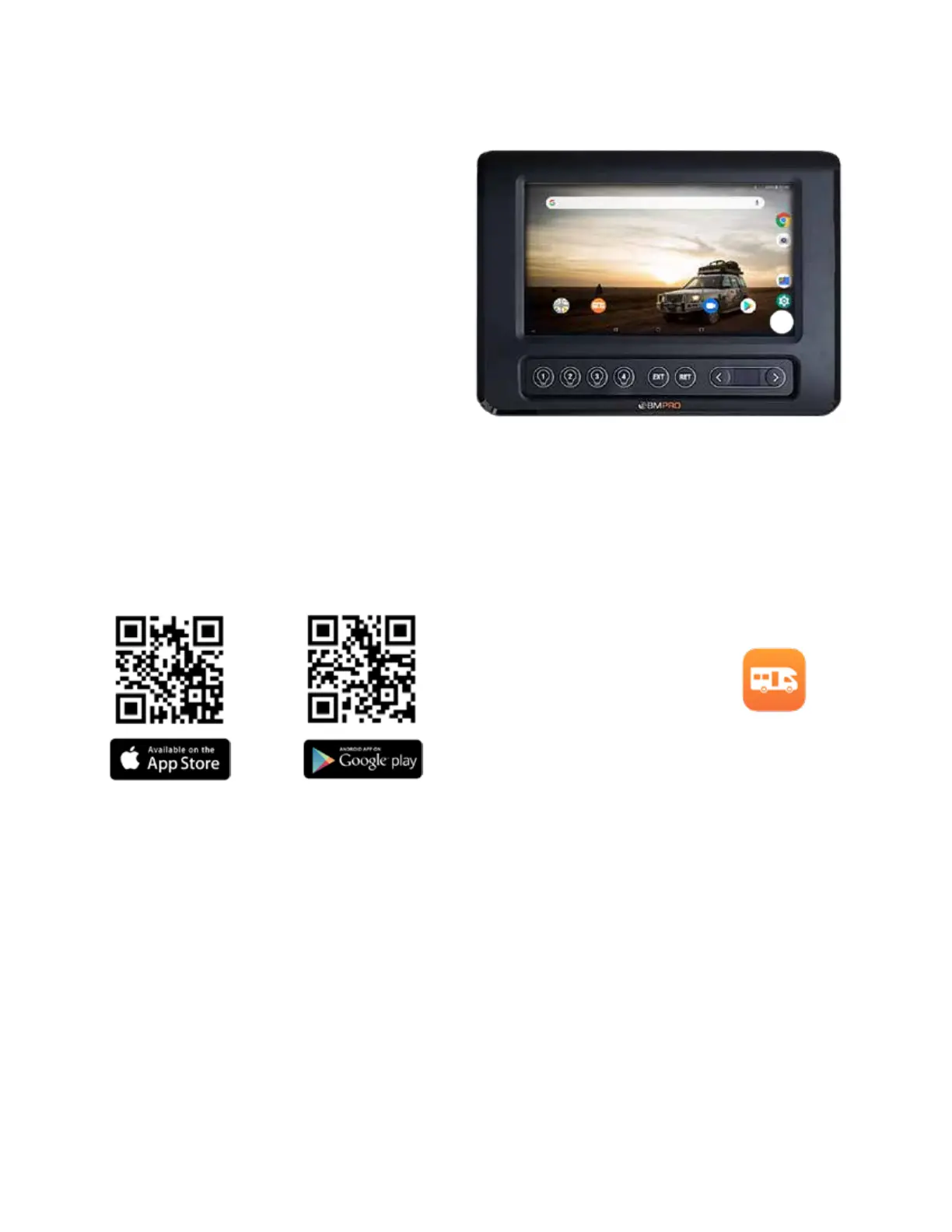
screen. e controller’s default desktop, or Main Screen,
or Android Tablet Screen, may look like the illustration
above. Booting up or awaking the controller may take
up to 45 seconds.
3. Touch the RVMaster App Icon.
NOTE: Access to your Google Account, Main Settings,
and other features are from the Controller’s Android
Main Screen
BMPro Basic Multiplex System Operation
1. Ensure power is ON, either from 12-volts DC (main
battery switch) or 120-volts AC (shore or generator
power). With a power source ON, locate the Touch-
Screen Panel and tap on the display area.
Please allow 45 to 120 seconds for the display screen
to boot-up.
2. Aer Boot-up, the default, or Home Menu screen will
display, which allows basic system control functions.
3. Along the le edge of the display are several menu icons.
Tapping on these icons will display control menus, such
as Lights, Climate Control, Electrical System controls
and monitoring.
The RVMaster App
e RVMaster App (SmartConnect App) is the soware that
communicates control signals to the RVMaster Node. is
soware is factory-loaded to the Touchscreen Controller
installed in the motorhome. e touchscreen controller is
also factory paired (Bluetooth) to the RVMaster Node.
e RVMaster App can also be installed onto a personal
smartphone or tablet, allowing either Bluetooth-paired
control of the RVMaster Node or control via Wi-Fi.
Download the RVMaster App and enjoy the freedom to
monitor and operate your motorhome’s on-board features
and accessories, on-the-move, from your own smartphone
or tablet.
Compatible devices:
e RVMaster App is compatible with Android 8.0 or later
and iOS 11 or later. Depending on your device, point your
QR Code reader to one of the codes below to download and
install the RVMaster App.
NOTE: Available features on the App may vary depend-
ing on your RV model.
Connecting to the Internet:
e Controller has Wi-Fi capabilities to connect to the
Internet and download the latest app updates.
Updating the Touchscreen Controller:
To automatically receive the latest updates for the RVMaster
App, connect the Touchscreen Controller to the Internet
and log in to your Google account. You can also get the
latest updates direct from the Google Play Store. Search for
RVMaster in the Google Play Store and press Update.
NOTE: For more information, see the BMPro Operation-
al Guide available through your TMC Owners Resource
account.


 To Next Page