INTERIOR FEATURES AND COMPONENTS
89
9
THOR MOTOR COACH | MADE TO FIT
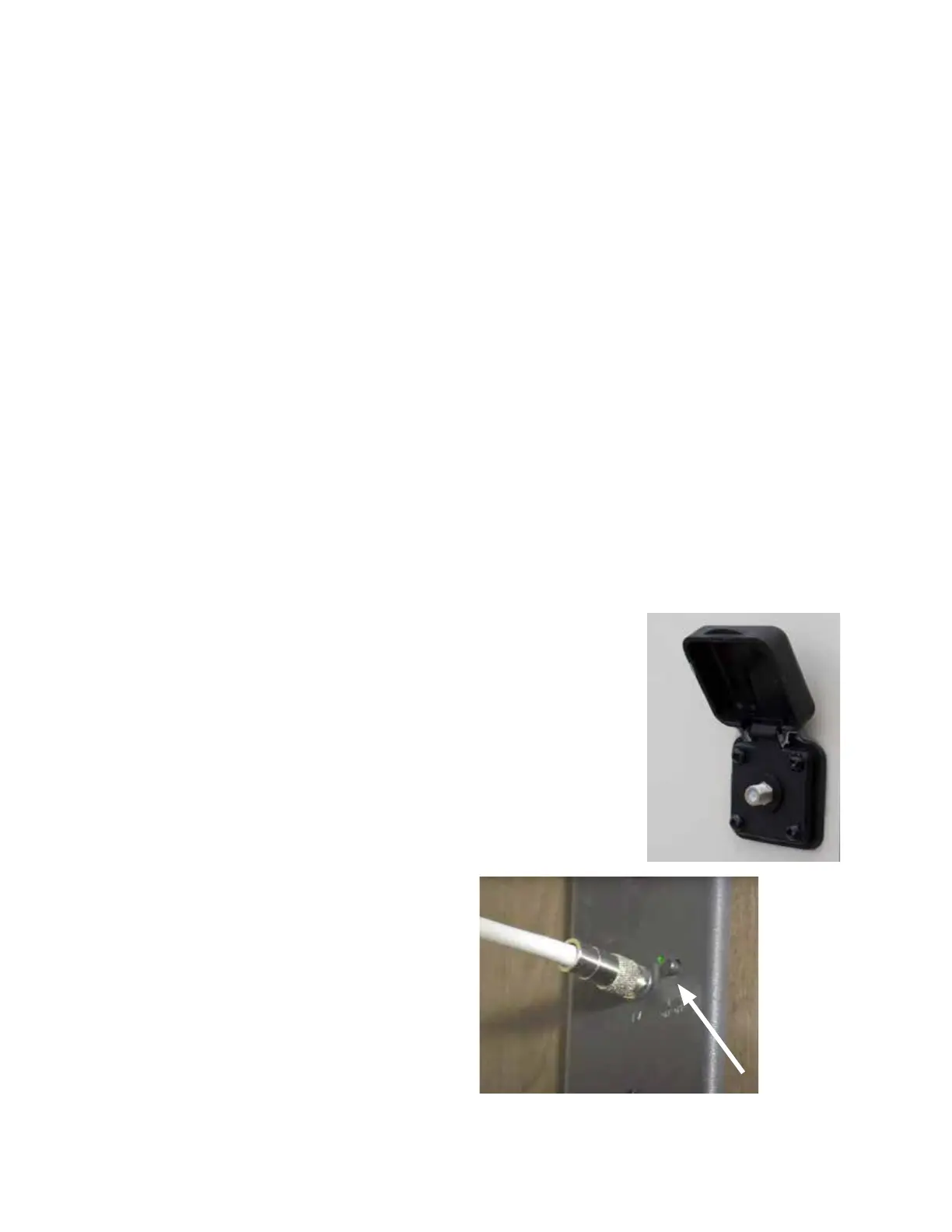
Typical park-supplied
cable TV hook-up located
on the driver’s side of the
motorhome. On some
motorhome models, cable
coax hookups are located
on the freshwater panel or
inside a left-side storage bay.
Viewing Over-the-Air or Cable TV
Most TMC motorhomes are factory equipped with an exter-
nal over-the-air television antenna. Usually, the television
antenna is integrated into the Wi-Fi extender.
Although installations dier in layout, most installations
will include:
• A HDMI switching box;
• An antenna/cable switch panel (shown as ‘Booster Plate’
in the diagrams);
• A 120-volt AC electrical outlet;
To view over-the-air (OTA) TV:
1. Locate the antenna/cable switch panel. is panel will
have a coax connector on it.
is is the connection point to the TV from either an
OTA antenna or a cable TV source.
2. If the TV has a COAX input, connect a COAX cable
from this wall plate to the TV.
NOTE: If the TV does not have a COAX input, obtain a
COAX to HDMI converter box. Connect a COAX cable
from the converter box to this wall plate, then connect
a HDMI cable from the HDMI converter's OUTPUT
to the TV's HDMI INPUT.
3. On this panel is a push-button switch; press this switch
until the green LED is ON. An illuminated green LED
indicates that the over-the-air TV antenna is connected
to the television input.
4. Using the TV remote control, locate the menu that
allows automatic over-the-air channel scanning; select
this option. e television should begin scanning for
available over-the-air television signals.
5. Once scanning is complete, use the channel selector
on the television remote control to view the available
over-the-air channels.
To view cable channels:
1. Locate the antenna/cable switch panel and press the
push-button switch until the green LED is OFF. is
indicates that the televisions are connected to the cable
signal.
2. Using the TV remote control, locate the menu that
allows automatic cable channel scanning; select this
option. e television should begin scanning for available
cable channels.
Antenna/Cable push-button selection switch with green LED
3. Once scanning is complete, use the channel selector
on the television remote control to view the available
cable channels.
NOTE: If equipped, turn your TV antenna booster ON
while watching local television stations (OTA); turn OFF
the TV antenna booster when watching cable or satellite.
Cable TV Hook-up
TMC motorhomes may be equipped with a cable TV hook-
up, as illustrated in the photo to the right. When supplied,
cable hook-ups are typically installed on the driver’s side
of the motorhome, either on the exterior wall or inside a
storage compartment. e cable TV hook-up is designed to
receive a standard F-type coax connector, either threaded
or push-on style.
Check with the RV park management for cable availability,
hook-up, and cable turn-on details.
If you have any questions regarding the tment and location
of your motorhome’s cable hookup, please contact TMC
Customer Care.



 To Next Page