© 2013 Thorlabs GmbH
3 Operation
121
Stop Loop mode (red text)
Save current frame as BMP file or JPEG file
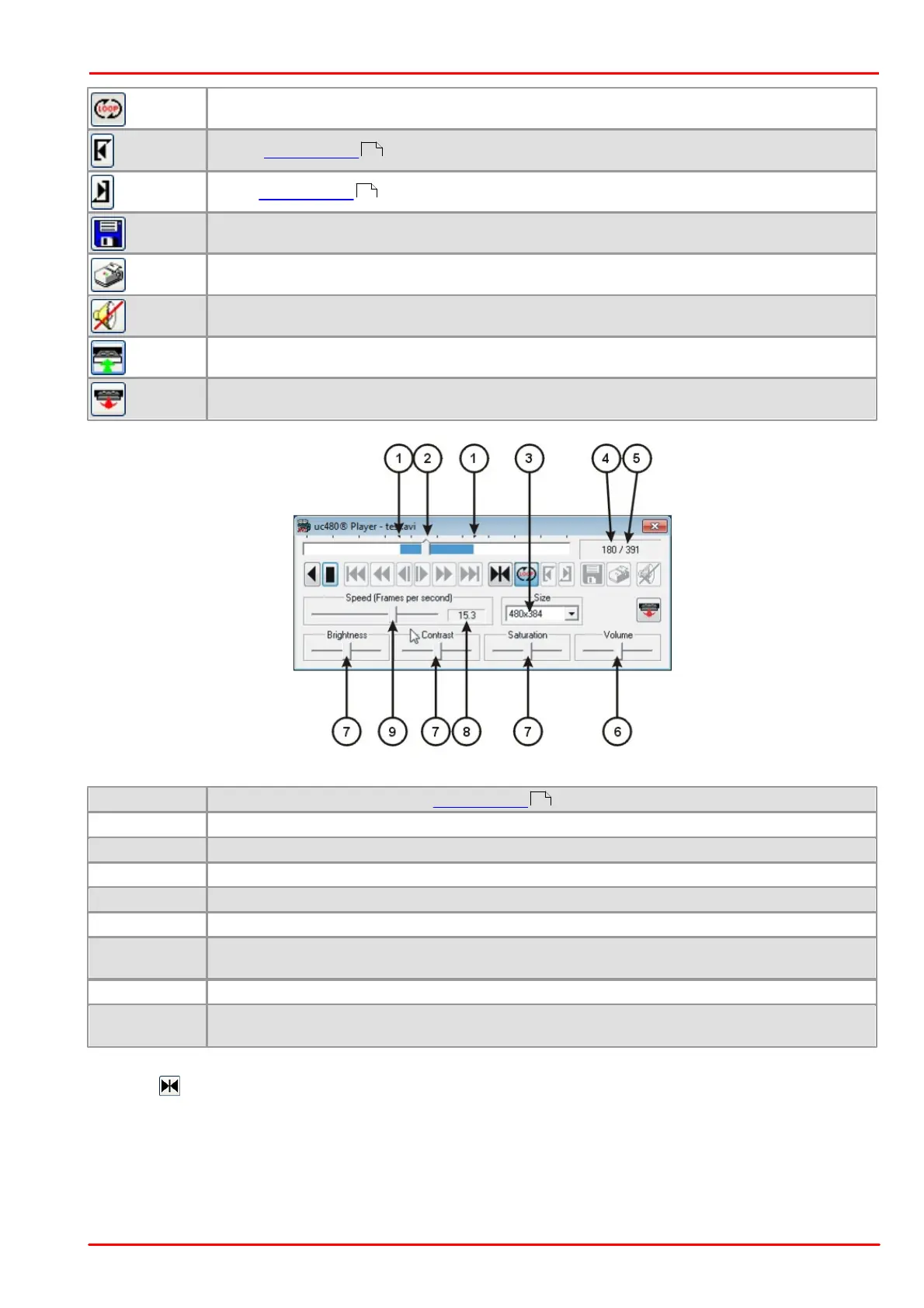
Position markers for the defined playback loop
Current position in video file
Size of the video display window in pixels
Number of frames in video file
Frame display parameter settings. Each slider can be reset to its default setting by clicking it with
the right mouse button. The settings are also applied to the subsequent files.
Current playback speed setting
Playback speed in relation to the recording speed from 0.1 to 200 fps. The values are set in
increments.
Using the button, you can jump directly to a specific frame. To do so, enter a numerical value between 1 and
the total number of frames in the video sequence.
122
122
122



 To Next Page