4-7
Twist Owner’s Manual
OM_TWIST_0811RevA
CHAPTER 4: BACKRESTS And PUSH HAndLES
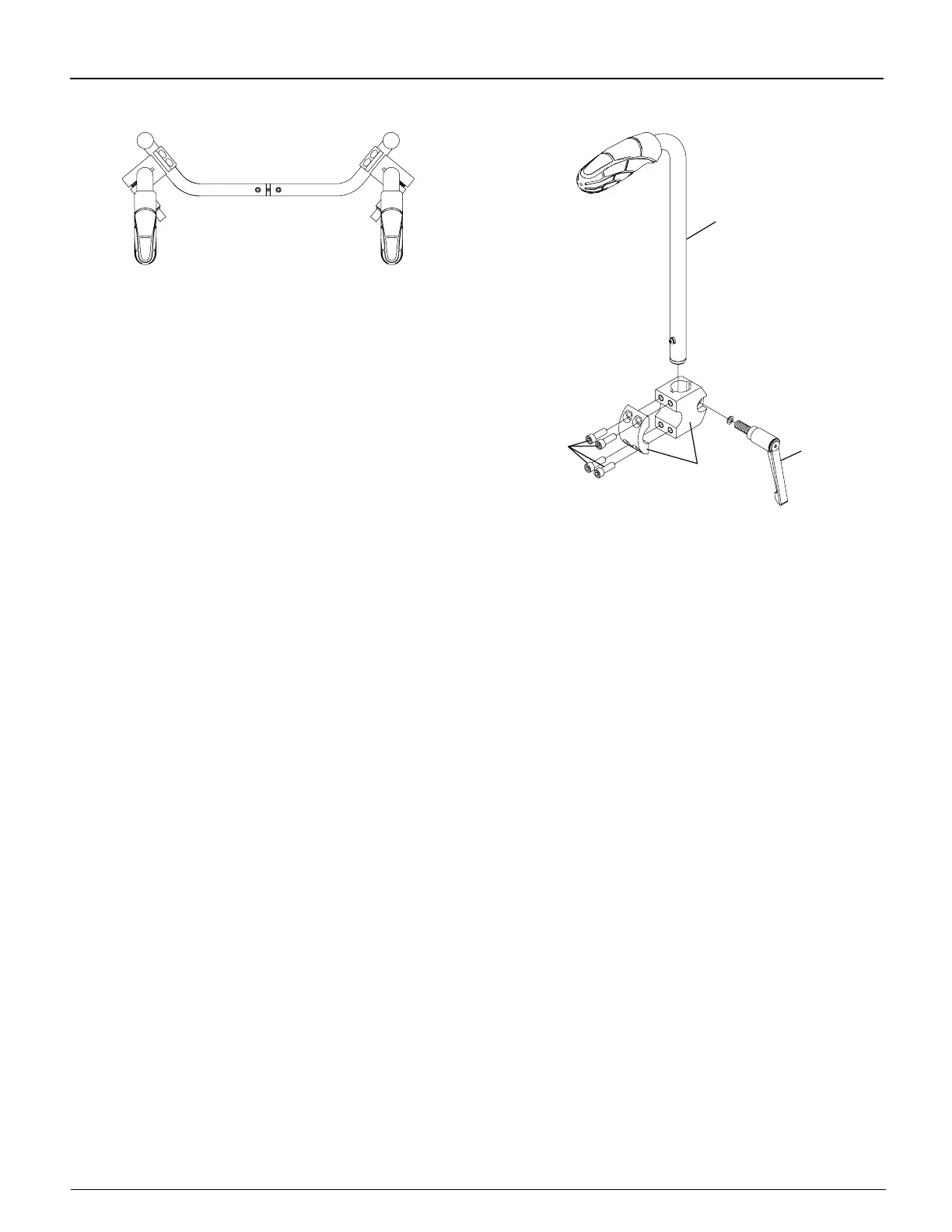
Figure 4-10
Bolt-On Adjustable Height Push Handles
“Top View”
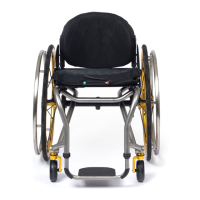
Figure 4-11
Bolt-On Adjustable Height Push Handles
Allen
Screws
Push Handle
Clamp
Adjustable
Handle
Removing
Tools Needed:
• 3/16” Allen Wrench
1. Remove the four Allen screws. See Figure 4-11.
2. Remove the clamp and handle.
Bolt-On Center Mount Height-Adjustable Push Handle
Adjusting
1. Grasp the adjustable handle and lift counterclockwise while holding the push handle. See Figure 4-12.
2. Raise or lower the push handle to the desired height.
3. Turn the adjustable handle clockwise and tighten, securing the push handle in place.
Removing
1. Grasp the adjustable handle and lift counterclockwise while holding the push handle. See Figure 4-12.
2. Press the release button at the bottom of the push handle and lift the handle to remove it from the push mount.
I WARNING
Your assistant or attendant should NEVER attempt to lift a wheelchair up a curb, step or ight of stairs by lifting on
any removable (detachable) parts, such as Center Mount Adjustable Height Push Handles. Similarly, your assistant
or attendant should NEVER attempt to lower a wheelchair down a curb, step or ight of stairs by holding onto any
removable (detachable) parts, such as the Center Mount Adjustable Height Push Handles.
If you ignore this Warning,
the removable parts, such as the Center Mount Adjustable Height Push Handles, could detach from the wheelchair
causing you to fall, tip over or lose control of the wheelchair and seriously injure yourself or others or damage the
wheelchair.


 To Next Page