Keypad Instruction
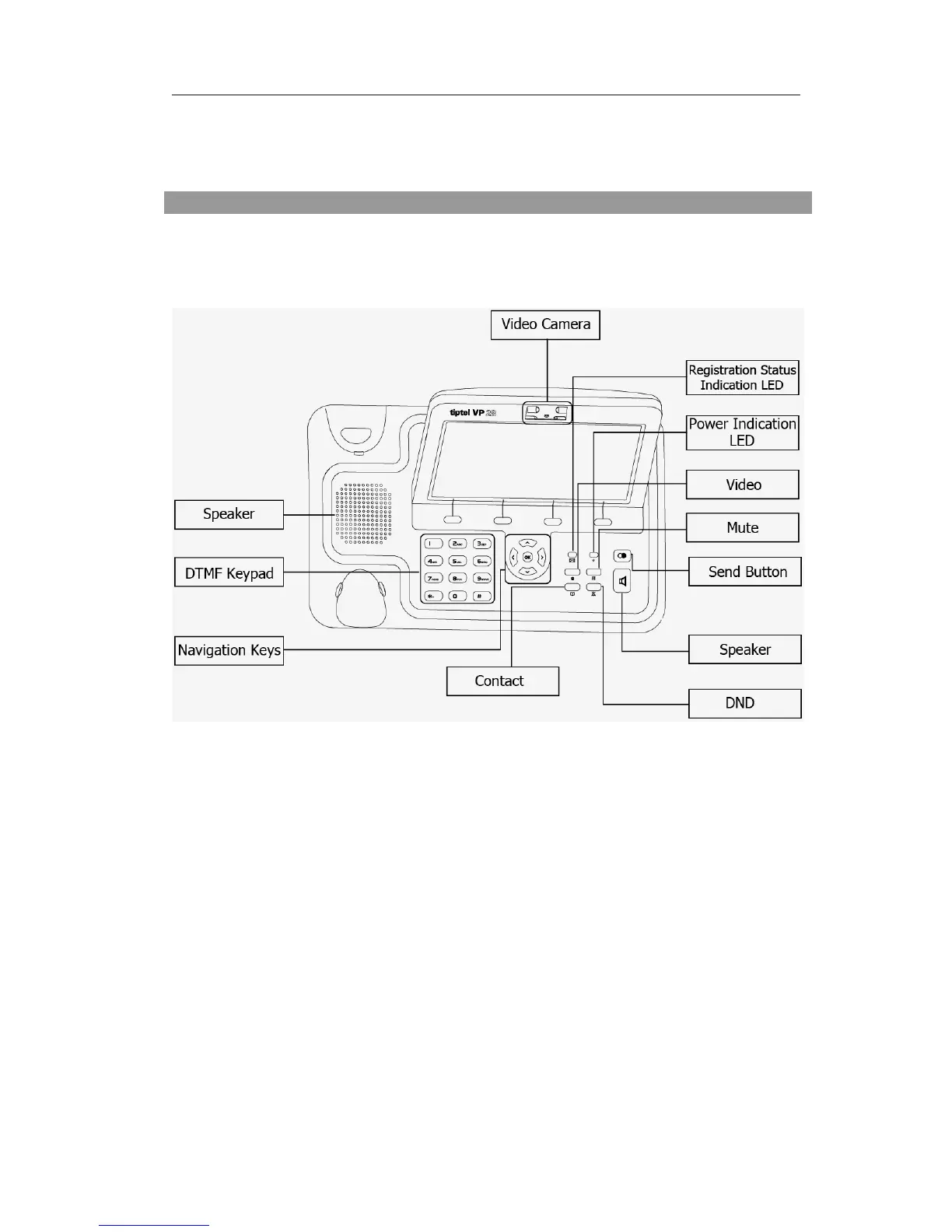
You can check the following list which introduces the IP phone’s keypad in detail:
Event Indication LED
It will show the event status of the video phone. It will blink when registration failed,
the network is unavailable, there is a missed call or voicemail to the extension or hold/
mute the call or firmware Update.
Power Indication LED
It will show the power status, it will be on if the phone is powered, off if the phone is
power off.
Video Camera
Used for electronic motion picture acquisition.
Context-sensitive Soft keys
There are four soft keys: F1, F2, F3 and F4. Each key performs a specific function
indicated by a corresponding icon displayed near the bottom edge of the screen.



 To Next Page