tiptel VP 28 Customizing Your Phone
side, then the input box on the right will show the corresponding Group Name and
Group ring information.
3) Click the input box of Group Name, then press <F3> to delete the original name,
then input the new name by keypad.
4) Click the Group ring option, and then choose your preferred ring tone in the
pull-down menu.
5) After the edition, click to confirm the changes, or click to cancel the
operation.
Note:
Cannot modify the key groups: the "blacklist" and "Anonymous".
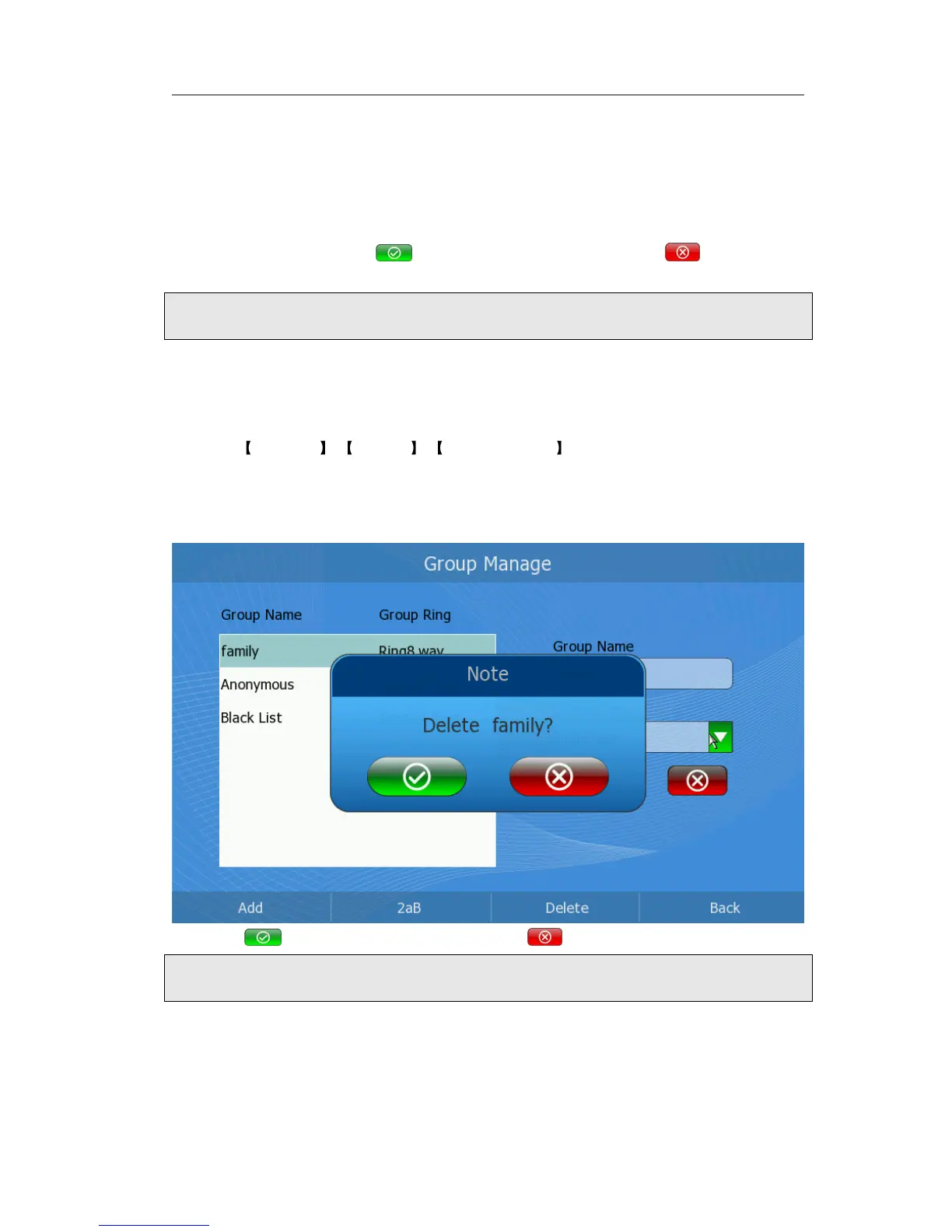
Delete Group
Delete a group via phone interface:
1) Click Directory -> Options -> Group Manager option to enter the configuration
page.
2) Press the Up/Down navigation keys to choose a group you want to delete.
3) Press <Delete> soft key to pop up the dialog reminding”Delete Group-.XX?”.
4) Click to confirm the changes, or click to cancel the operation.
Note:
Cannot delete the key groups: the "Black list" and "Anonymous".
Export Contact list
Export Contact List via web interface:
1) Choose Contacts->Local Phonebook.



 To Next Page