tiptel VP 28 Customizing Your Phone
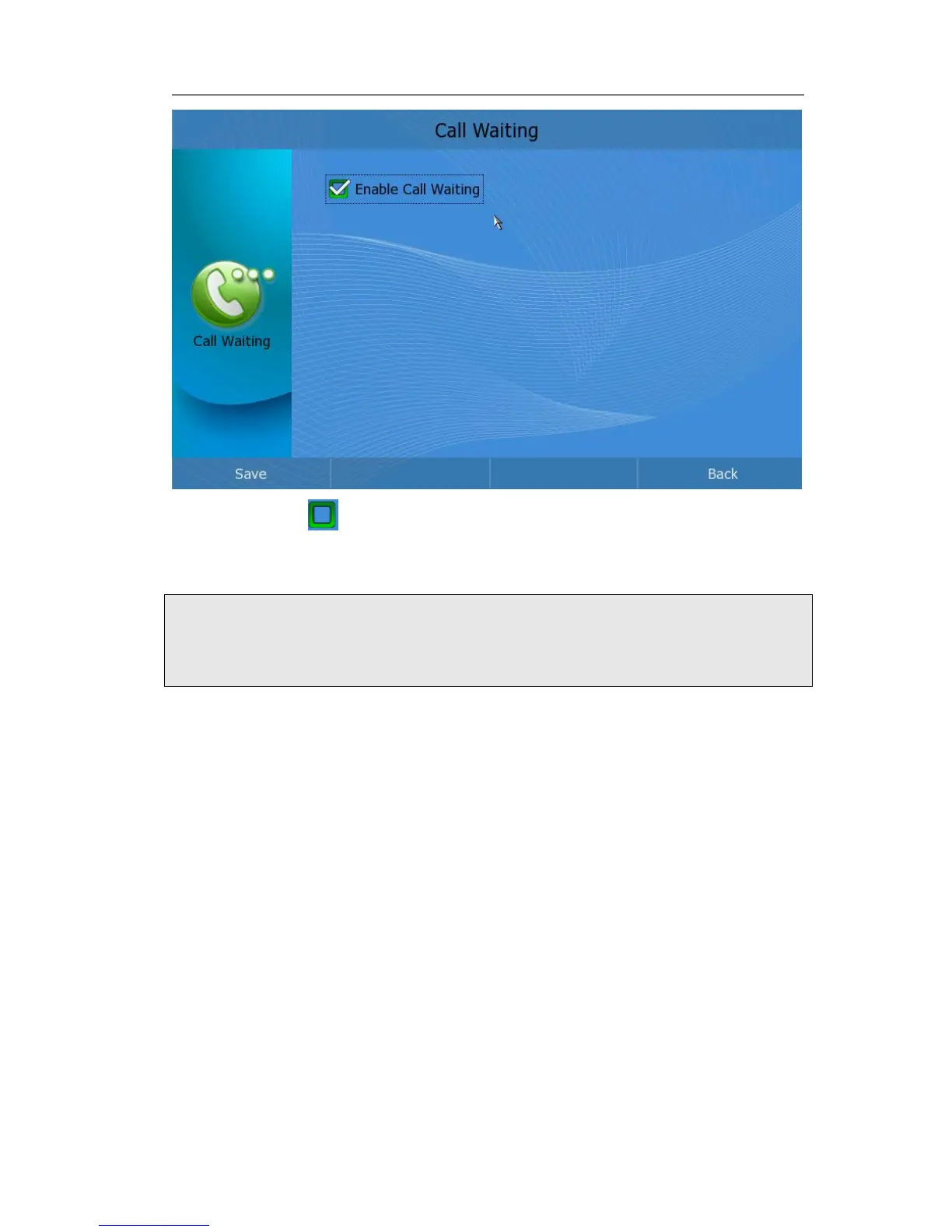
2) Click the icon to enable/disable Call Waiting function;
3) Press <OK> to confirm the change;
4) Press Save to save the changes and get back to the “Call Features” page.
Note:
If Call Waiting is enabled by the called extension, when a new call is coming during an
active call, the device will sound a “Du…”, and the LCD indicates the incoming call, the
caller will hear the ring back tone.
Auto Answer
A feature that enables your phone to accept incoming calls even if you are inconvenient.
In auto-answer mode, it will establish a call whenever the telephone rings.
To set auto answer function via phone interface:
1) In desktop status, click Call Feature->Auto Answer option to enter;


 To Next Page