81 button to call out directly.
9) Click the corresponding line key (for example 60) to enter the dial-up interface;
enter the number to dial out.
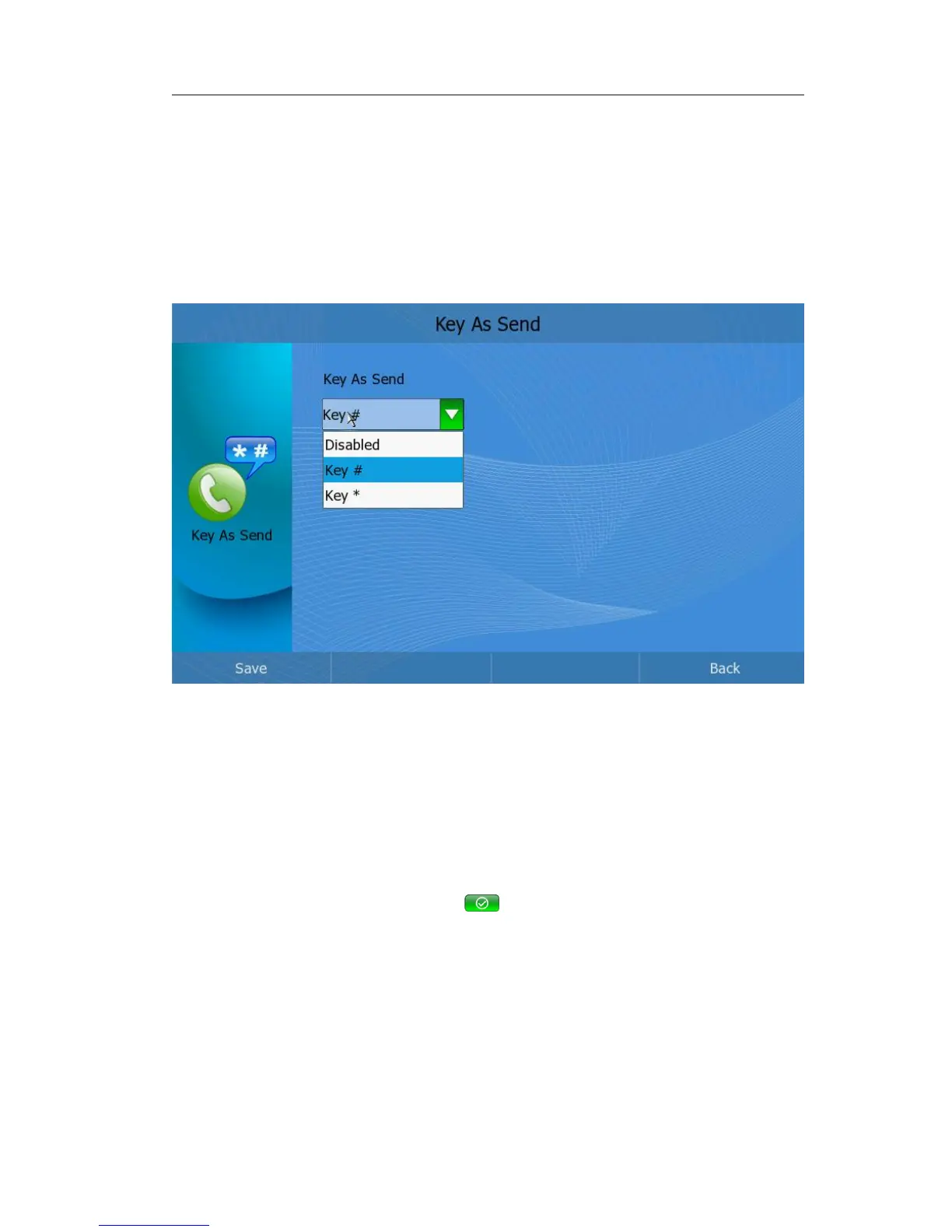
Key As Send
Users can set a specific button (“#” or “*”) to active as the send button.
To set the send key via phone interface:
1) In desktop status, click Call Feature->Key As Send to enter;
2) press <OK> to pop up the pull-down menu, and choose a preferred option, then
click the Save soft key to confirm the change;
Hotline
if you set the dial number when you click the hotline button, the phone will dial out
directly. Or you must set dial number at first.
To set hotline via phone interface:
In desktop status, click Service Center->hotline, it will pop up a frame” Please set dial
number:” , enter the number, click the button to save the change. You can only
through web interface to edit the hotline number.
To edit hotline number via Web interface:
1) Choose Phone->Preference->Hotline, enter the number in the field,
2) Click the confirm button to save the change.
Directory
You can store a large number of contacts in the directory of your video phone. The
default directory is local phonebook, but when you add the xml phonebook , the phone



 To Next Page