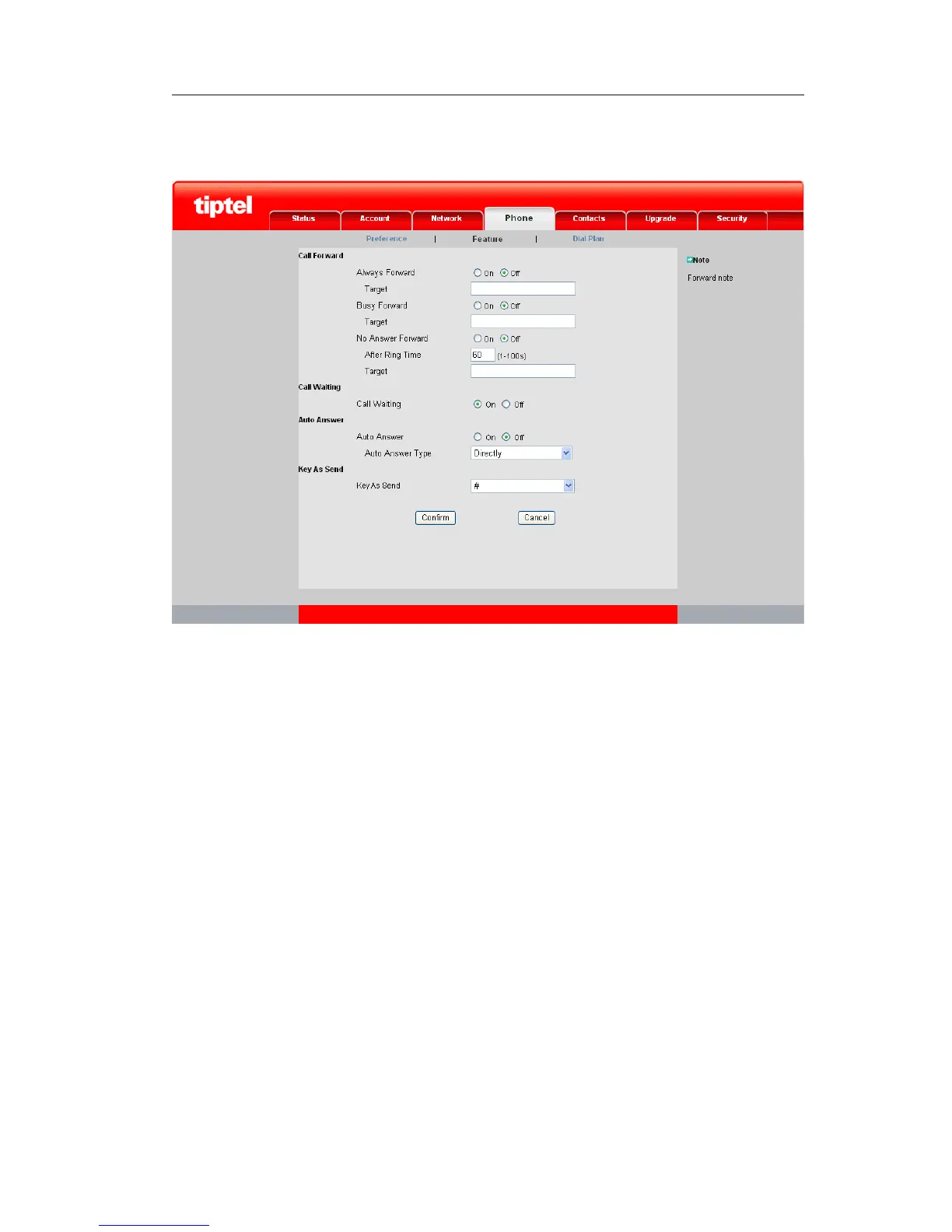
To configure Call Forward via web interface:
Choose Phone->Feature to do the relating changes. Please refer the above
configuration information.
Call Waiting
Call Waiting lets you know who is calling you when you are busy. Don't feel like
answering the other line? Don't worry, just let the call go to voicemail and respond at
your convenience. With Call Waiting, you will never miss an important call.
To set call waiting function via phone interface:
1) In desktop status, click Call Feature->Call Waiting option to enter;



 To Next Page