Network Setting
WAN
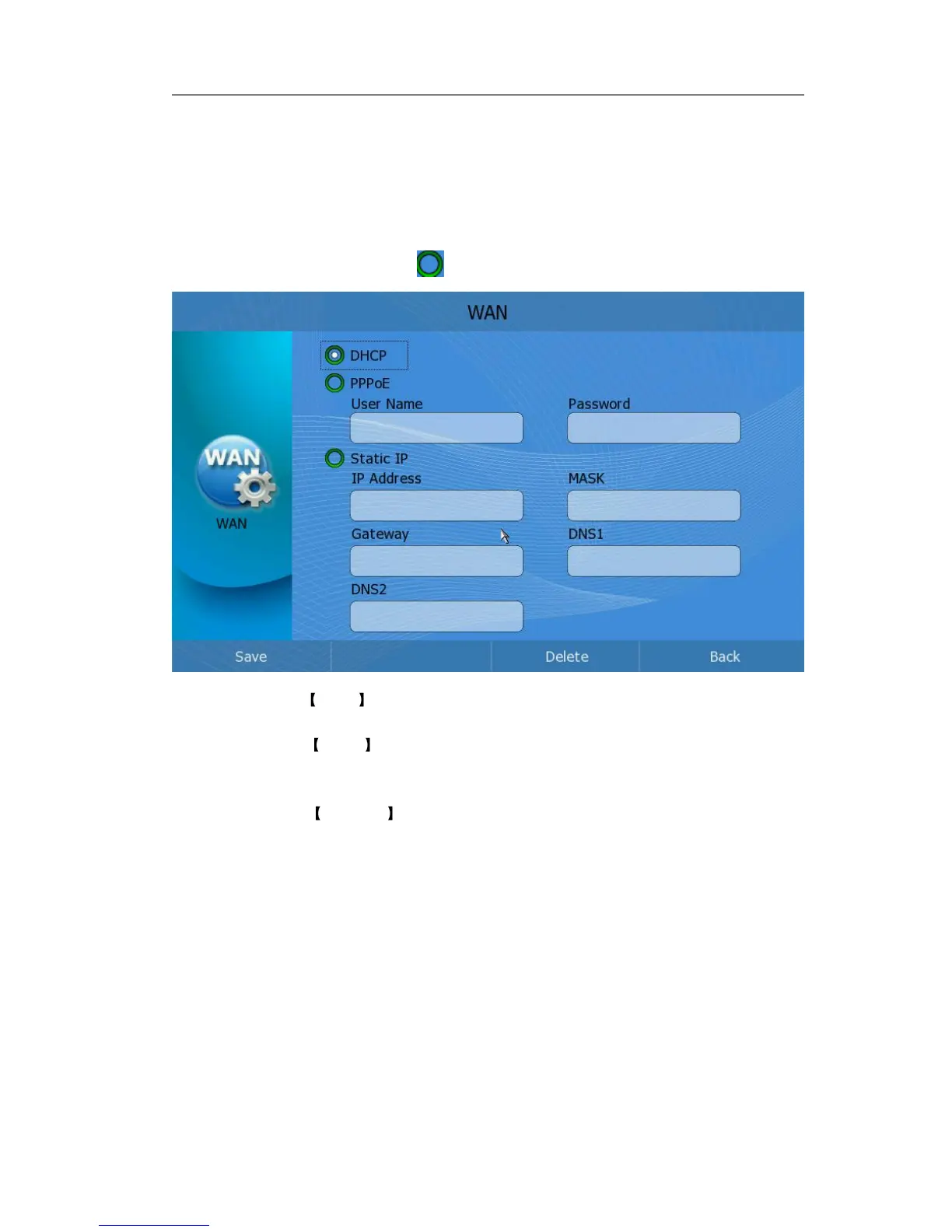
Configure WAN information via phone interface:
1) Click Setting-> WAN option to enter configuration page;
2) Click the corresponding icon to active the proper IP assignment type.
3) If you choose DHCP type, Press <F1> to save the changes;
4) If you choose PPPoE type, you should also configure the corresponding “User
Name” and “Password”. Then press <F1> to save the changes.
5) If you choose Static IP , please choose and configure “IP Address”, “MASK”,
“Gateway”, “DNS1” and “DNS2”, then press <F1> to save the changes.
Configure WAN information via web interface:
1) Choose Network.
2) Choose Internet Port (WAN) option to do the relating settings.



 To Next Page