2) The registered accounts will be shown on the right side, clicking the corresponding
one to dial out the chosen contact directly by this account.
In the list if there are too many records, the screen will display the icon or .
Then you can click the icon to show the following records.
Call History
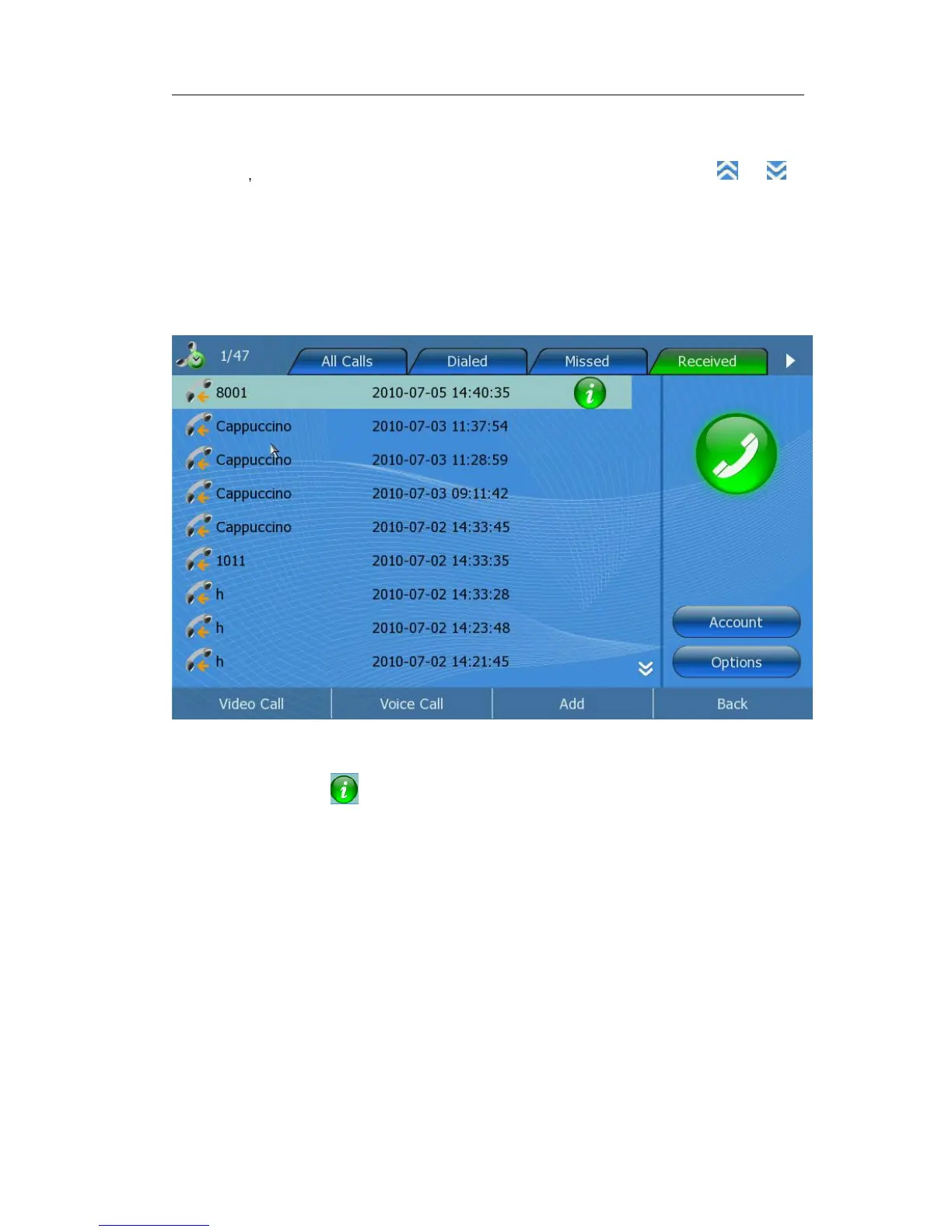
View the call history
1) Click Call History option to review the call list.
2) Use the Left/Right navigation keys to highlight a group.
3) Use the Up/Down navigation keys to highlight a record.
4) Clicking the icon behind, you can review the details of the chosen record.
5) Press <F1> to make a video call, press <F2> to make a voice call, <F3> to add this
record to contact, and <F4> to exit.
Dial back from the call history
1) Click Call History option to enter the call list interface.
2) Use the Left/Right navigation keys to highlight a group.
3) Use the Up/Down navigation keys to highlight a record you want to dial back.
4) Clicking the account icon on the right, you can dial back the chosen contact directly
in the default call mode. Also, you can press the <Video Call> or <Audio Call> soft
key to call out in the specified call mode.



 To Next Page