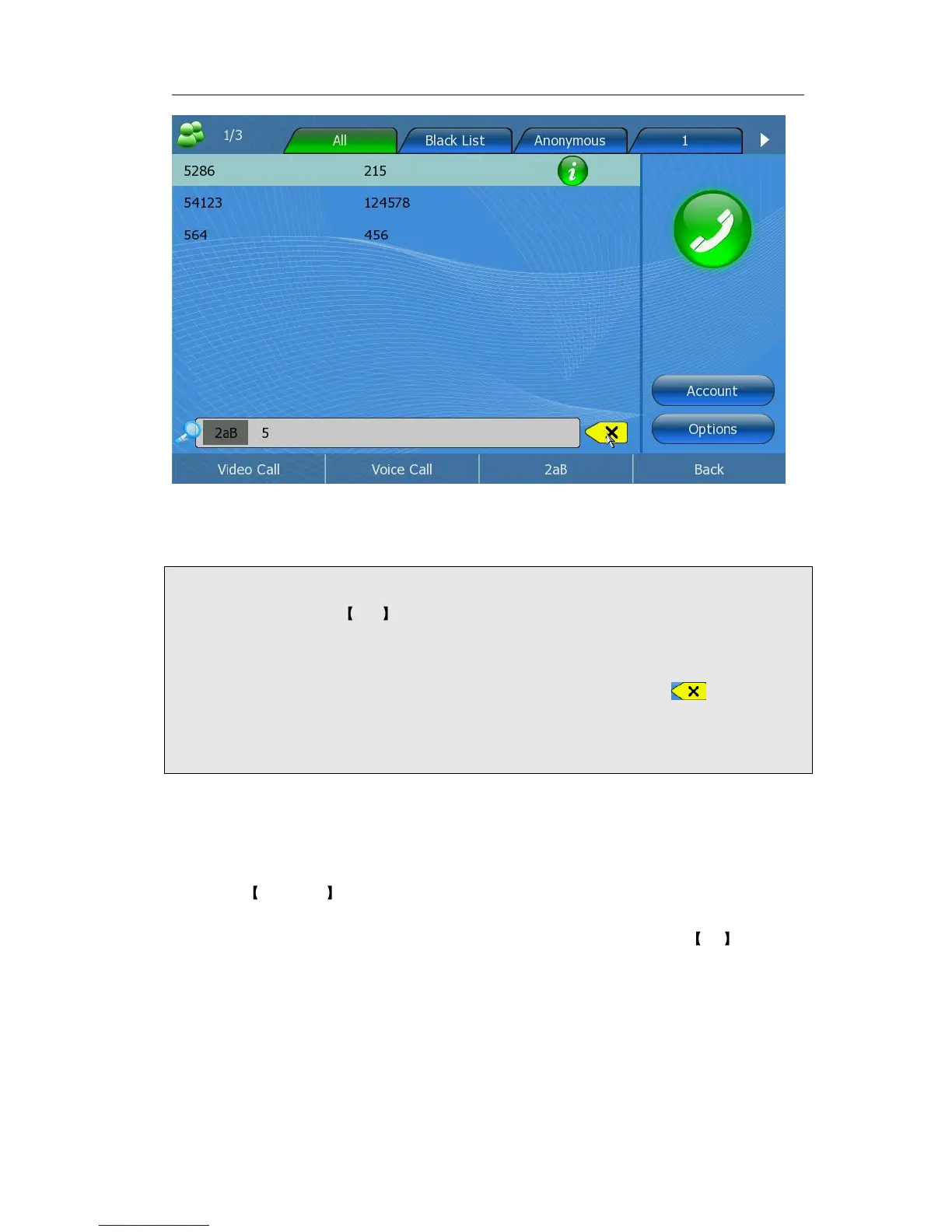
2) Enter the contact name by the keypad, for example “5”, then the screen will show
all the contacts whose name begins with “5”.
3) Press Back button to get back to Contacts page.
Note:
1. Users can click the 2aB key to switch the input methods. For example, pressing
the number button 2 once, you can enter the number 2 and double-click it, it will
change to the letter ”a”. With the clicking time increase, corresponding letters of b,
c and A, B, C will be typed, so do the other DTMF keys; Pressing key, you can
delete the input letters or numbers.
2. In the Search page, if you press the function keys, (for example, press the options
button), it will turn to the related function pages.
Edit Contact
Edit a contact via phone interface:
1) Click Directory to enter the configuration page.
2) Use the Up/Down navigation keys to choose a record, then press OK -> <F1>
button to enter the edition page.



 To Next Page