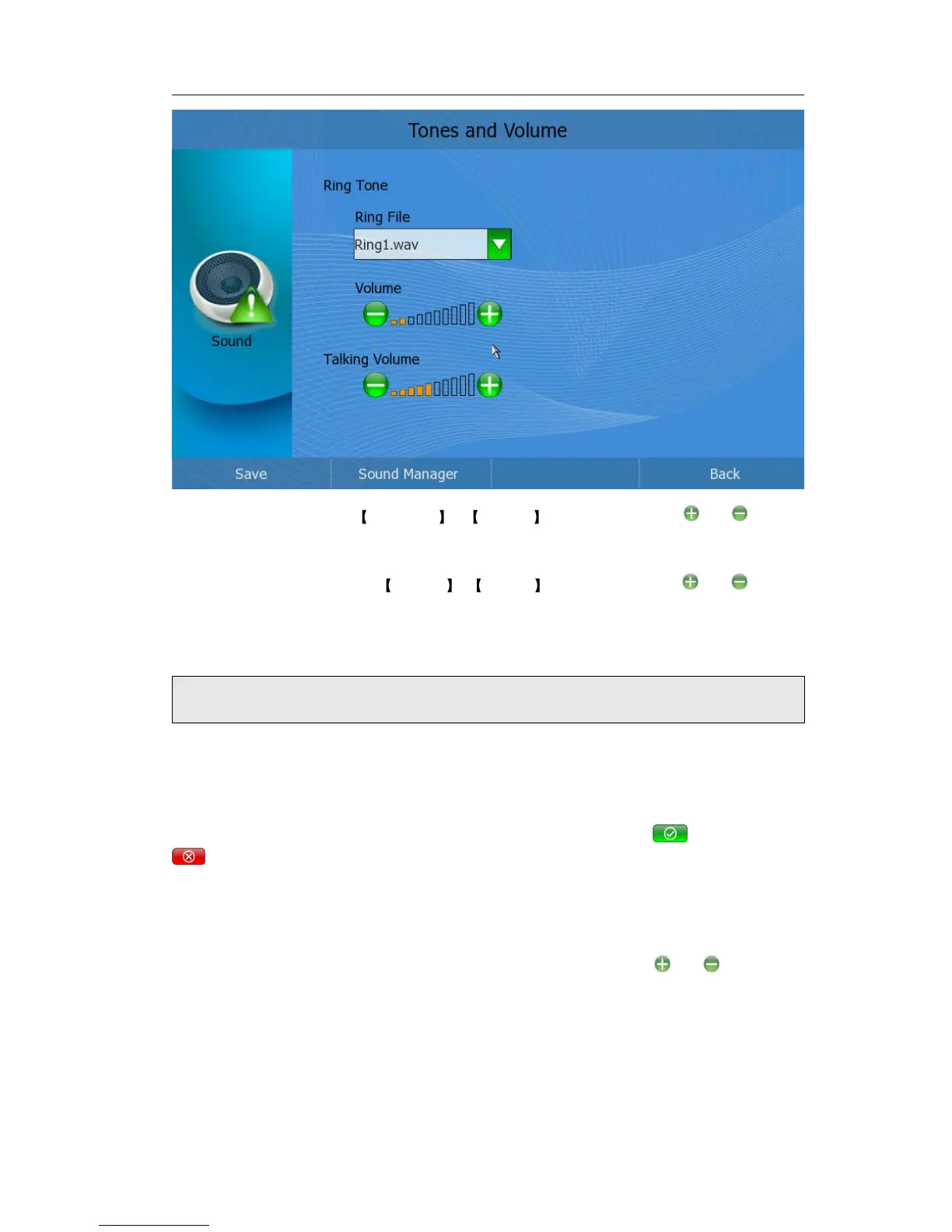
3) Ring Volume: Choose Ring Tone -> Volume option, then click or button
to adjust the ring volume;
4) Talking Volume: Choose Volume -> Talking option, then click or button
to adjust the talking volume;
5) Press Save softkey to save the changes, and get back to Setting page.
And you can manage the sound when you click the <Sound Manager>.
Enter the manage interface. You can upload the ring from the USB device. And you can
also delete the rings if you have sufficient permissions, Click the <Delete> button, it
will pop up a warning frame, asking whether to delete it. Click to delete, click
to cancel and return to the Manage frame
Attention:
The definition of the audio file should be wav with PCMA codec and with 8kHz
To adjust the volume when you are in an active call:
When Handset/Headset/Speakerphone mode is activated, click or button, or
press the Left/Right navigation key to adjust to a comfortable level.



 To Next Page