114
20.8. Activating the Control Input
You can simulate the unit's control input activation through PC operation.
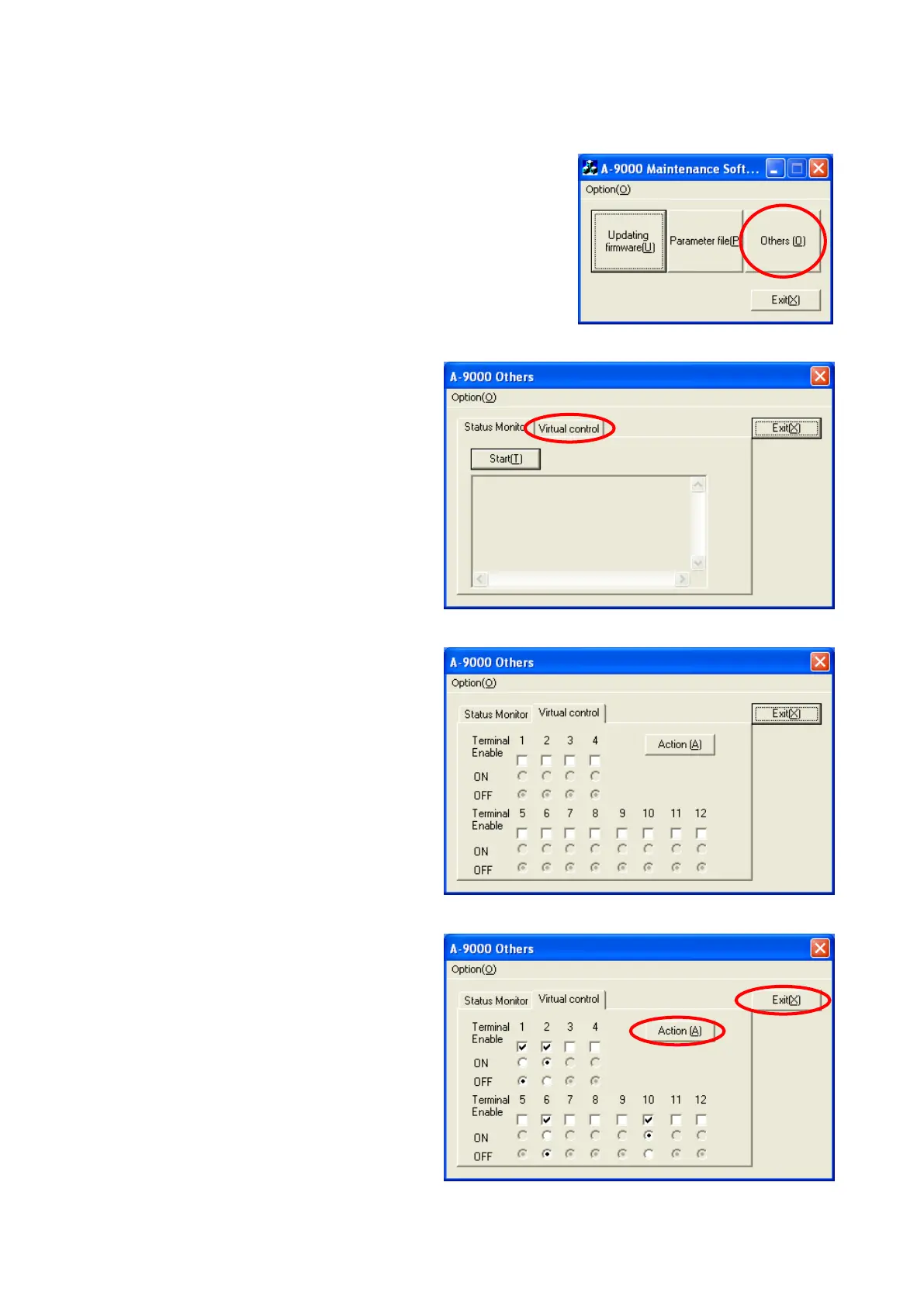
Step 1. Double-click the "MaintCtrl.exe" icon to run the 9000 series
maintenance software.
The screen at right is displayed.
Step 2. Click the "Others" button.
The window at right opens.
Step 3. Click the "Virtual control" tab.
The window at right opens.
Terminal 1 – 12 represent the control
input terminal numbers.
Step 4. Tick the "Enable" boxes of the control
inputs you want to activate, then select
either ON or OFF.
Step 5. Click the "Action" button.
The Control inputs set to ON are
activated.
Step 6. Click the "Exit" button to terminate the
program.
The screen returns to the initial menu
screen in Step 1.
3
2
5
6





 To Next Page