99
16.7. Removable Terminal Plug Connection
Be sure to use the supplied removable terminal plugs for connections to the removable terminal blocks.
Cautions
• Be sure to use shielded cables for audio signal lines and for the ZM-9001/9002 control lines.
• Avoid soldering stranded or shielded cable, as contact resistance may increase when the cable is tightened
and the solder is crushed, possibly resulting in an excessive rise in joint temperatures.
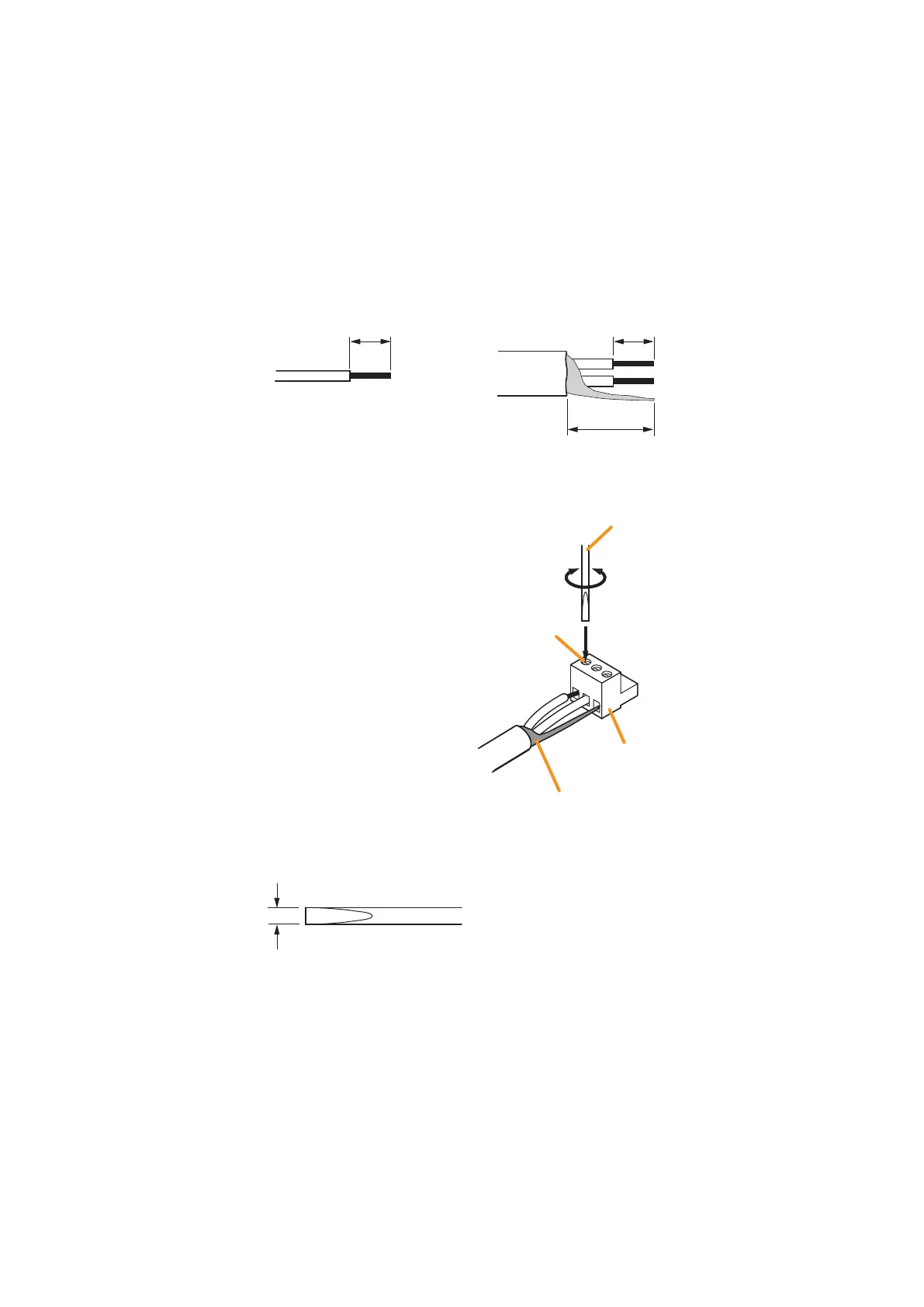
Cable end treatment
Connector connection
Step 1. Loosen the terminal screw, then
insert the cable.
Step 2. Retighten the terminal screw.
(Pull on the cable to ensure it is
securely connected.)
Tip
Recommended slotted screwdriver type: Screwdriver with 3 mm blade width





 To Next Page