77
13.9. Key Lock Function Setting
The key lock function prevents equipment malfunctions by disabling operation of each key.
13.9.1. Keys that can be locked
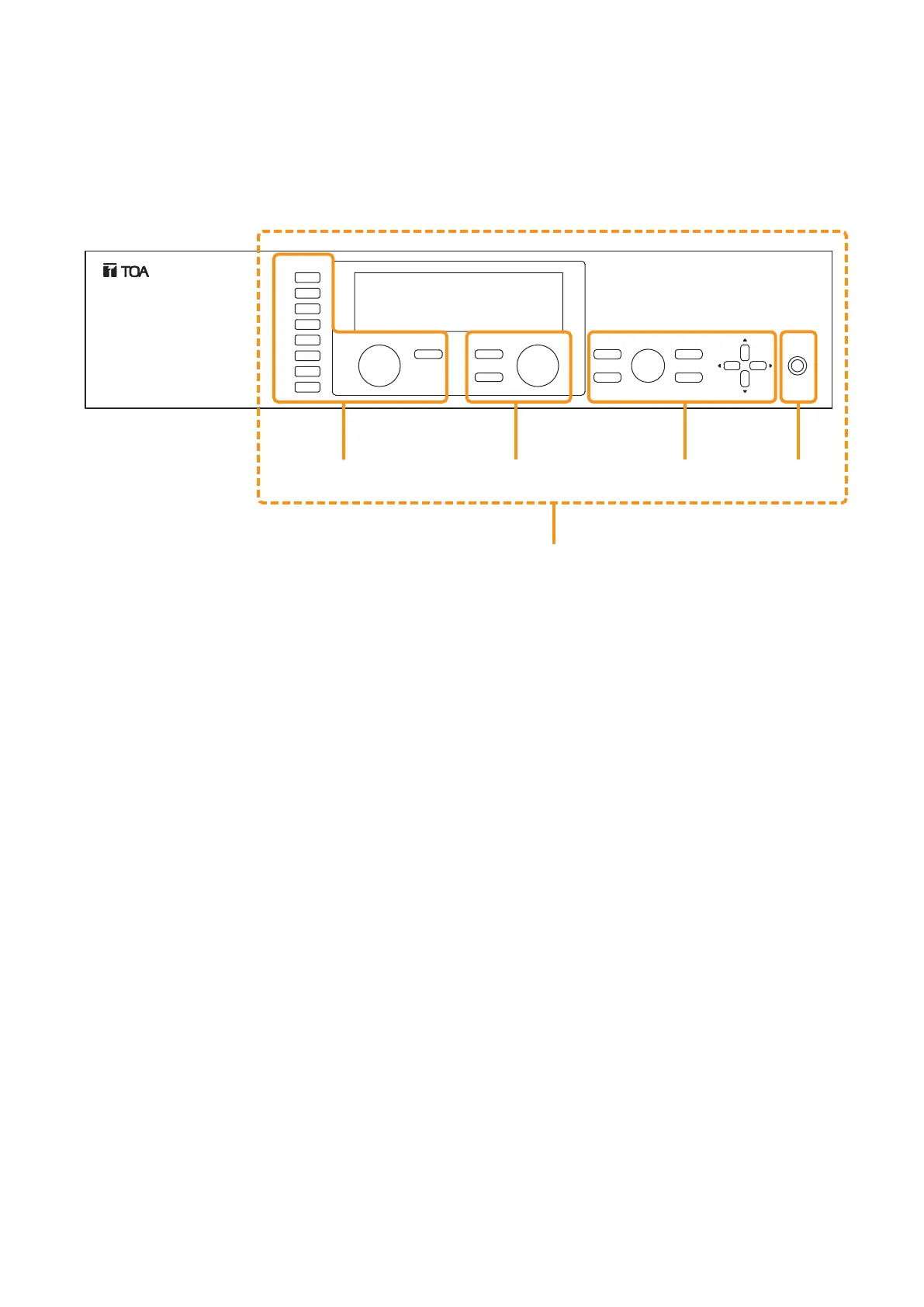
This figure represents the M-9000.
ALL: Locks all keys simultaneously.
INPUT: Locks the Input channel selection keys, Input volume control, and Input channel ON/OFF key.
It is also possible to individually set whether or not to lock for each channel.
OUTPUT: Locks the Output channel selection key, Output volume control, and Output channel ON/OFF key.
It is also possible to individually set whether or not to lock for each channel.
UTIL: Locks the Utility menu key, Memory key, Enter key, Escape/Back key, and Parameter setting knob.
POWER: Locks the Power switch.





 To Next Page