110
18.4. Setting the Communication Port and Speed
Set the PC's communication port and speed according to the procedure below.
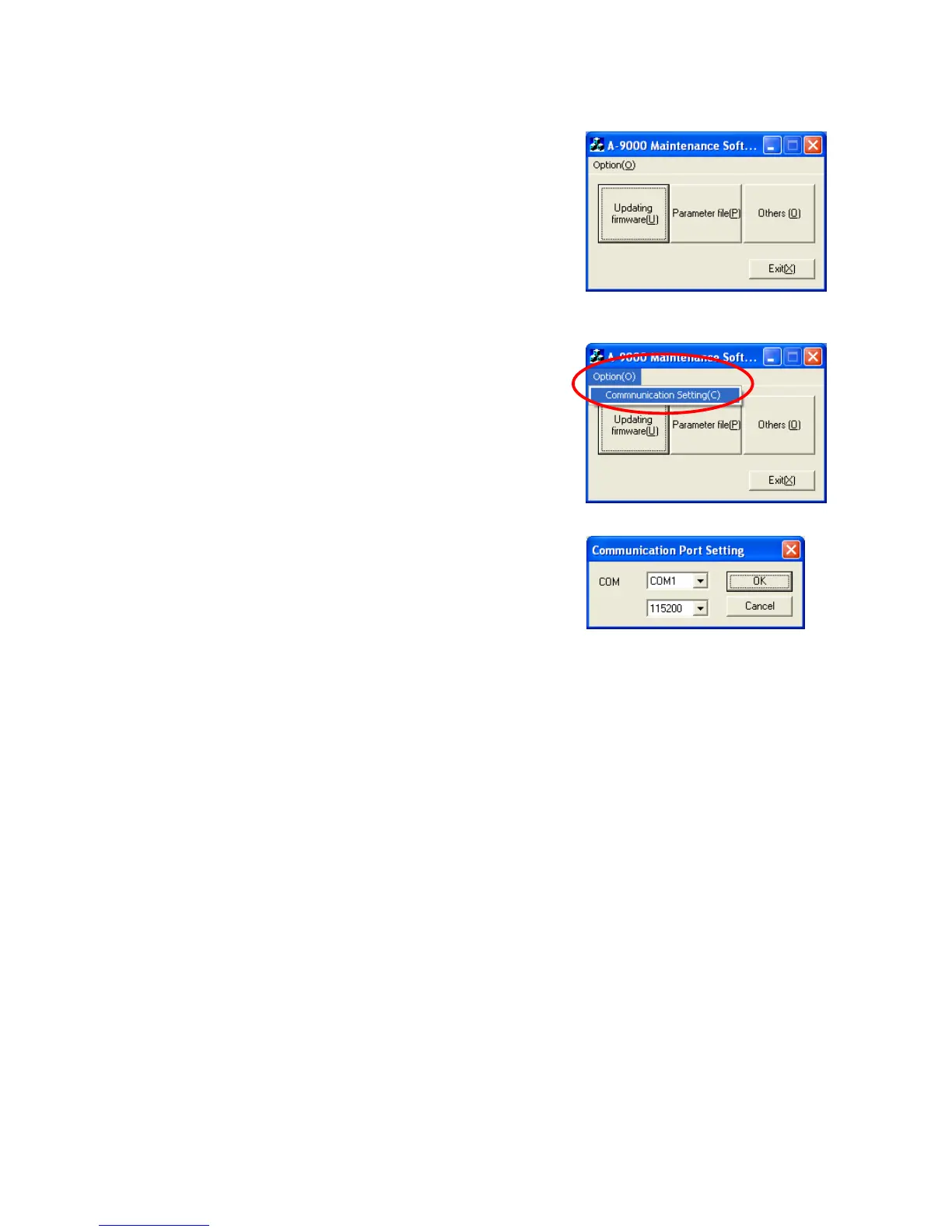
Step 1. Double-click the "MaintCtrl.exe" icon to run the 9000 series
maintenance software.
The screen at right is displayed.
Step 2. Pull down the menu from the "Option" button and select
"Communication Setting."
The screen at right is displayed.
Step 3. Select the communication port and speed to match the connected PC.
Then, click the "OK" button.
The COM port is factory-preset to "COM1" and the communication speed to "57600."



 To Next Page