3-29
Chapter 3
INSTALLATION AND SETTING PROCEDURES (HARDWARE)
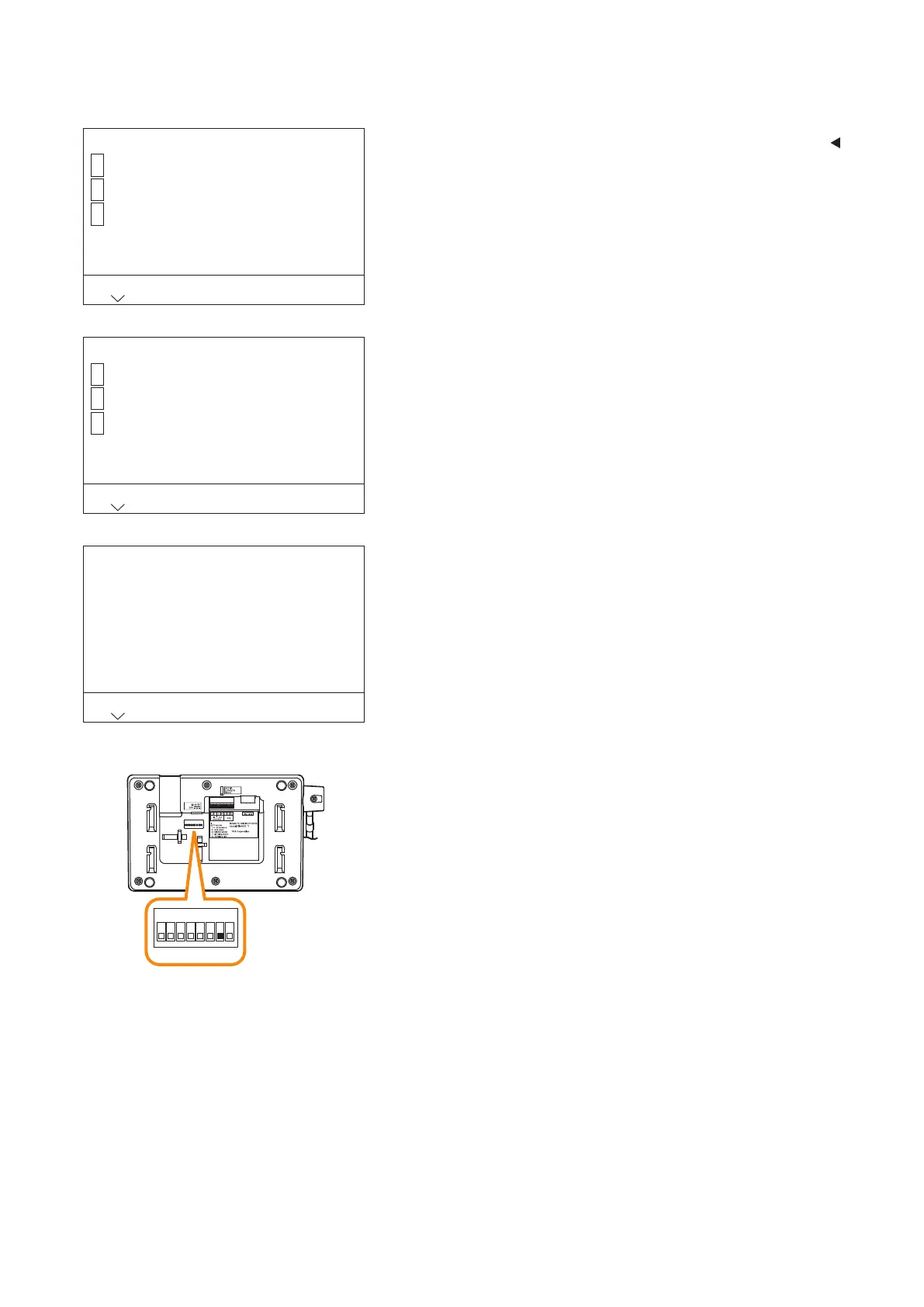
6.3.7. Exit the menu and return to the normal screen
Menu
Operation setting
Maintenance/Volume setting
BACK
1
2
Exit3
Save the setting
Save and exit
Exit without saving
BACK
1
2
Back3
Exit the menu
Return the DIP SW to normal
BACK
Step 1. When you have nished operation in the menu, press the
key to select "HOME" to return to the selection screen for
the rst menu item.
Tip
This operation can also be done by pressing the AUX key
several times.
Step 2. Press the [3] key and select "Exit menu."
The setting save conrmation screen is displayed.
Step 3. Press the [1] key.
The setting change completion screen is displayed.
Step 4. Set Switch 7 of the setting switch on the RM-500’s bottom
panel to the OFF position.
The screen returns to the normal screen.
RM-500 bottom
1
ON
2 3 4 5 6 7 8



 To Next Page