13
Basic Operation
1 Set the instrument on a tripod or smooth surface
and power ON.
If you want to use RC-300W for remote control, remove it
from the instrument and power on.
To precisely align the instrument, use the Automatic
alignment function. See “Automatic Alignment” and
“Executing Automatic alignment” sections.
2 Set X and/or Y axis grades.
3 Turn on LS-70A level sensor. Check the operation
surface by using the LS-70A level sensor. If high-
precision detection is desired, select that setting
on the LS-70A.
(For more information about LS-70A level sensor refer to
“Standard / Optional Accessories” section.)
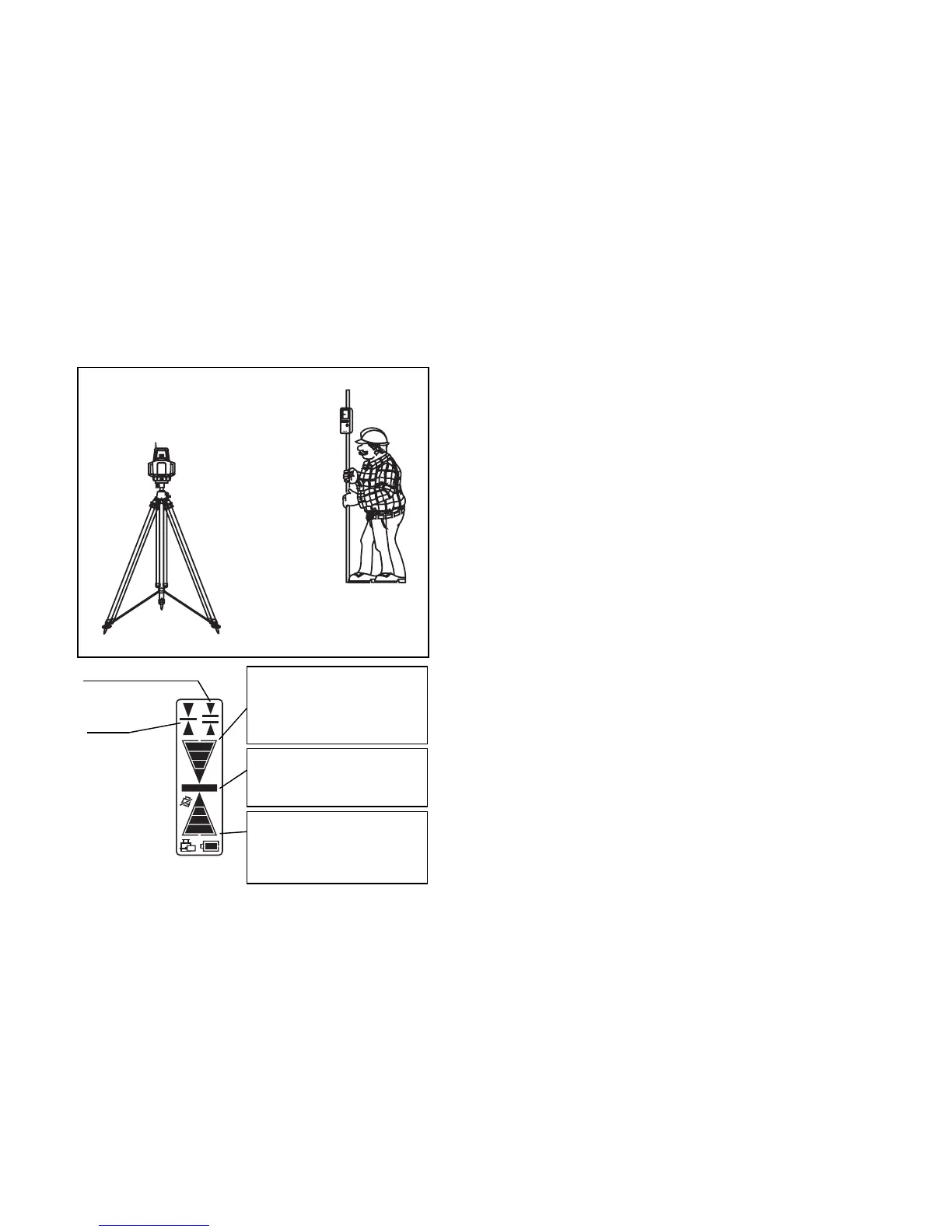
4 Check the rotating beam elevation using the LS-
70A level sensor.
Normal precision mode
High precision
mode
Level sensor
Higher than datum position
(Buzzer sound:High frequent
beep sound)
Move the sensor downward.
Datum position
(Buzzer sound:Continuous
beep sound)
Lower than datum position
(Buzzer sound:Low frequent
beep sound)
Move the sensor upward.



 To Next Page