71
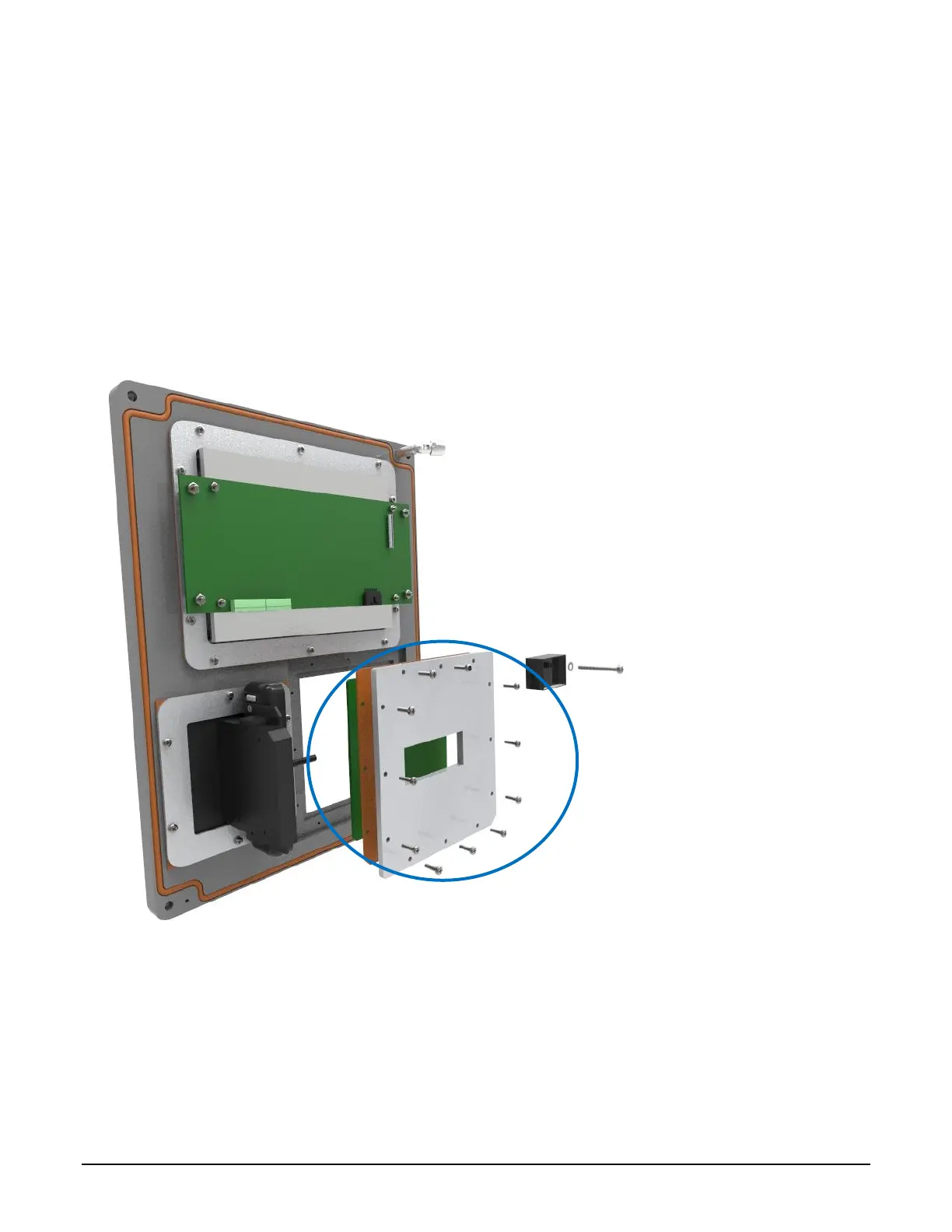
Removal:
1. Disconnect the keypad cable from the back of the keypad.
2. Using a #2 screwdriver, remove all screws holding on the keypad plate.
3. Remove the plate.
4. Using a flat screwdriver, carefully pry out the keypad.
Installation:
1. Carefully install the keypad into the cover.
2. Install the keypad plate and retaining screws.
3. Reconnect the keypad cable to the keypad.
Figure 7.8 ML II/ RCU II Div2 Unit Cover Keypad Assembly
Card Reader Removal and Replacement 7.5
Slotted Card Holder Mounted Prox Reader Removal and Replacement: (Current Model)
7.5.1



 To Next Page