Micro-Master Touch User Guide
127
© 2014 Toro Australia Pty Ltd Ver 1.2, June 2014
This screen allows the modification of a number.
The Delete button deletes the last digit in the number. For example, if 610 is display, clicking delete
will change the number to 61.
A blank number (if 0 is deleted) will be accepted as a zero number.
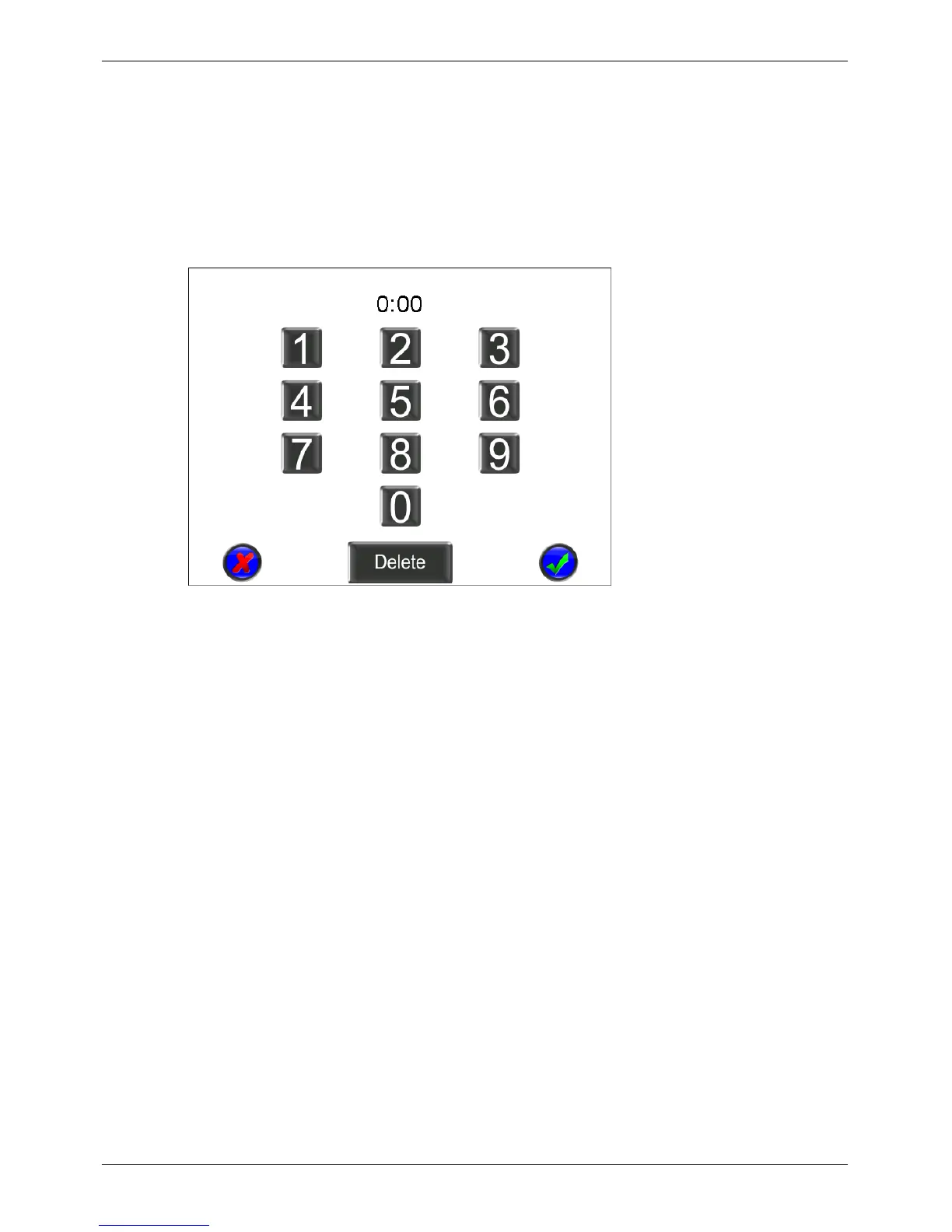
18.3 Time Edit
Figure 95 - Time and Duration Edit Screen
This screen allows the modification of a runtime or time entry.
The Delete button deletes the last digit in the time. For example, if 4:35 is display, clicking delete will
change the time to 0:43.
Any digits can be entered during the modification, but only valid times or runtimes are accepted when
the Accept button is clicked.


 To Next Page