] Setting the Remote Control
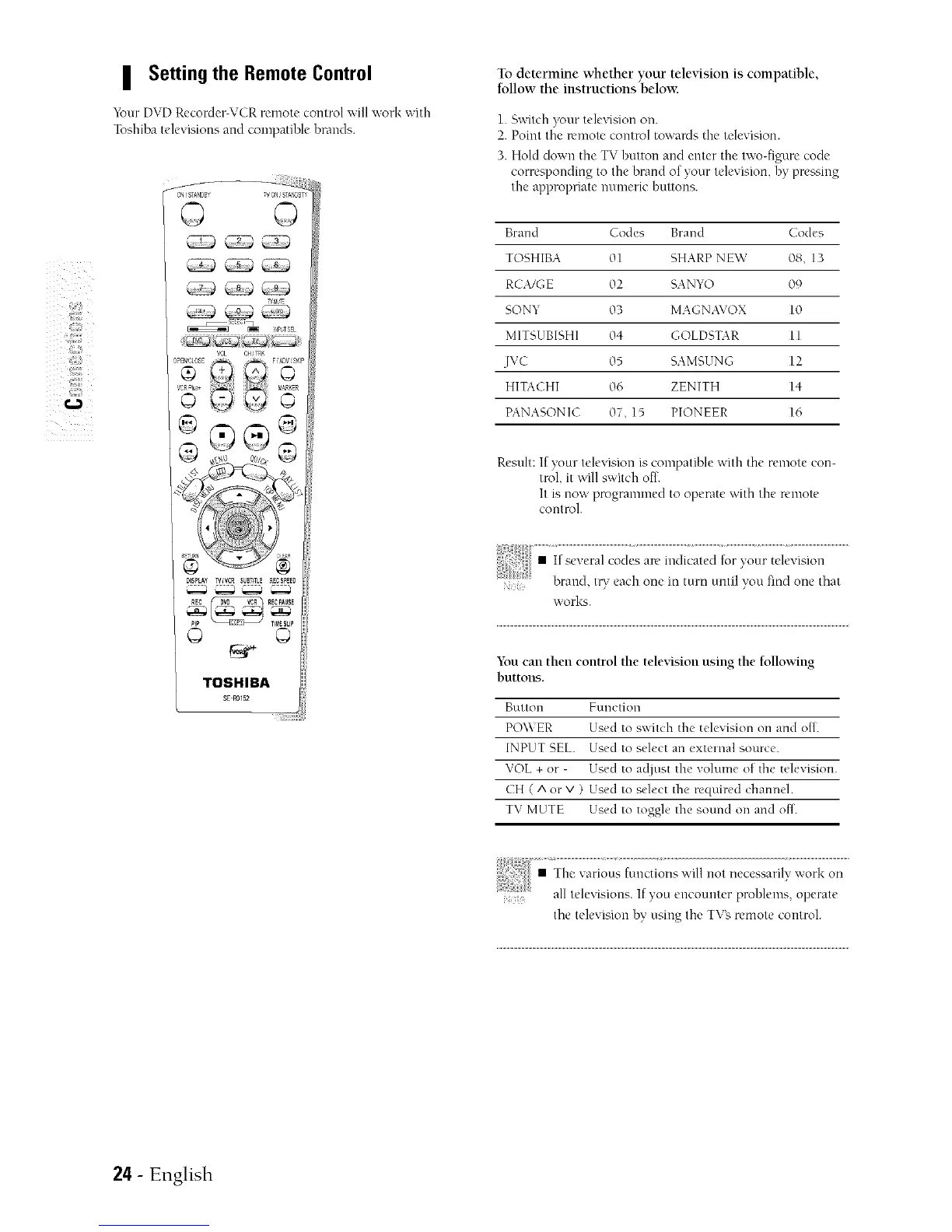
_k_ur DVD Recorder-VCR remote control will work with
Toshiba telexisions and compatible brands.
_'N ,' STANDB' V _q STA_,DBT
VOL CHST_
..............
DISPLAY _tVCR $_BTffLE RECSPEED
©
TOSHIBA
To determine whether your television is compatible,
follow the instructions below.
1. _witch your television on.
2. Point the n'mote control towanls the television.
3. Hold down the TV button and enter the two-figure code
corresponding to the brand of your television, by pre_qug
the appropriate numeric buttons.
Brand Codes Brand Codes
TOSHIBA 01 SHARP NEW 08, 13
RCA/GE 02 SANYO 09
SONY 03 MAGNAVOX 10
MITSUBISHI 04 GOLDSTAR 11
JVC 05 SAMSUNG 12
HITACHI 06 ZENITH 14
PANASONIC 07, 15 PIONEER 16
Result: If your television is compatible with the remote con-
trol, it will switch of[.
It is now programmed to operate with the remote
control.
works.
You can then control the television using the following
buttons.
Button Function
POWER Used to s;',itch the television on and ott.
INPUT SEL. Used to select an cxteinal souice.
VOL + oi - Used to adjust the volume of the television.
CH ( A or V ) Used to select the iequired channeh
TV MUTE Used to toggle the sound on and off.
¸7¸i¸¸¸ ii_
• The various functions will not necessarily work on
all teleqsious. If you encounter prohlems, operate
the television by using the TVg remote control.
24- English


 To Next Page