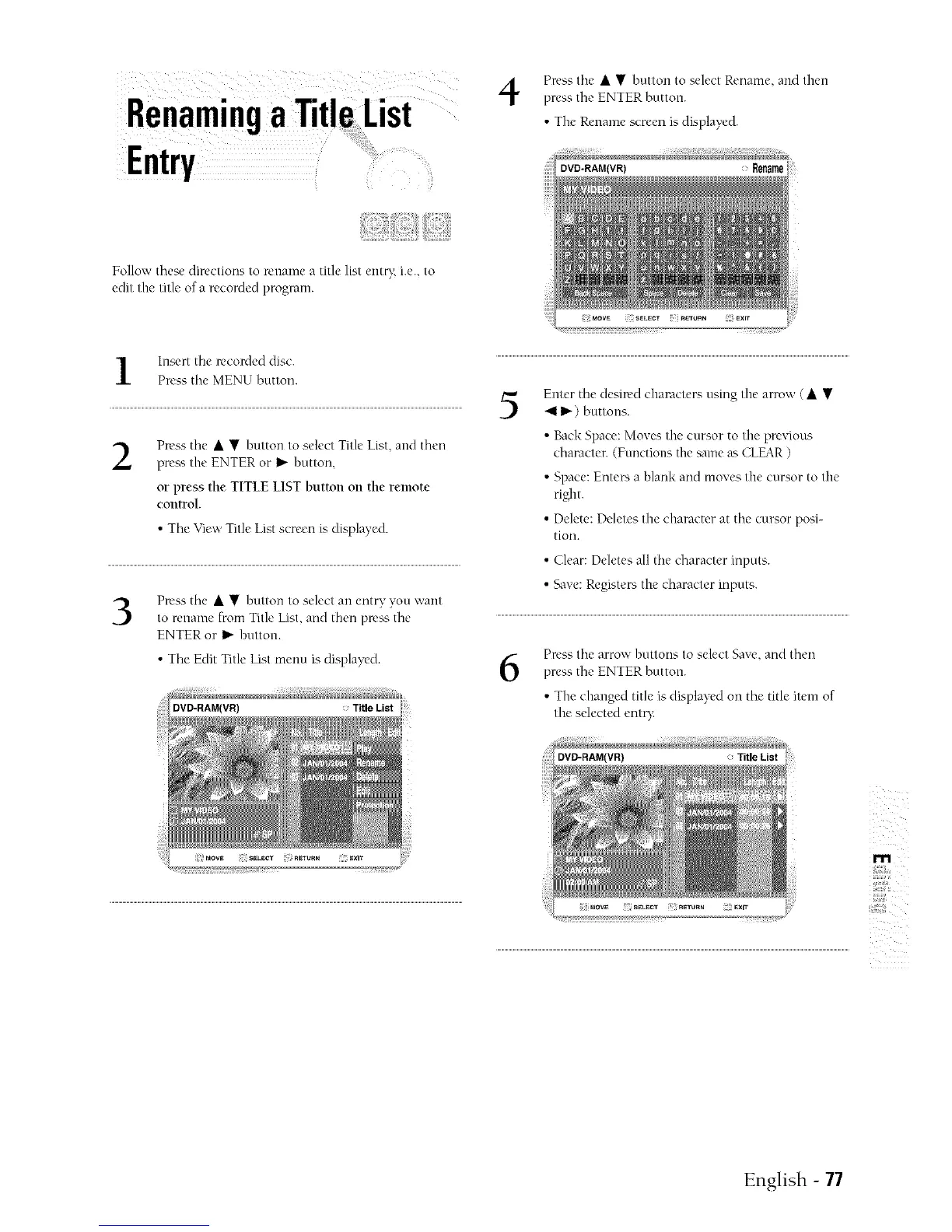
Press the • • button to select Rename, and then
press the ENTER button.
• The Rename screen is displayed.
Folio,,',' these directions to rename a title list entt T, i.e., to
edit the title of a recorded program.
Insert the recorded disc.
Press the MENU button.
Press the • • button to select Title List, and then
press the ENTER or I_"button,
or press the TITLE LIST button on the remote
control.
• The View Title List screen is displayed.
Press the • • button to select an entry you want
to rename from Title List, and then press the
ENTER or _ button.
• The Edit Title List menu is displayed.
Title List
5
Enter the desin'd characters using the arrow (• •
411)') buttons.
• Back Space: Moves the cursor to the previous
character. (Functions the same as CLEAR )
• Space: Enters a blank and moves the cursor to the
right.
• Delete: Deletes the character at the cursor posi-
tion.
• Clear: Deletes all the character inputs.
• qwe: Registers the character inputs.
6
Press the arrow buttons to select Save, and then
press the ENTER button.
• The changed title is displayed on the title item of
the selected entQ:
r'lPi
i!i_iii_ii!!!i,;i
English - 77



 To Next Page